Chapter 6: Cleaning Procedure
6/3
Operators & Maintenance Manual GENIUS Compact Version UK 0.1 © BESTnv
BESTnv Industrial Research BV, Marinus van Meelweg 20, 5657 EN, EINDHOVEN, THE NETHERLANDS
General tel. +31 (40) 292 2622 - Service tel. +31 (40) 292 2620 - Fax. +31 (40) 292 2633 - Email: service.BESTnv@bestnv.com
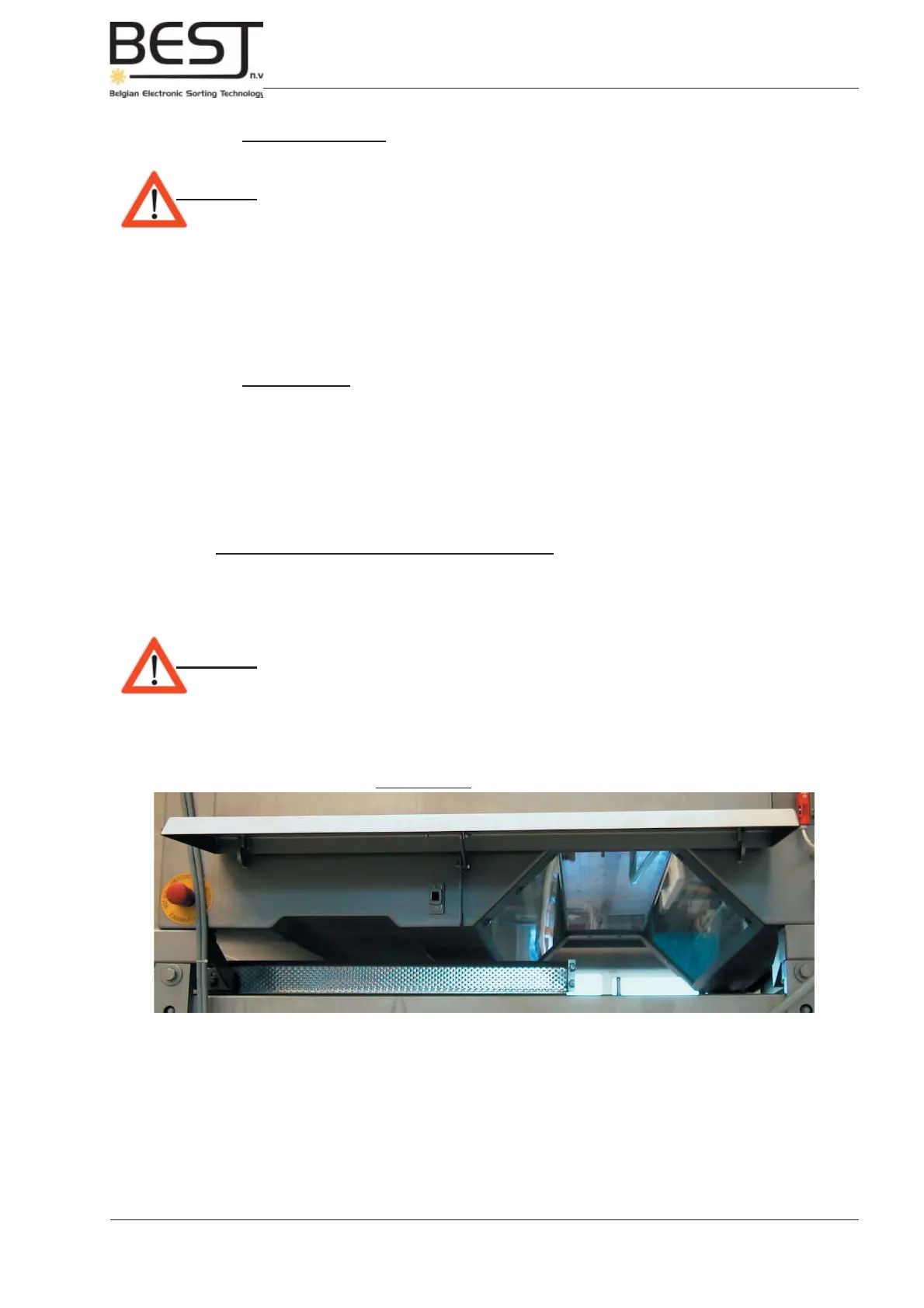
Picture 6.1.1.: Detection zone 1
Illumination Windows
detection zone 1
4. Clean the Background Drums (if present): (every shift)
- 1. Use a clean soft cloth and alcohol or another non-corrosive and non-abrasive detergent.
Attention: - Do not scratch or otherwise damage the drum surface.
- To clean the background drums BESTnv advises the 3M Marine Fibreglass
Cleaner and Wax. To remove small scratches BESTnv advises the 3M Marine
Fibreglass Restorer and Wax.
- A damaged or dirty background drum could cause false detections and
signifi cantly decrease the effi ciency of the sorter.
5. Clean the Return system (if present): (every shift)
(this includes all accept/reject shakers/belts that are part of the GENIUS Compact installation)
- 1. Scrape loose and remove dust and dirt if necessary.
- 2. Spray from top to bottom with clean water (with non-corrosive detergent if necessary)
- 3. Check positioning of return system parts to ensure optimum product fl ow.
6. Clean Windows of Illumination unit detection zone 1: (every shift)
- 1. Lift up side cover plate (see picture below).
- 2. Spray the windows of the illumination units with clean cold water without detergents.
Dry them with a clean cloth to avoid scale (only on the outside of the machine, over the belt).
Attention: - Do not scratch or otherwise damage any of the illumination windows.
- Avoid scale, water drops and/or any spots that could infl uence the sorting
effi ciency.



 To Next Page