9/15
Chapter 9: The Touchscreen program
Operators & Maintenance Manual GENIUS Compact Version UK 0.1 © BESTnv
BESTnv Industrial Research BV, Marinus van Meelweg 20, 5657 EN, EINDHOVEN, THE NETHERLANDS
General tel. +31 (40) 292 2622 - Service tel. +31 (40) 292 2620 - Fax. +31 (40) 292 2633 - Email: service.BESTnv@bestnv.com
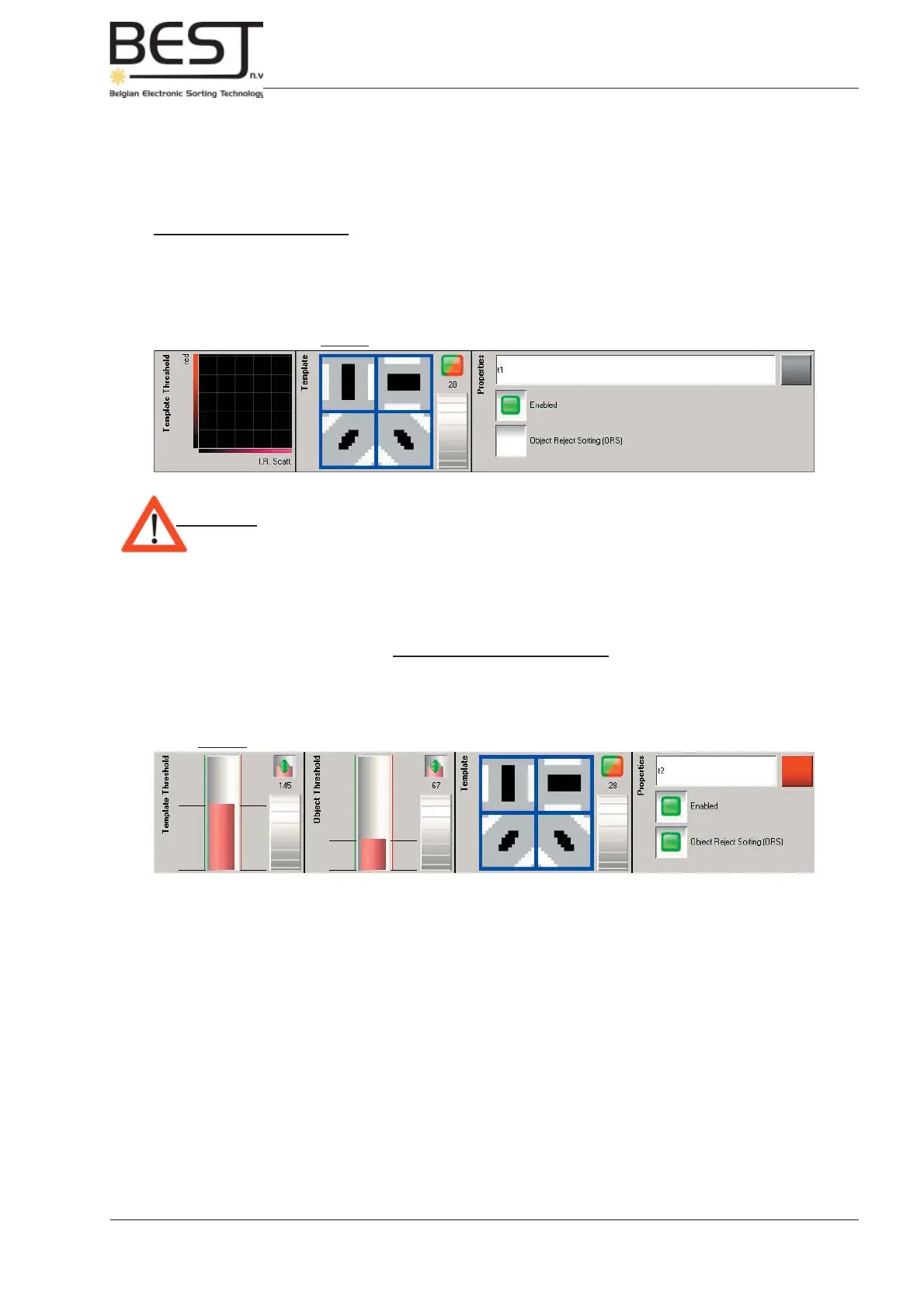
Picture: Template matching option with 2D fi lter.
Picture: Template matching option with 1D fi lter and Object Reject Percentage fi lter.
Press the “OK” button to accept the changes to the 2D threshold graphic, you will immediately go
back to the Detection Settings menu. If the Threshold and device are activated, the new settings will
be applied immediately.
Press the “Cancel” button to cancel all changes and go back to the Detection Settings menu.
Template Matching Option
(Only for very experienced operators trained by BESTnv).
This option is available with a 1D (mono) fi lter or with a 2D (combined) fi lter, and is based on a normal 1D
or 2D fi lter, but with a specifi c form fi lter overlaying it (for more theoretical info, see chapter 3: Theory).
Attention: - If the template matching option is chosen, only one fi lter can be used per
device.
- This also means that the template matching option is not available if one or
more fi lters are already set for this device. To use template matching, fi rst
remove all other fi lters.
An additional fi lter is available: the Object Reject Percentage Filter (see picture below).
With this extra fi lter it is theoretically possible to reduce the amount of good product in the fi nal reject.
This fi lter is rarely used and should only be set by a BESTnv engineer.



 To Next Page