Chapter 9: The Touchscreen program
9/18
Operators & Maintenance Manual GENIUS Compact Version UK 0.1 © BESTnv
BESTnv Industrial Research BV, Marinus van Meelweg 20, 5657 EN, EINDHOVEN, THE NETHERLANDS
General tel. +31 (40) 292 2622 - Service tel. +31 (40) 292 2620 - Fax. +31 (40) 292 2633 - Email: service.BESTnv@bestnv.com
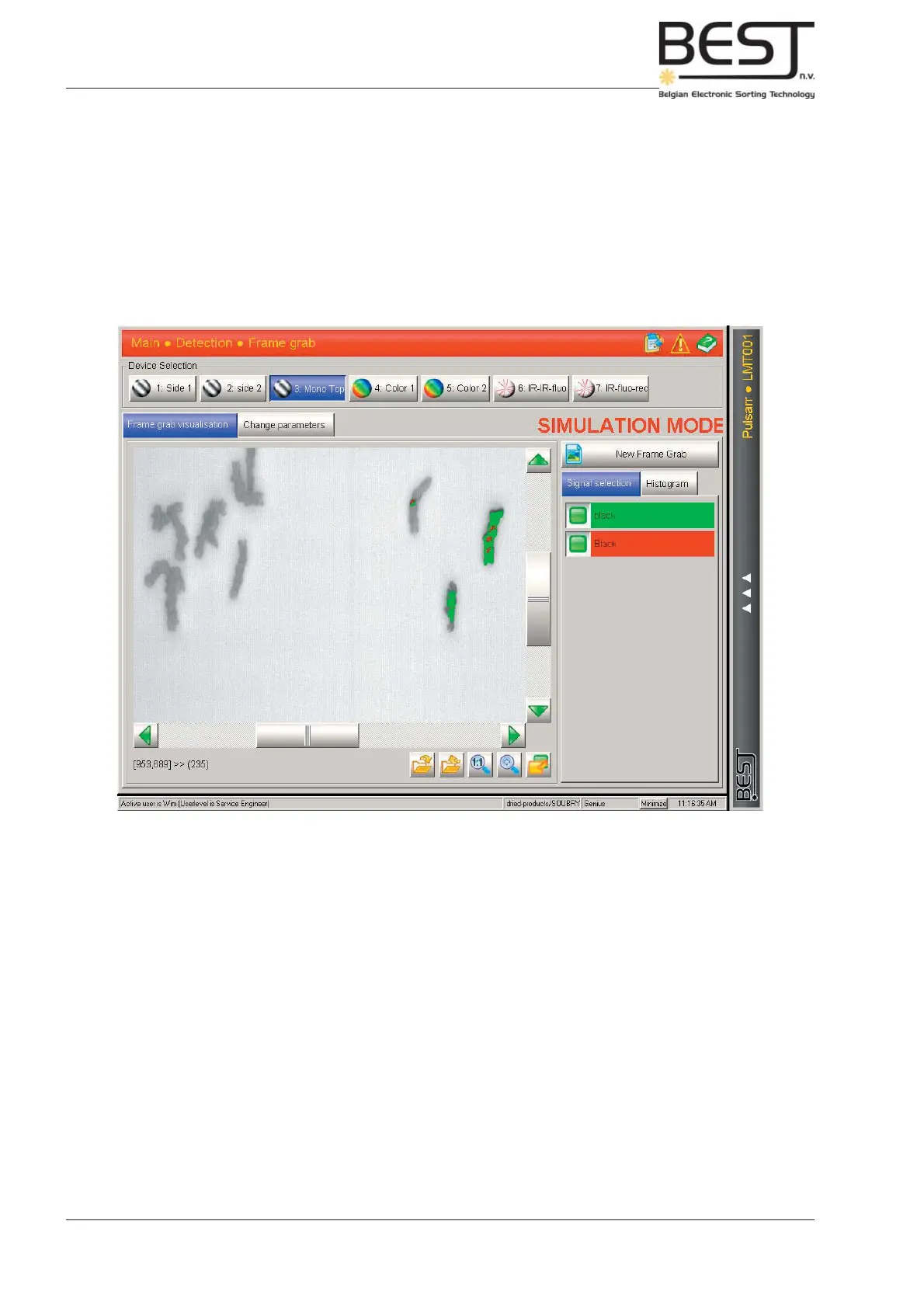
Signal Selection mode
In this mode the effect of the different fi lters on the sorting process can be checked.
The main screen will feature the Frame Grab image, with different colour spots that indicate which objects
are detected by which threshold fi lter (every colour indicates a different fi lter).
The panel to the right of the main screen will feature the different signals that can be selected (not with
mono camera, see picture) and the different fi lters with their specifi c colour. All fi lters can be activated or
deactivated to clearly see the specifi c objects detected by one particular fi lter.



 To Next Page