2/21
Chapter 2: Pre-installation Guide:
Unpacking & placing of GENIUS Compact optical sorter
Operators & Maintenance Manual GENIUS Compact Version UK 0.1 ©
BESTnv
Pulsarr Industrial Research BV, Marinus van Meelweg 20, 5657 EN, EINDHOVEN, THE NETHERLANDS
General tel. +31 (40) 292 2622 - Service tel. +31 (40) 292 2620 - Fax. +31 (40) 292 2633 - Email: service.pulsarr@bestnv.com
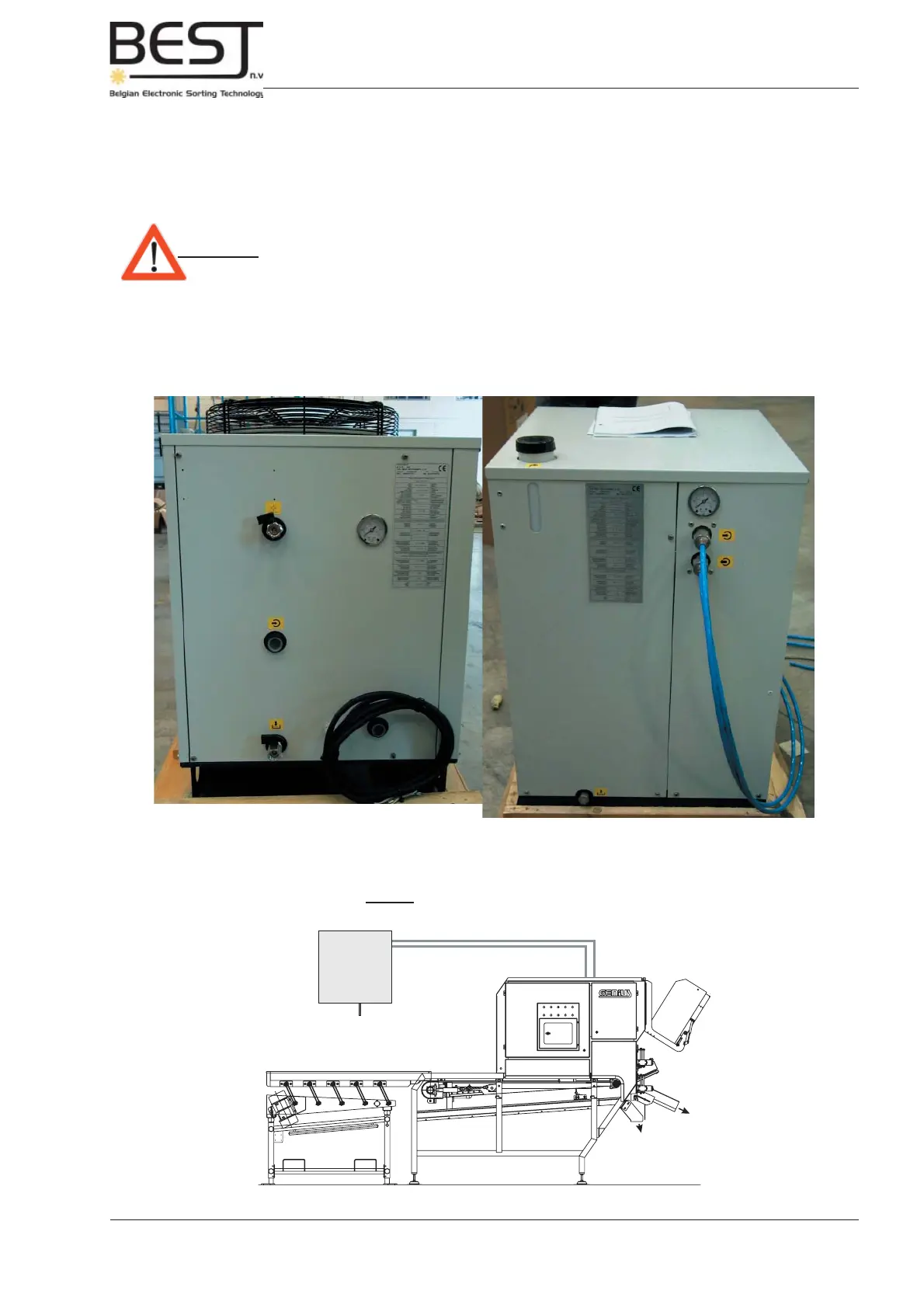
Picture: Back cooling unit TAE 020 EVO Picture: Back cooling unit TAE M010 EVO
B
A
A
B
Picture: Installation of Cooling Unit
Cooling
unit
Warm water
Cold water
separate electrical
supply
A: Pressure Gauge
B: Water Output valve
In order to prevent damaging the Water pump in the TAE Cooling units, it is necessary to create an
internal pressure difference. This can be achieved by partially closing the output valve until the pressure
gauge on the control panel indicates the desired pressure. The ideal pressure is dependent on the type
of cooling unit and the pump type (see data and pictures underneath).
Attention: - If the Pump is not running under ideal pressure conditions, it may break
down after a very short working period.
TAE M010 EVO with pump P0: between 2 and 3.5 bar
TAE 020 EVO with pump P3: between 3 and 4 bar



 To Next Page