Chapter 3: Theory
3/12
Operators & Maintenance Manual GENIUS Compact Version UK 0.1 © BESTnv
BESTnv Industrial Research BV, Marinus van Meelweg 20, 5657 EN, EINDHOVEN, THE NETHERLANDS
General tel. +31 (40) 292 2622 - Service tel. +31 (40) 292 2620 - Fax. +31 (40) 292 2633 - Email: service.BESTnv@bestnv.com
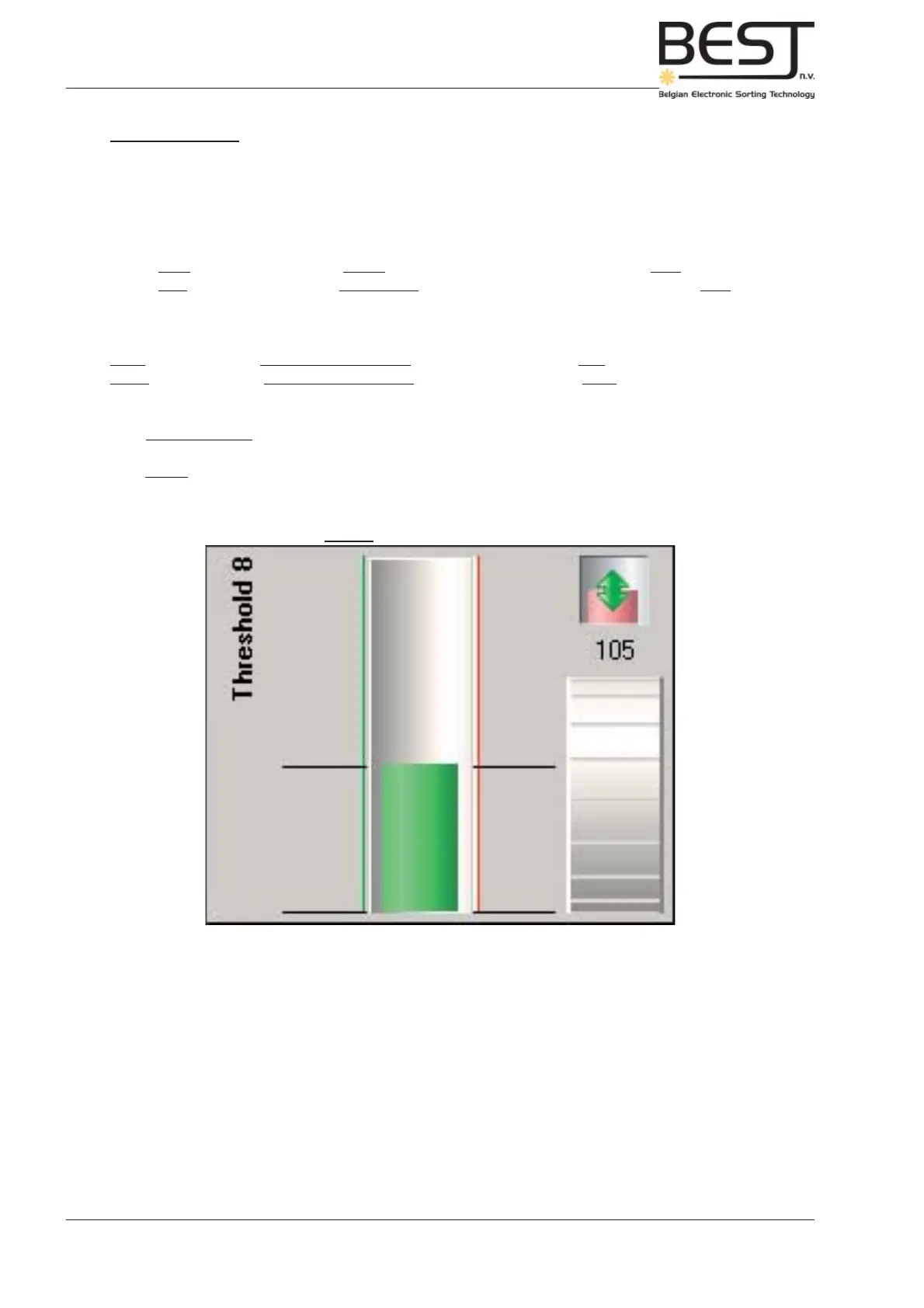
Picture: Mono (1D) Threshold (Low)
Value
dial
Mono Thresholds
A 1D or mono threshold is in fact nothing more than a straight mathematical line, a value that defi nes the
boundary between good and bad. Using a simple 1D threshold is generally the easiest way to distinguish
good products from bad product or defects.
An ordinary mono threshold can be high or low:
With a High threshold, everything above the line or threshold value, is seen as bad product.
With a Low threshold, everything underneath the line or threshold value is considered bad product.
In the Pollux system, it is also possible to create a threshold zone using a combination of a high and a
low threshold:
Inner threshold: zone between high and low threshold is designated bad product zone.
Outer threshold: zone between high and low threshold is considered good product zone.
With monochromatic cameras a grey value is used as a threshold: a value between 0 (black) and 255
(white).
With colour cameras an intensity value of one of the three colours Red, Green and Blue or Infrared can
be used: this value will be between 0 (black) and 250 (full intensity Red, Green or Blue).
The striped bar in the right lower corner of the picture above represents a dial. Put your fi nger on the dial
on the touchscreen and move it upwards to increase the threshold value, or downwards to decrease it.
Pressing once in the upper/lower half of the dial will increase/decrease the threshold value (displayed
above the dial) with 1 unit.



 To Next Page