3/15
Chapter 3: Theory
Operators & Maintenance Manual GENIUS Compact Version UK 0.1 © BESTnv
BESTnv Industrial Research BV, Marinus van Meelweg 20, 5657 EN, EINDHOVEN, THE NETHERLANDS
General tel. +31 (40) 292 2622 - Service tel. +31 (40) 292 2620 - Fax. +31 (40) 292 2633 - Email: service.BESTnv@bestnv.com
Template Matching
This is an extra option that can be added to the simple 1D (mono) or 2D (combined) fi lter thresholds.
With the standard thresholds an object is seen as a defect when it has a minimum length and width
(defect size), and a minimum defect pixel percentage (see previous pages), With template matching the
only thing that counts is its shape.
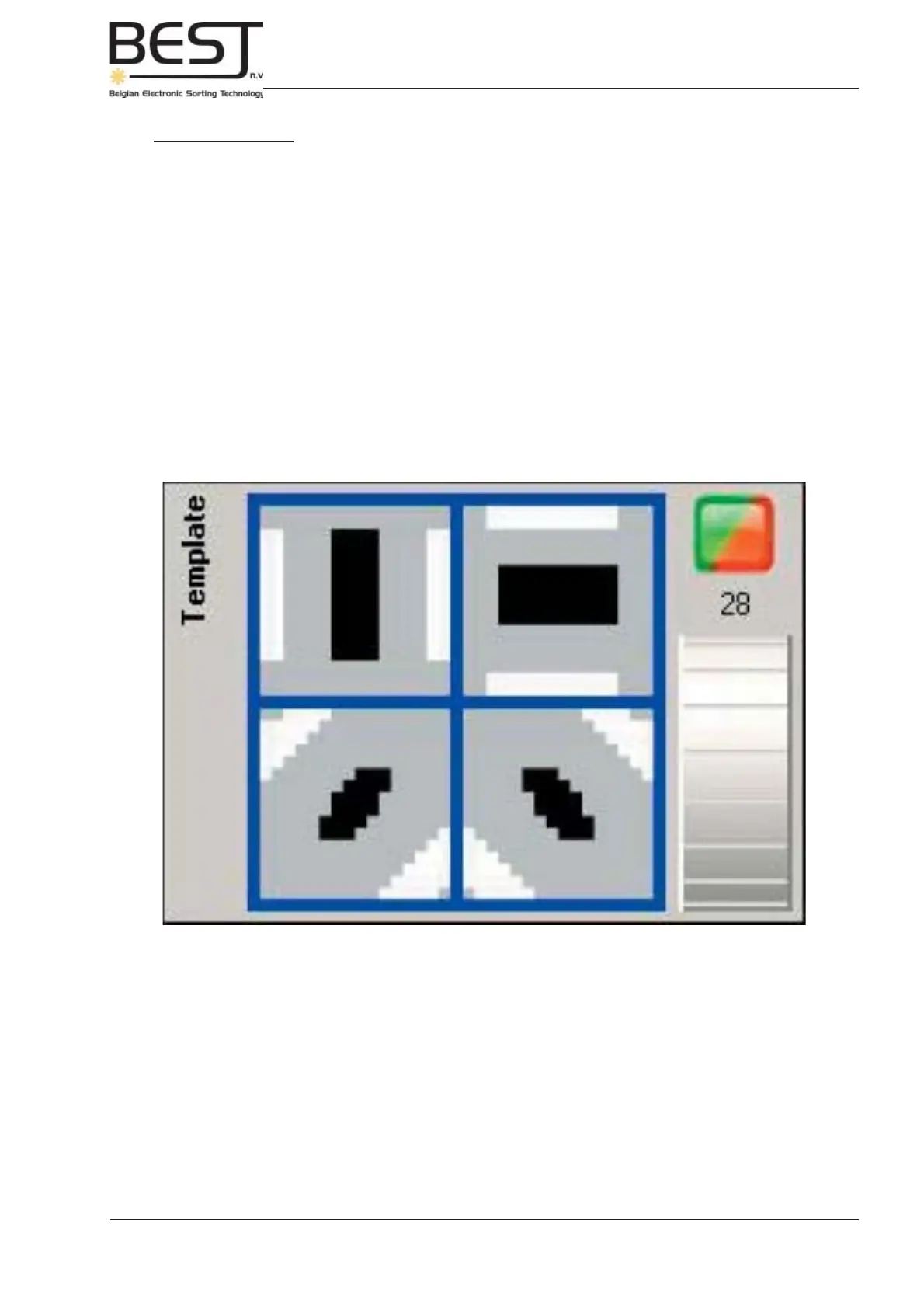
A template is created (see picture underneath) that represents the basic shape of the good product in
4 directions (horizontal, vertical and slanted right or left). The basic 1D or 2D threshold must be set in
such a way that it detects everything (good and bad) except the transport belt.
- The 4 squares correspond to a zone of 16 by 16 pixels.
- The black zone must consist of detected pixels (only non-belt pixels).
- The grey zone may consist of detected pixels (belt and non-belt pixels).
- The white zone may not contain any detected pixels (only belt pixels).
=> The detected object must be at least as large as the black zone, but its shape must not fall
outside the grey zone. => Everything smaller than the black zone or not fi tting into the grey zone will
be recognised as a defect and ejected.



 To Next Page