Chapter 5: Routine Operational Procedures
5/9
Operators & Maintenance Manual GENIUS Compact Version UK 0.1 © BESTnv
BESTnv Industrial Research BV, Marinus van Meelweg 20, 5657 EN, EINDHOVEN, THE NETHERLANDS
General tel. +31 (40) 292 2622 - Service tel. +31 (40) 292 2620 - Fax. +31 (40) 292 2633 - Email: service.BESTnv@bestnv.com
5.4.1. Operator level procedure:
1. Press the Detection button on the navigation bar to get to the Detection Menu.
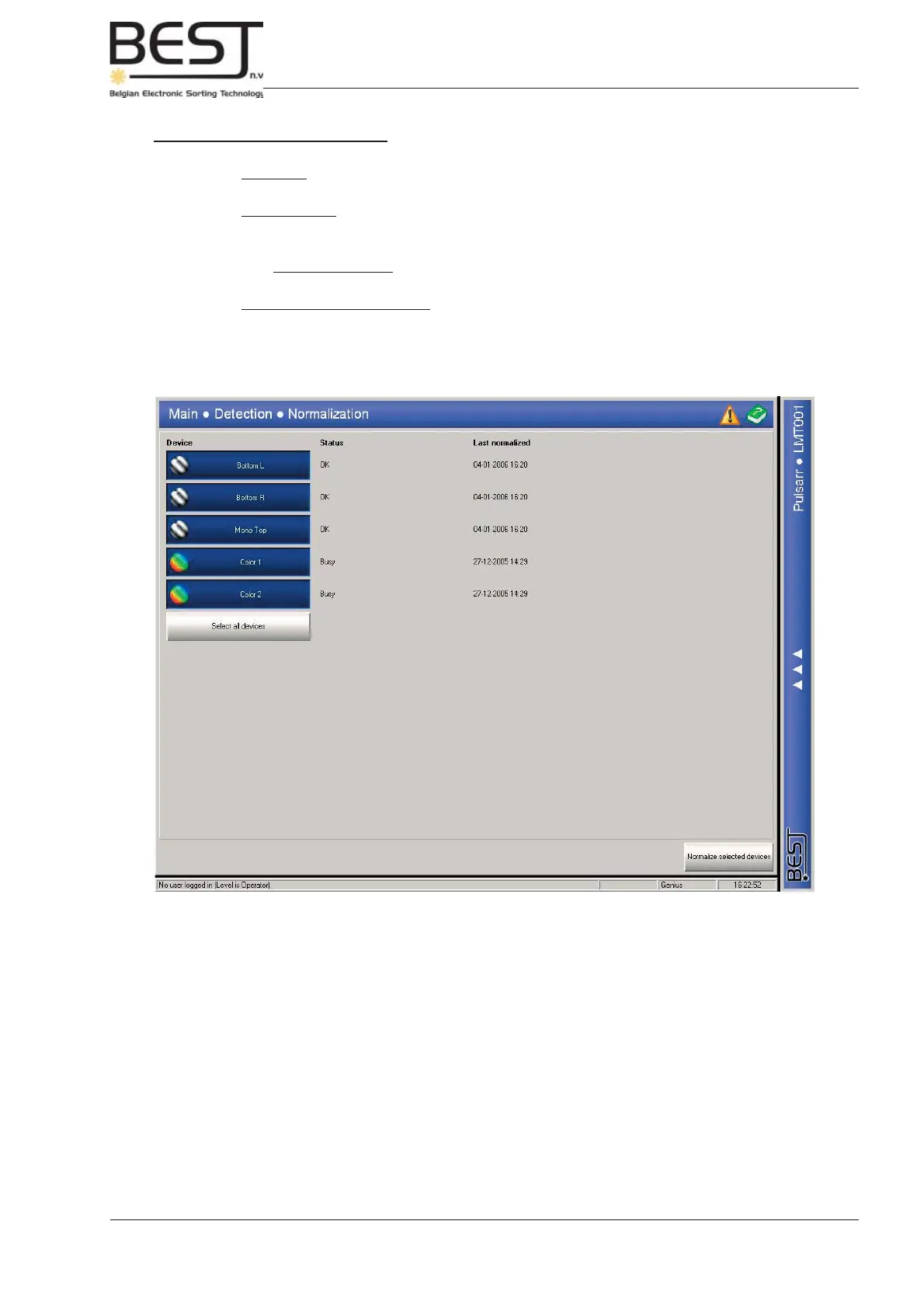
2. Press the Normalization button on the navigation bar to get to the Normalization Menu.
3. Press the device you want to normalize. The button pressed will turn blue. Usually it is advisable to
simply select the Select all devices button in the Normalization Menu (all device buttons will turn blue).
4. Press the Normalize selected devices button.
The devices will be normalized one by one, busy will appear after the device that is currently being
normalized, and the OK means a successful normalization has been taken.



 To Next Page