5/10
Chapter 5: Routine Operational Procedures
Operators & Maintenance Manual GENIUS Compact Version UK 0.1 © BESTnv
BESTnv Industrial Research BV, Marinus van Meelweg 20, 5657 EN, EINDHOVEN, THE NETHERLANDS
General tel. +31 (40) 292 2622 - Service tel. +31 (40) 292 2620 - Fax. +31 (40) 292 2633 - Email: service.BESTnv@bestnv.com
5.4.2. Expert level procedure:
1. Press the Detection button on the navigation bar to get to the Detection Menu.
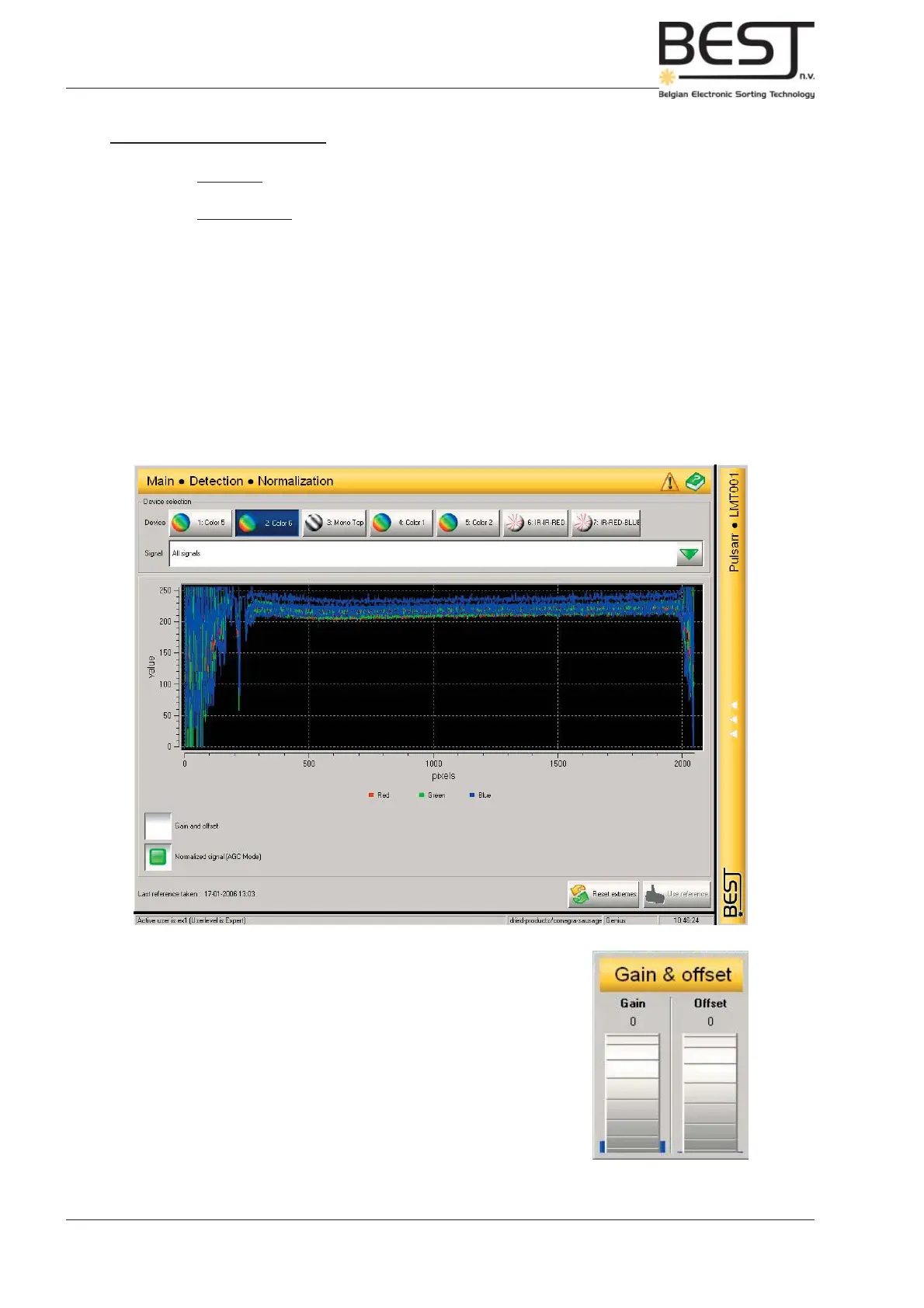
2. Press the Normalization button on the navigation bar to get to the Normalization Menu.
3. Select the appropriate device by pressing the button to the top of the screen (Lasers do not need
normalization). The button of the selected device will turn blue.
4. Select all signals (with colour camera).
5. Press Reset extremes button to bottom right of screen.
6. Activate “Normalized signal AGC model” view.
- Press white square before “Normalized signal AGC model”
All signals on the main screen should now form a more or less horizontal line (see picture) and
should be approximately on top of each other (see picture below).
7. Adjust offset and gain if necessary.
- Press white square before Gain and offset.
A pop-up screen will appear (see picture).
Increase or decrease Gain and Offset as needed.
8. Repeat points 3 to 7 for all active devices (cameras).



 To Next Page