User Manual Synertia® RF Generator 25
The information contained in this manual is subject to change by Comet Yxlon without prior notice.
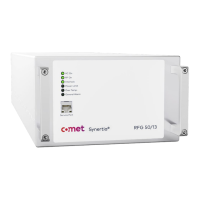
No. Label Description Connector type
1 Service Port For communication with the generator via RJ45 network
cable.
Note: front and back connections are not available at the
same time. Selection can be done in device configuration.
RJ45
2 AC On
RF On
Interlock
Power Limit
Over Temp.
6 LEDs for indicating the current operating status of the
generator; for details, see section 5.2.2 “Displaying alarms
and warnings via LEDs” on page 59.
Note: the same status indicators are on the back.
-
The handles are provided for final adjustment in a rack.
Do not use the front panel handles for lifting or carrying
the generator.
Table 8: Components on the front panels of air-cooled and water-cooled generators


 To Next Page