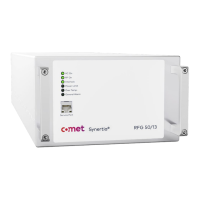
User Manual Synertia® RF Generator III
The information contained in this manual is subject to change by Comet Yxlon without prior notice.
4.4.2 ARC-Sync operation ..................................................................................................... 44
4.4.3 Sync Bus operation ....................................................................................................... 44
4.4.4 Pulse operation .............................................................................................................. 45
4.5 Connecting RF power cable ................................................................................................ 46
4.6 Connecting/disconnecting cooling water connections (only water-cooled
generators) ....................................................................................................................................... 48
4.6.1 Connecting cooling water connections .................................................................... 48
4.6.2 Optional: Using a solenoid valve .................................................................................51
4.6.3 Disconnecting cooling water connections ................................................................51
4.7 Connecting AC mains .......................................................................................................... 52
4.7.1 Connector air-cooled generators .............................................................................. 52
4.7.2 Connector water-cooled generators: ....................................................................... 53
4.7.3 Connection procedure for air-cooled and water-cooled units ............................ 54
4.8 Unit uninstallation ................................................................................................................ 56
4.9 Disposal of packaging material ......................................................................................... 56
5 Operation ..................................................................................................................................... 57
5.1 Modes of operation .............................................................................................................. 57
5.1.1 Remote-control operation via the analog and digital signals ............................. 57
5.1.2 Remote-control operation via digital communications interface ...................... 57
5.2 Using the Synertia® RF generator ..................................................................................... 58
5.2.1 Commissioning the Synertia® RF generator ........................................................... 58
5.2.2 Displaying alarms and warnings via LEDs ............................................................... 59
6 Troubleshooting ...........................................................................................................................61
6.1 Repair of RF generators .......................................................................................................61
6.1.1 General Instructions ......................................................................................................61
6.1.2 Administrative procedures ...........................................................................................61
6.1.3 Authorized repair locations ......................................................................................... 62
6.1.4 Shipment of RMA units ................................................................................................ 62
6.1.5 Failure analysis of returned units .............................................................................. 62
6.1.6 Claims of shipping or handling damage ................................................................... 63
6.1.7 Repair ............................................................................................................................... 63
6.2 Troubleshooting guide ......................................................................................................... 64
6.2.1 General troubleshooting .............................................................................................. 64
6.2.2 Checks with the power off .......................................................................................... 64


 To Next Page