CTERA C200 Specifications and Installation 2
CTERA C-Series User Guide 11
If a DHCP server is not available, then after one minute, the appliance will use the
IP address 192.168.192.5.
If you need to unplug the appliance, you must first shut it down as described in
Shutting Down the CTERA Appliance (on page 333). Failure to do so could result
in data loss.
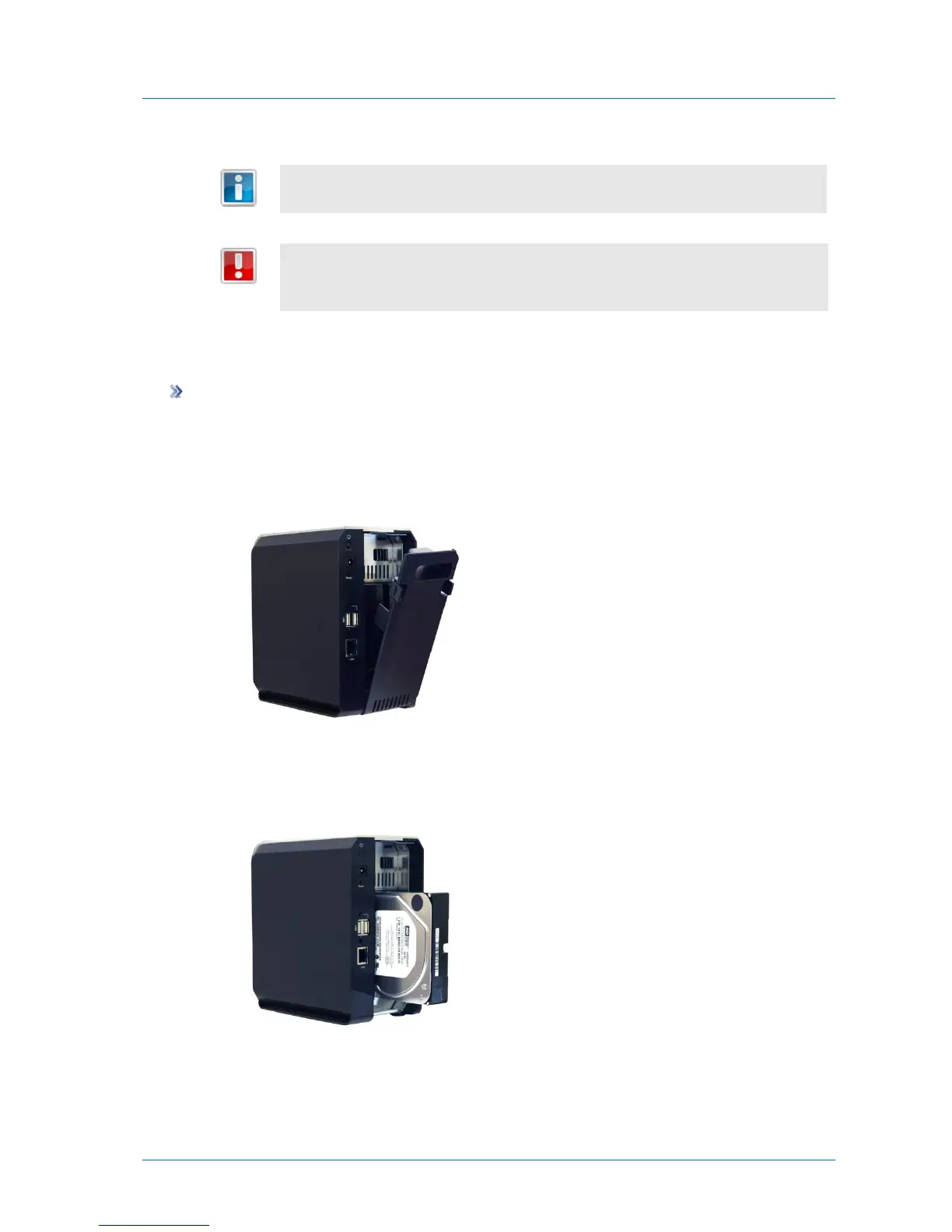
Installing a SATA Hard Drive in the CTERA C200
To install a SATA hard drive
1 Open the appliance's back cover, by pressing the two plastic tabs and then pulling
backwards.
Two slots are revealed.
2 Insert the SATA hard drive into a vacant slot, pressing it firmly until it is all the way in.
If you install the drive in left-hand slot, the drive's metal cover should be facing left.



 To Next Page