CTERA C800 Specifications and Installation 4
CTERA C-Series User Guide 27
A handle for each power supply, enabling one to remove it.
If both power supplies are installed, and one of the power
supplies fails or loses power, an alarm signal will sound. Press
this button to mute the power supply alarm.
See Muting the Power Supply Alarm (on page 34).
A serial (RS-232) console port used for connecting to the
appliance console. The console can be used for advanced
troubleshooting and maintenance operations.
Four USB 2.0 ports used for connecting USB drives.
Note that you can connect more than four USB drives, by
connecting a powered USB hub. Be sure to use a powered hub,
in order to avoid exceeding the power capacity of the USB
ports.
An eSATA port used for connecting the appliance to a SATA
drive.
Two Ethernet ports used for connecting the appliance to your
Ethernet LAN switch or router.
Connect the Ethernet cables provided in the appliance package
to these ports. To use both ports in parallel, configure link
aggregation, as described in Enabling/Disabling Link
Aggregation (on page 268).
For best performance, use a Gigabit-capable Ethernet switch.
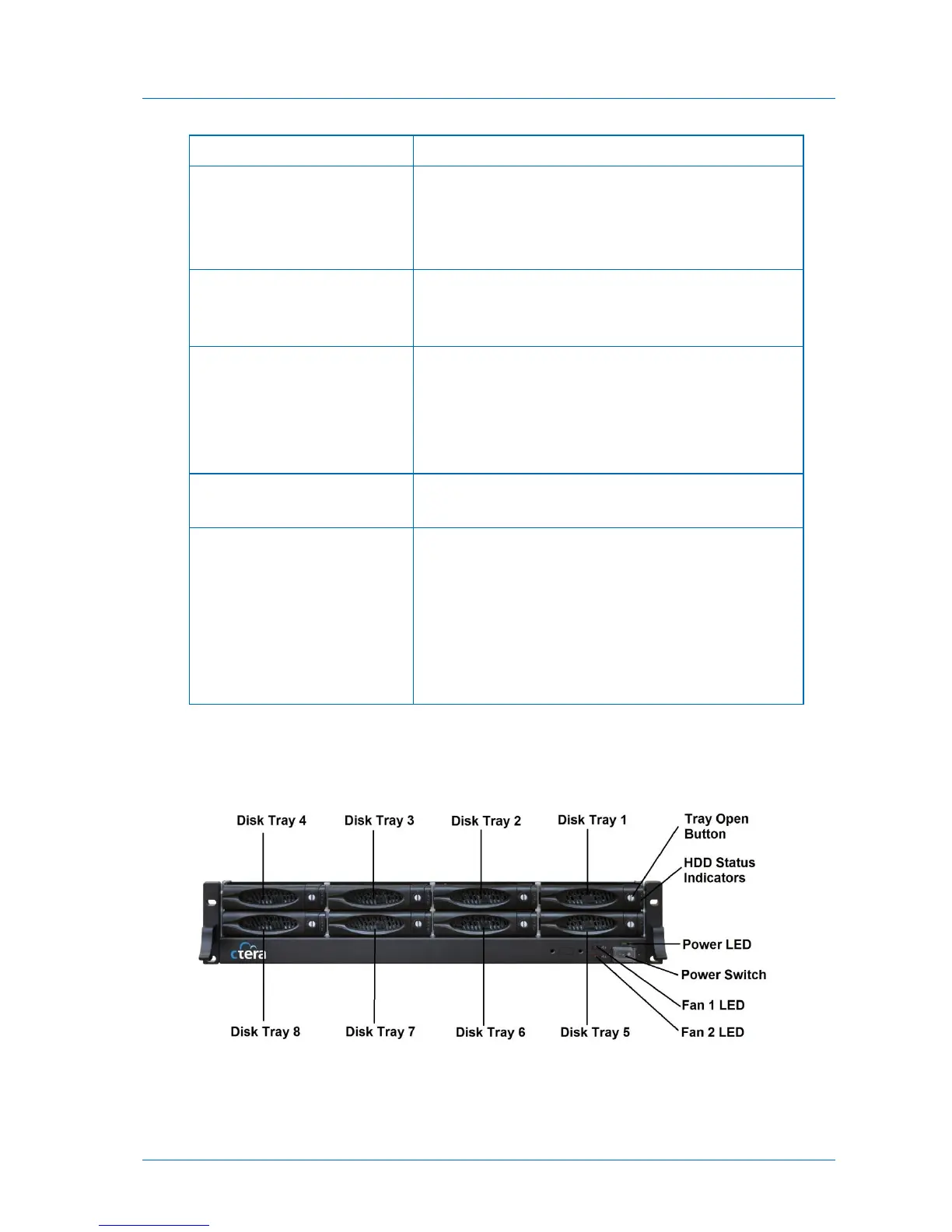
Front Panel
The C800's front panel appears as follows:



 To Next Page