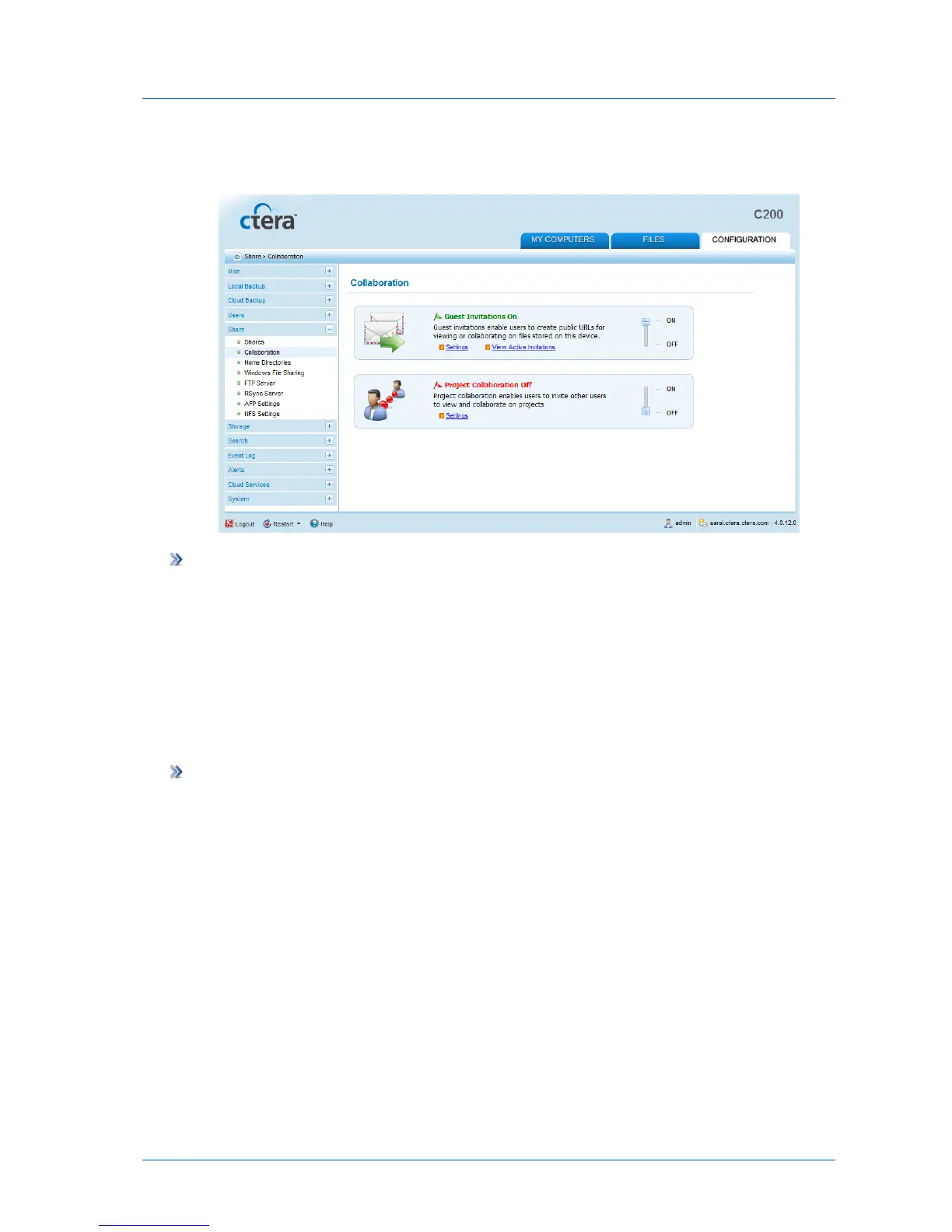
Guest invitations are enabled, and you can now configure the desired settings. See
Configuring Guest Invitation Settings (on page 134).
To disable guest invitations
1 In the Configuration tab's navigation pane, click Share > Collaboration.
The Share > Collaboration page appears.
2 Slide the Guest Invitations lever to the OFF position.
Guest invitations are disabled.
Configuring Guest Invitation Settings
To configure guest invitation settings
1 In the Configuration tab's navigation pane, click Share > Collaboration.
The Share > Collaboration page appears.
2 In the Guest Invitations area, click Settings.



 To Next Page