4 CTERA C800 Specifications and Installation
26 CTERA C-Series User Guide
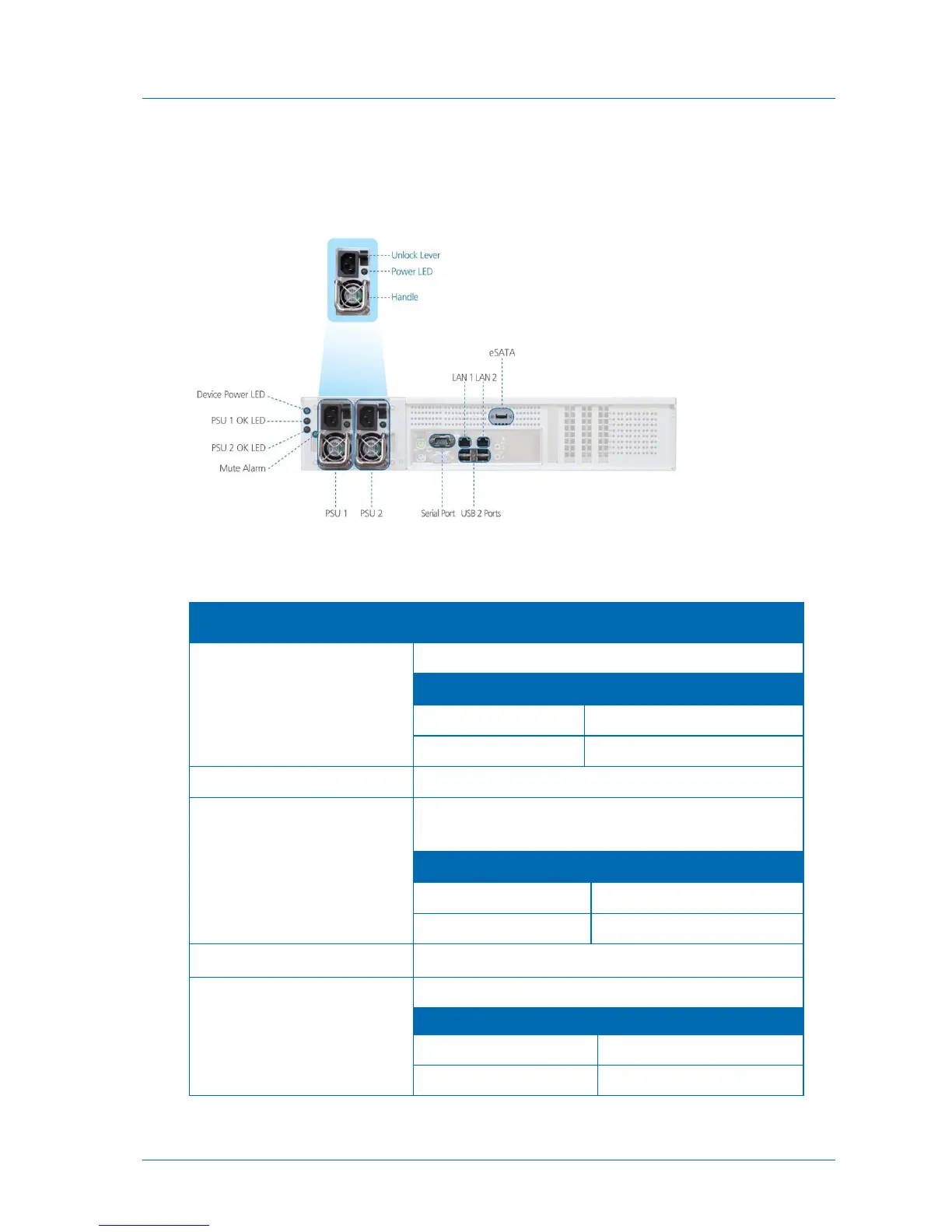
Rear Panel
Network and power connections are made via the appliance's rear panel.
The appliance rear panel contains the following elements:
Table 11: C800 Rear Panel Elements
A LED indicating whether the appliance is operational:
The appliance's power supplies.
A LED for each power supply, indicating whether it is
operational:
A lever for each power supply, enabling one to unlock it.
PSU 1 OK LED /
PSU OK 2 LED
A LED for each power supply, indicating whether it is in use:
The power supply is in use.
The power supply is not in use.



 To Next Page