Configuring the CTERA Appliance Time and Date
You can configure the appliance to obtain the time and date from a time server, or you
configure the time and date manually.
To configure the appliance time and date
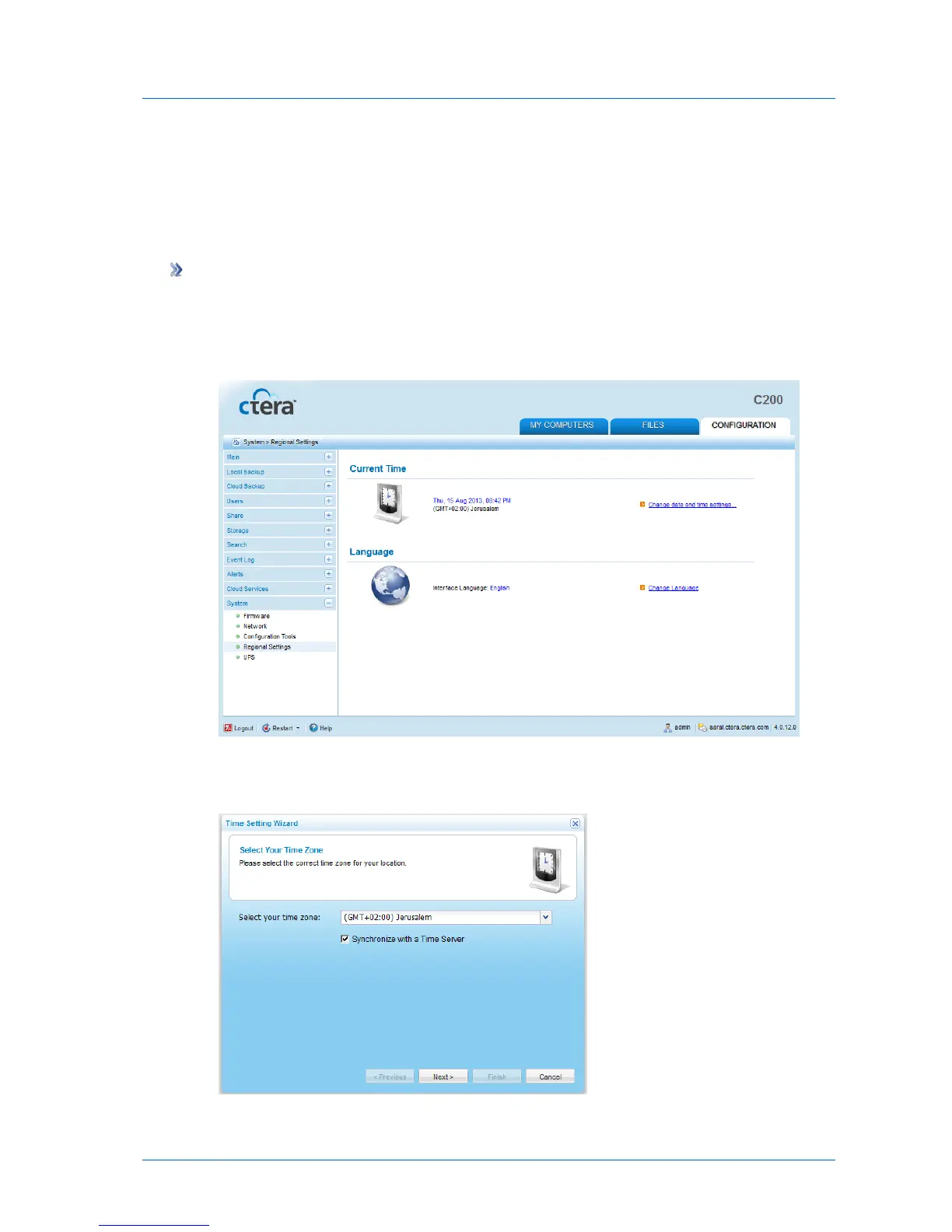
1 In the Configuration tab's navigation pane, click System > Regional Settings.
The System > Regional Settings page appears, displaying the date, time, and time zone
currently configured on the appliance.
2 Click Change date and time settings.
The Time Setting Wizard opens, displaying the Select Your Time Zone dialog box.
3 In the Select your time zone drop-down list, select your time zone.



 To Next Page