12 Centrally Managing CTERA Agents
240 CTERA C-Series User Guide
Selecting Files and Folders for File-Level Backup
You can select files and folder for file-level backup for individual CTERA Agents.
If the Allow user to configure the agent check box is selected in the global
settings for all CTERA Agents, files and folders for file-level backup can be selected
in the CTERA Agent local interface. See Configuring Global Settings for All CTERA
Agents (on page 220) and Configuring the Agent.
To select files and folders for file-level backup
1 Open the CTERA Agent Manager.
See Opening the CTERA Agent Manager (on page 230).
2 Click the File-level Backup tab.
The File-level Backup tab appears.
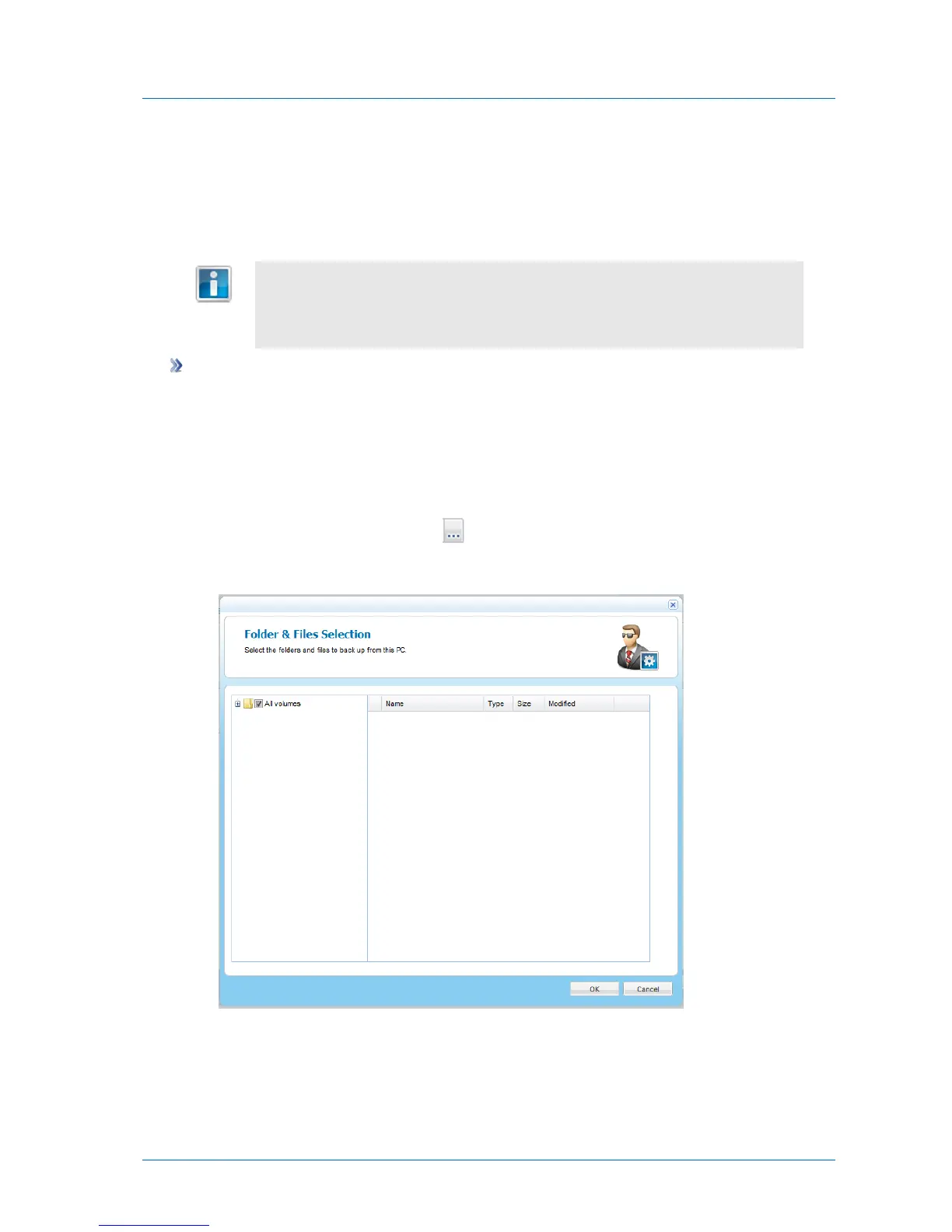
3 In the Files to Back Up field, click .
The Folder & Files Selection window opens.
4 Expand the tree nodes and select the check boxes next to the folders and files you want
to back up.
5 Click OK.


 To Next Page