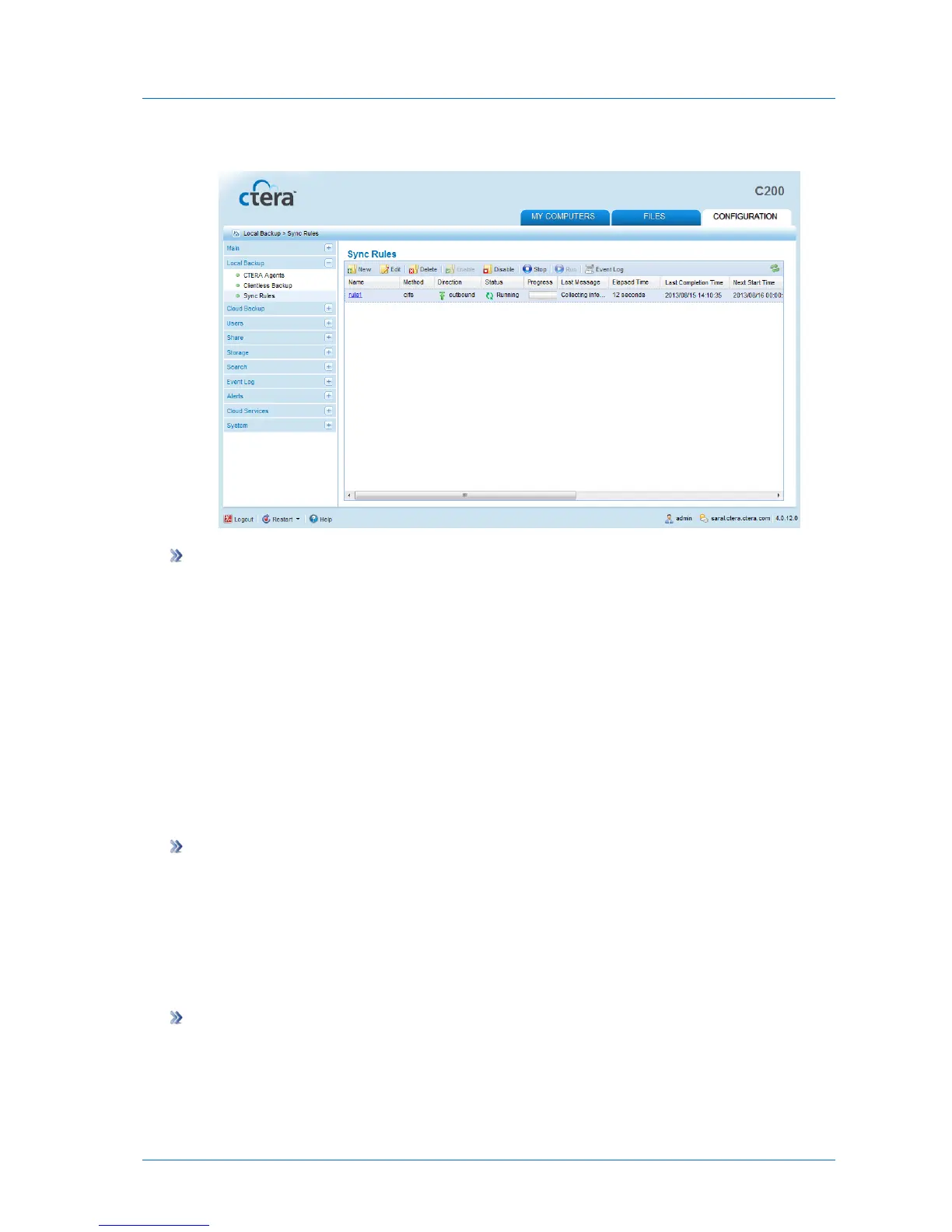
A progress bar appears, and the relevant folder is synchronized.
To stop a running synchronization operation
1 In the Configuration tab's navigation pane, click Synchronize > Sync Rules.
The Synchronize > Sync Rules page appears.
2 Select the rule for which synchronization is running, and click Stop.
The operation stops running.
Disabling/Enabling Sync Rules
You can disable a sync rule. If a synchronization operation is currently running for this rule, it
will be suspended. In addition, all future scheduled synchronization operations for this rule
will be suspended, until you enable it again.
To disable a sync rule
1 In the Configuration tab's navigation pane, click Synchronize > Sync Rules.
The Synchronize > Sync Rules page appears.
2 Select the desired sync rule, and click Disable.
The sync rule is disabled.
To enable a sync rule
1 In the Configuration tab's navigation pane, click Synchronize > Sync Rules.
The Synchronize > Sync Rules page appears.
2 Select the desired sync rule, and click Enable.



 To Next Page