Enabling/Disabling File Search
To enable file search
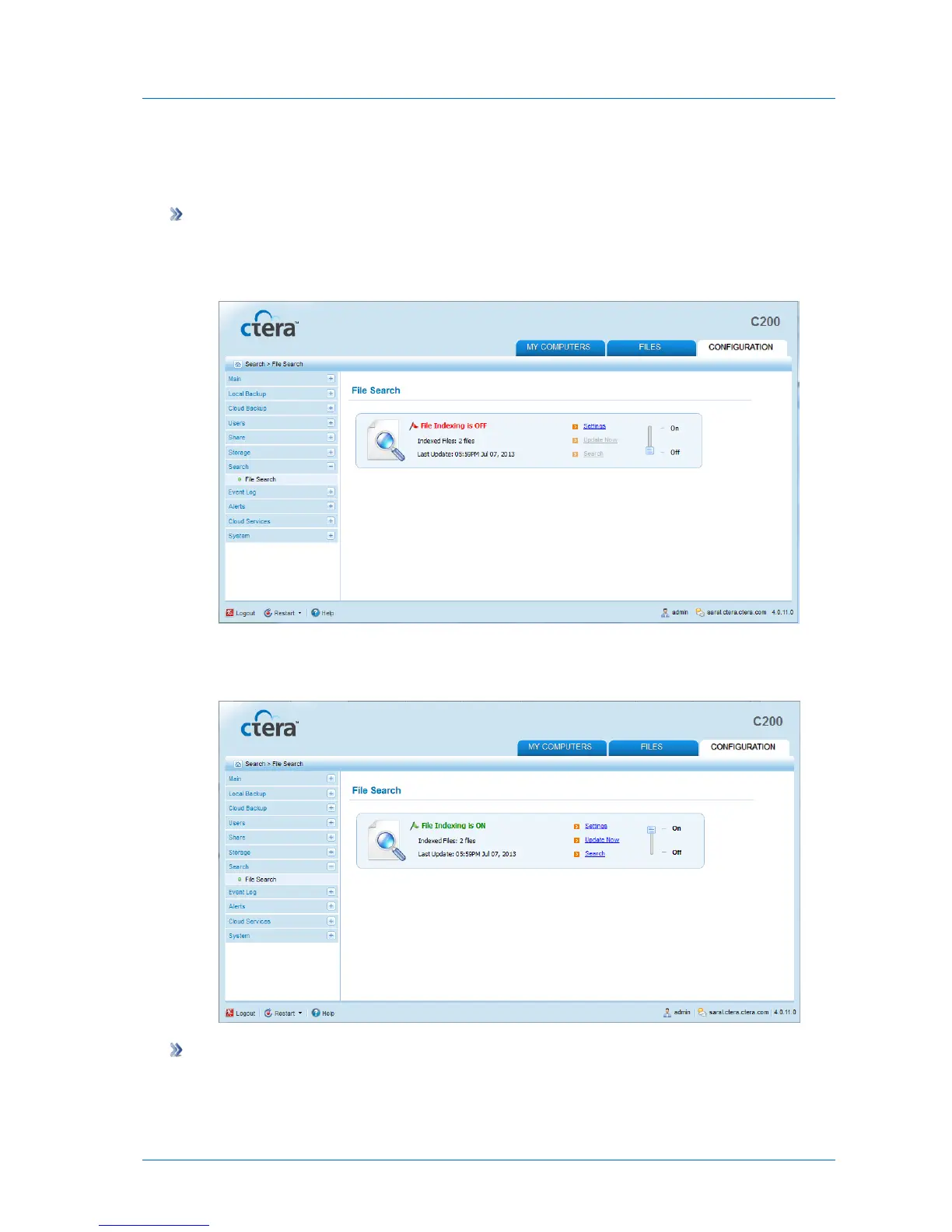
1 In the Configuration tab's navigation pane, click Search > File Search.
The File Search page appears.
2 Slide the lever to the On position.
File search is enabled.
To disable file search
1 In the Configuration tab's navigation pane, click Search > File Search.
The File Search page appears.



 To Next Page