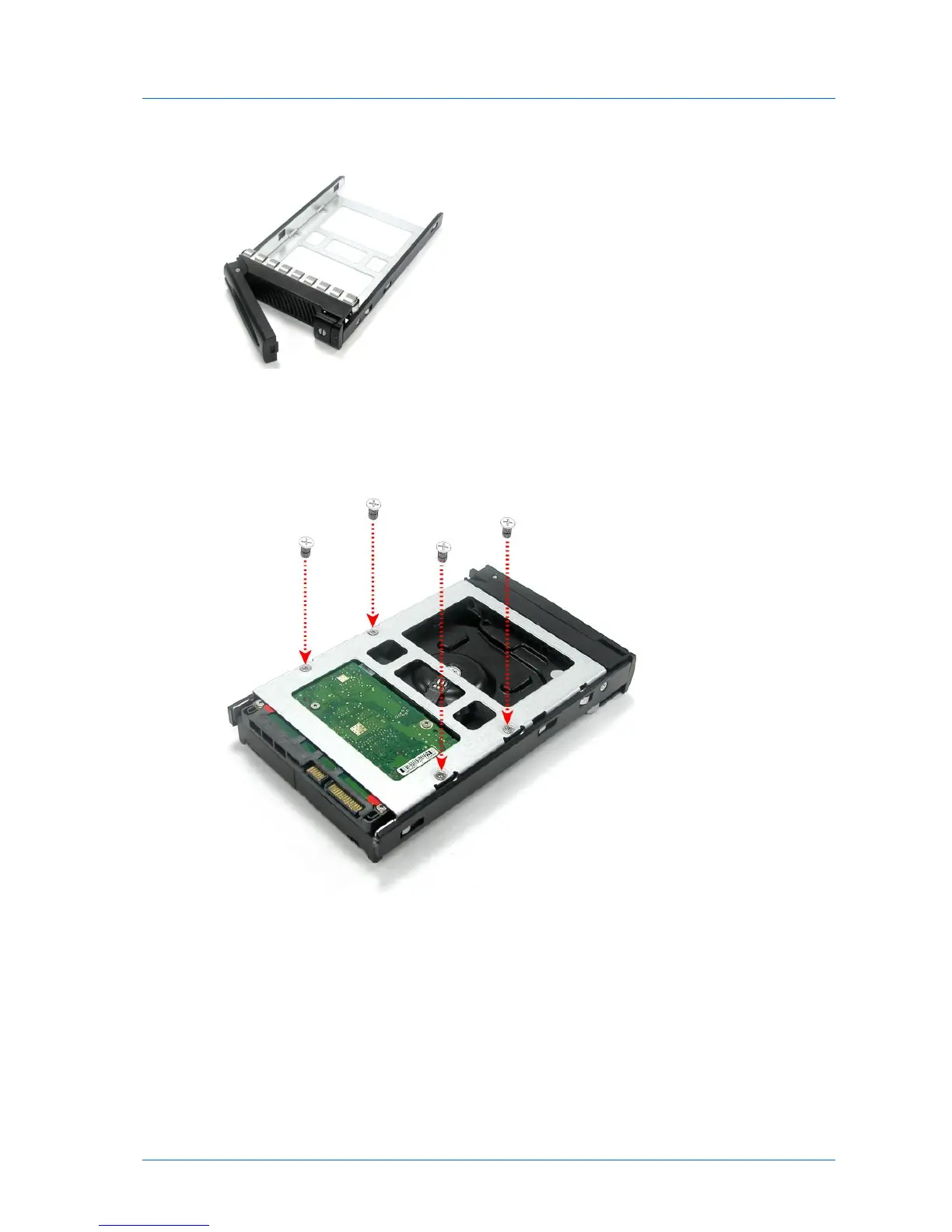
The disk tray lever pops out.
3 Pull the lever outwards to remove the disk tray from the C400.
4 Place the hard drive in the empty disk tray.
5 Flip over the disk tray, and use the supplied mounting screws to secure the hard drive in
the disk tray.
6 Slide the disk tray back into the C400.
7 Press the disk tray lever back into place, until you hear a click.
8 (Optional) If you would like to prevent the disk from being removed, lock the disk tray, by
using a flat-head screwdriver to turn the button until the groove is horizontal.



 To Next Page