1. IGMP/MLD Configure: To enable or disable IGMP/MLD Snooping, IGMPv3/MLDv2 Snooping,
Unregistered IPMC Flooding and set up router ports.
2. IGMP/MLD VLAN ID Configuration: To set up the ability of IGMP/MLD snooping and
querying with VLAN.
3. IPMC Segment: To create, edit or delete IPMC segment.
4. IPMC Profile: To create, edit or delete IPMC profile.
5. IGMP Filtering: To enable or disable IGMP filter and configure each port’s IGMP filter.
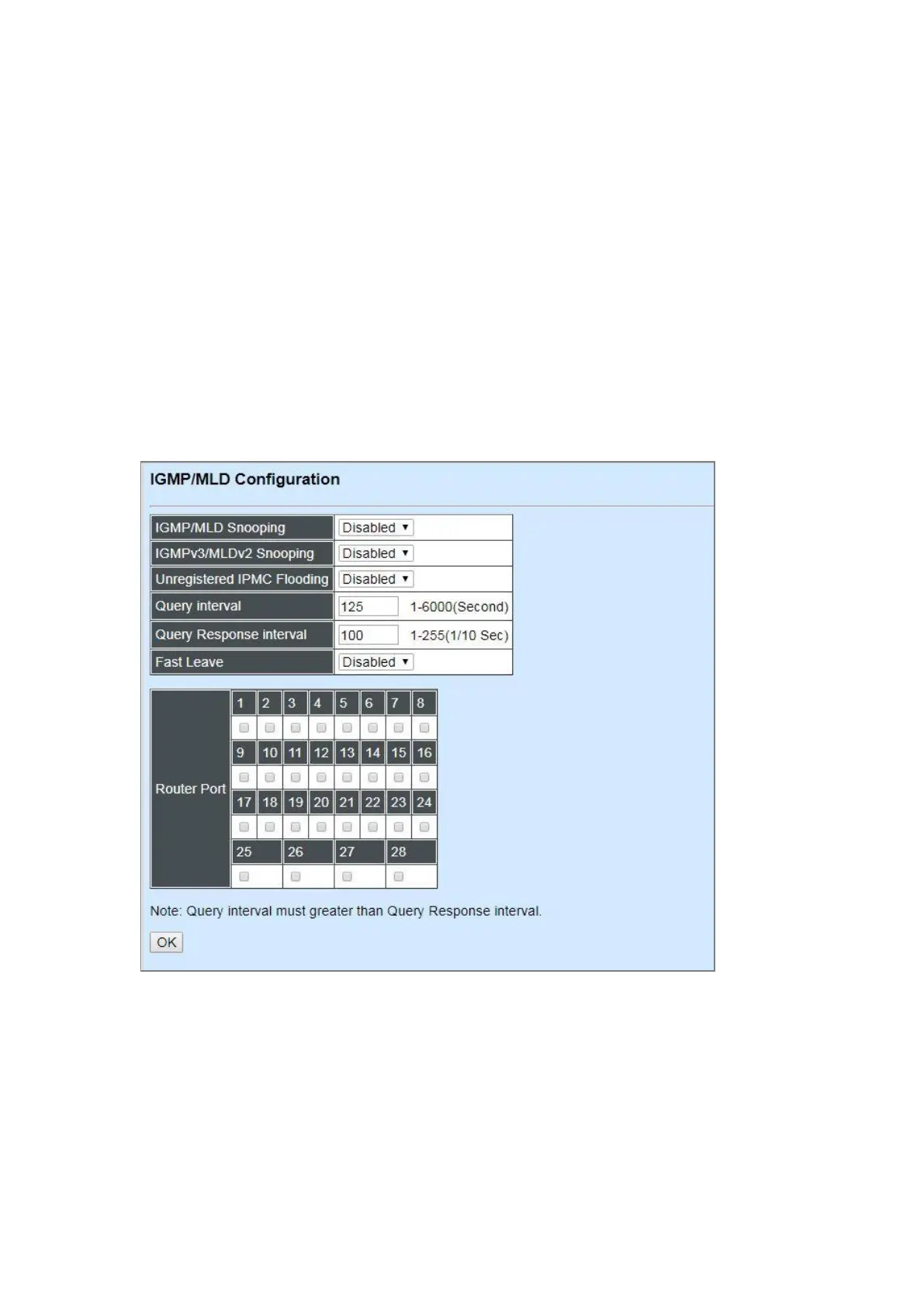
4.4.9.1 IGMP/MLD Configure
Select the option IGMP/MLD Configure from the IGMP/MLD Snooping menu and then the
following screen page appears.
IGMP/MLD Snooping: When enabled, the Managed Switch will monitor network traffic and
determine which hosts to receive multicast traffic.
IGMPv3/MLDv2 Snooping: When enabled, the Managed Switch will monitor network traffic and
determine which hosts to receive multicast traffic. This is for IGMPv3 and MLDv2 only.



 To Next Page
 Loading...


