Click Clear All to clear the record of all event logs.
4.6.3 HTTP Upgrade
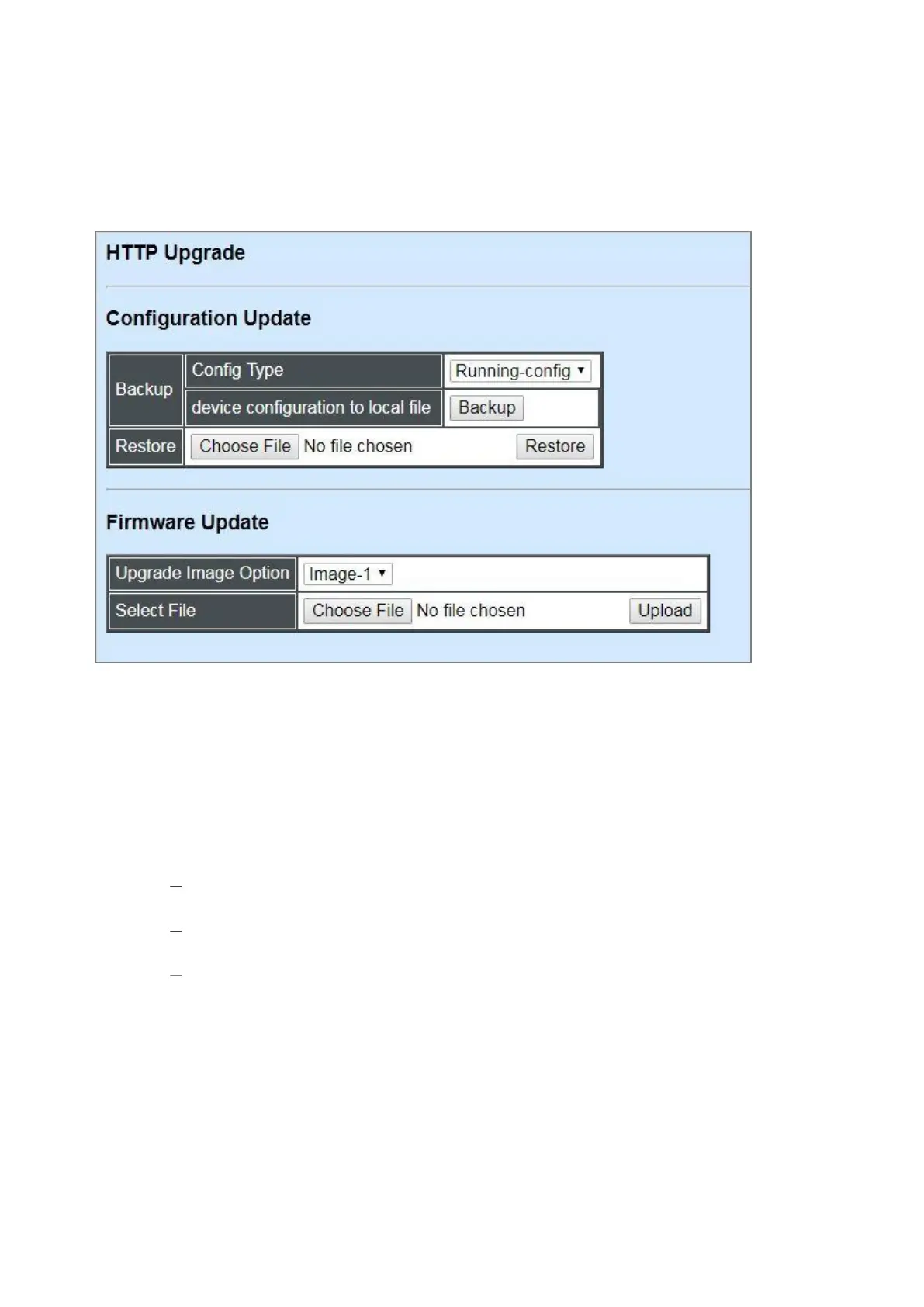
Users may save or restore their configuration and update their firmware. Select HTTP Upgrade
from the System Utility menu and then the following screen page appears.
The related parameter description of the configuration update is as follows:
Config Type:
There are three types of the configuration file: Running-config, Default-config and Start-up-
config.
Running-config: Back up the data you’re processing.
Default-config: Back up the data same as factory setting.
Start-up-config: Back up the data same as last saved data.
Device Configuration to Local File: Click Backup to begin download the configuration file to
your PC.
Restore: Click Choose File to select the designated data and then click Restore.
The related parameter description of the firmware update is as follows:
Upgrade Image Option: Pull down the list to choose the image you would like to upgrade.
Select File: Click Choose File to select the desired file and then click Upload.



 To Next Page
 Loading...


