DG-FS4526 User Manual
3-83
3
www.digisol.com
CLI – This example enables web authentication for ethernet port 1/5 and displays a
summary of web authentication parameters.
Displaying Web Authentication Port Information
This switch can display web authentication information for all ports and connected
hosts.
Command Attributes
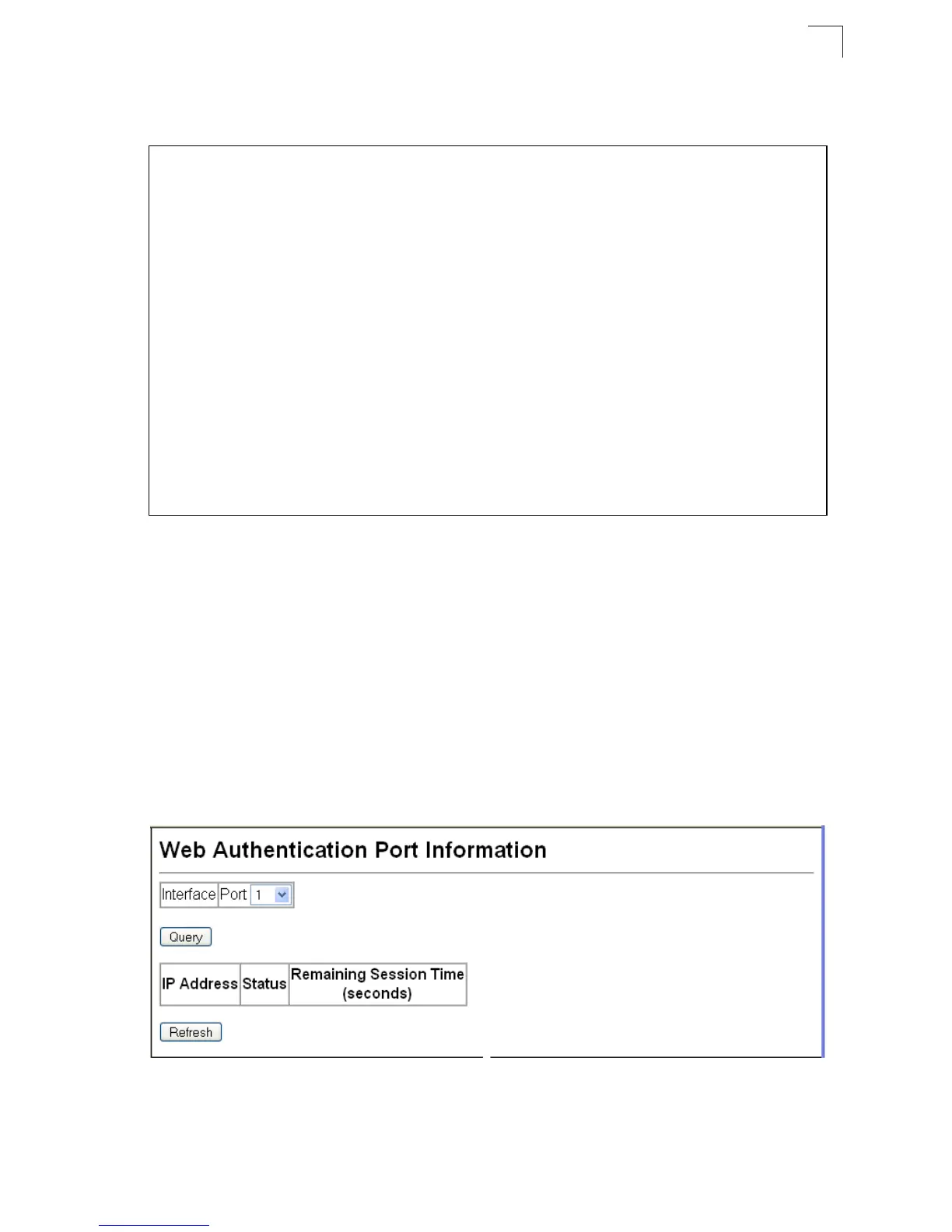
• Interface – Indicates the ethernet port to query.
• IP Address – Indicates the IP address of each connected host.
• Status – Indicates the authorization status of each connected host.
• Remaining Session Time (seconds) – Indicates the remaining time until the
current authorization session for the host expires.
Web – Click Security, Web Authentication, Port Information.
Figure 3-56 Web Authentication Port Information
Console(config)#interface ethernet 1/5
4-150
Console(config-if)#web-auth
4-118
Console(config-if)#end
Console#show web-auth summary
4-120
Global Web-Auth Parameters
System Auth Control : Enabled
Port Status Authenticated Host Count
---- ------ ------------------------
1/ 1 Disabled 0
1/ 2 Enabled 0
1/ 3 Disabled 0
1/ 4 Disabled 0
1/ 5 Enabled 0
1/ 6 Disabled 0
1/ 7 Disabled 0
1/ 8 Disabled 0
1/ 9 Disabled 0
1/10 Disabled 0
Console#













 To Next Page