Configuring the Switch
3-210
3
www.digisol.com
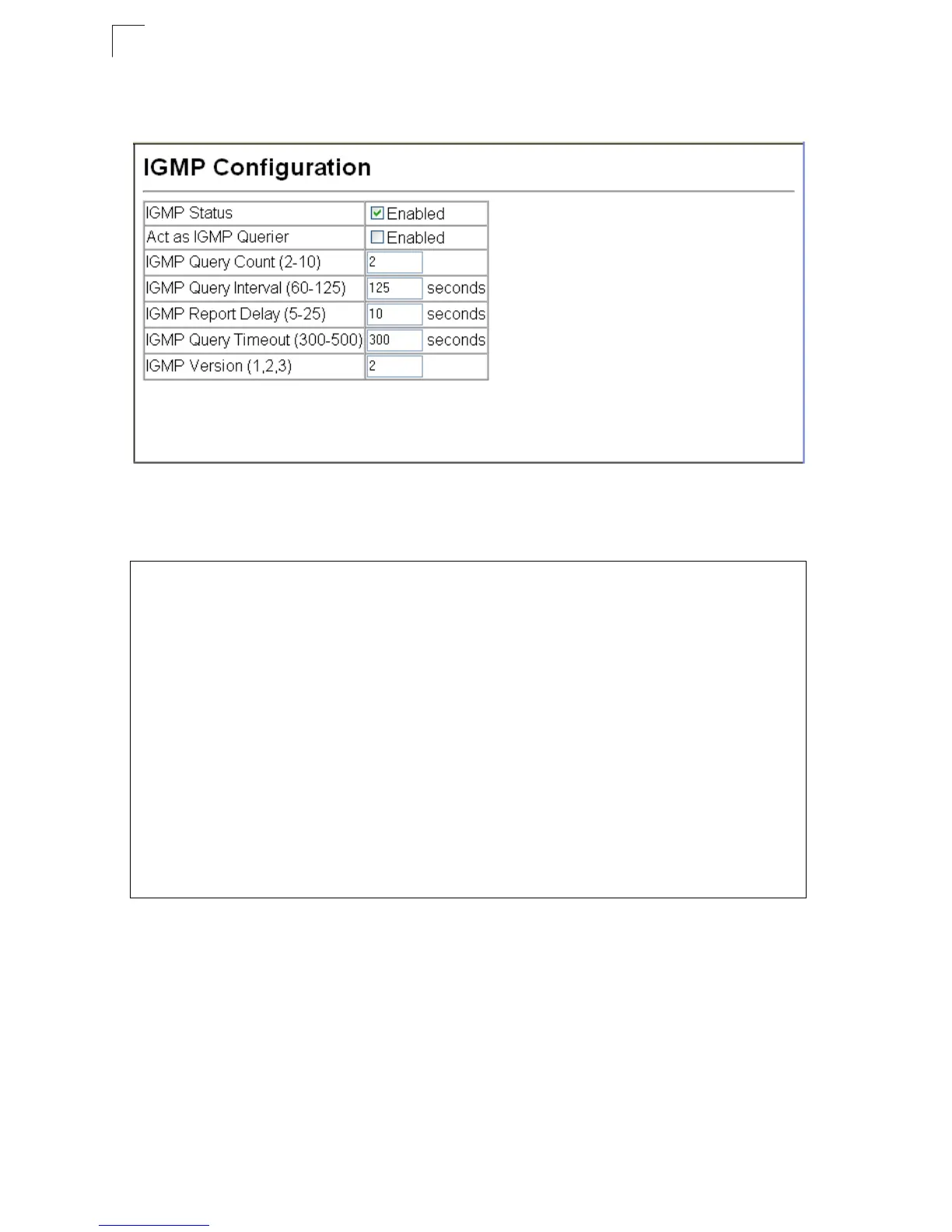
Web – Click IGMP Snooping, IGMP Configuration. Adjust the IGMP settings as
required, and then click Apply. (The default settings are shown below.)
Figure 3-131 IGMP Configuration
CLI – This example modifies the settings for multicast filtering, and then displays the
current status.
Enabling IGMP Immediate Leave
The switch can be configured to immediately delete a member port of a multicast
service if a leave packet is received at that port and the immediate-leave function is
enabled for the parent VLAN.
Command Usage
• If immediate leave is not used, a multicast router (or querier) will send a
group-specific query message when an IGMPv2/v3 group leave message is
received. The router/querier stops forwarding traffic for that group only if no host
replies to the query within the specified timeout perid. Note that the timeout period
Console(config)#ip igmp snooping 4-276
Console(config)#ip igmp snooping querier 4-281
Console(config)#ip igmp snooping query-count 10 4-282
Console(config)#ip igmp snooping query-interval 100 4-282
Console(config)#ip igmp snooping query-max-response-time 20 4-283
Console(config)#ip igmp snooping router-port-expire-time 300 4-284
Console(config)#ip igmp snooping version 2 4-277
Console(config)#exit
Console#show ip igmp snooping 4-278
Service status: Enabled
Querier status: Enabled
Leave proxy status: Disabled
Query count: 10
Query interval: 100 sec
Query max response time: 20 sec
Router port expire time: 300 sec
Immediate Leave Processing: Disabled on all VLAN
IGMP snooping version: Version 2
Console#













 To Next Page