DG-FS4526 User Manual
3-167
3
www.digisol.com
• Primary VLAN – Conveys traffic between promiscuous ports, and between
promiscuous ports and community ports within the associated secondary VLANs.
If PVLAN type is “Promiscuous,” then specify the associated primary VLAN.
• Community VLAN – A community VLAN conveys traffic between community
ports, and from community ports to their designated promiscuous ports. Set
PVLAN Port Type to “Host,” and then specify the associated Community VLAN.
• Trunk – The trunk identifier. (Port Information only)
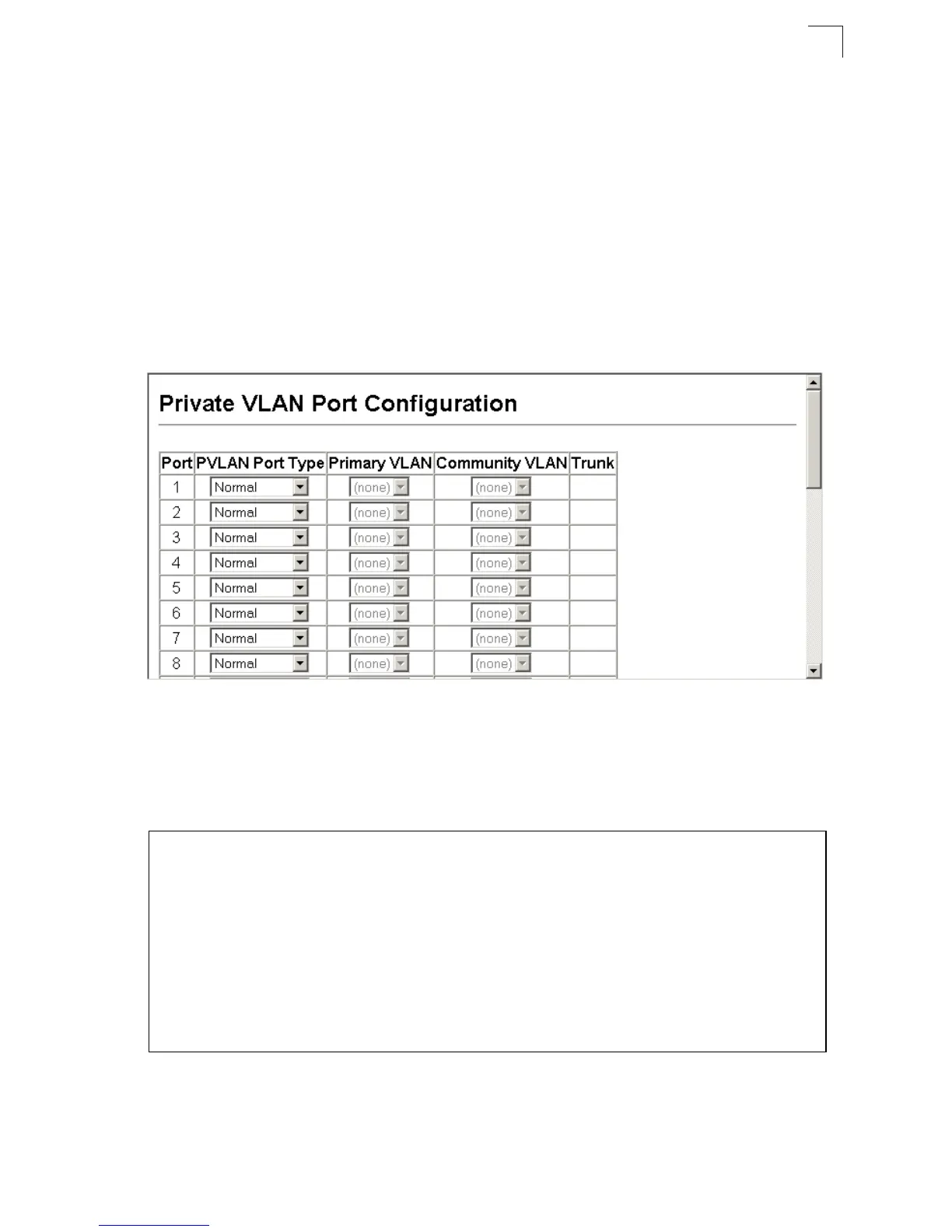
Web – Click VLAN, Private VLAN, Port Configuration. Set the PVLAN Port Type for
each port that will join a private VLAN. Assign promiscuous ports to a primary VLAN.
Assign host ports to a community VLAN. After all the ports have been configured,
click Apply.
Figure 3-102 Private VLAN Port Configuration
CLI – This example shows the switch configured with primary VLAN 5 and
secondary VLAN 6. Port 3 has been configured as a promiscuous port and mapped
to VLAN 5, while ports 4 and 5 have been configured as a host ports and associated
with VLAN 6. This means that traffic for port 4 and 5 can only pass through port 3.
Console(config)#interface ethernet 1/3
Console(config-if)#switchport mode private-vlan promiscuous 4-239
Console(config-if)#switchport private-vlan mapping 5 4-241
Console(config-if)#exit
Console(config)#interface ethernet 1/4
Console(config-if)#switchport mode private-vlan host 4-239
Console(config-if)#switchport private-vlan host-association 6 4-240
Console(config-if)#exit
Console(config)#interface ethernet 1/5
Console(config-if)#switchport mode private-vlan host
Console(config-if)#switchport private-vlan host-association 6
Console(config-if)#













 To Next Page