DG-FS4526 User Manual
3-19
3
www.digisol.com
Note:
Up to two copies of the system software (i.e., the runtime firmware) can be stored
in the file directory on the switch. The currently designated startup version of this
file cannot be deleted.
Downloading System Software from a Server
When downloading runtime code, you can specify the destination file name to
replace the current image, or first download the file using a different name from the
current runtime code file, and then set the new file as the startup file.
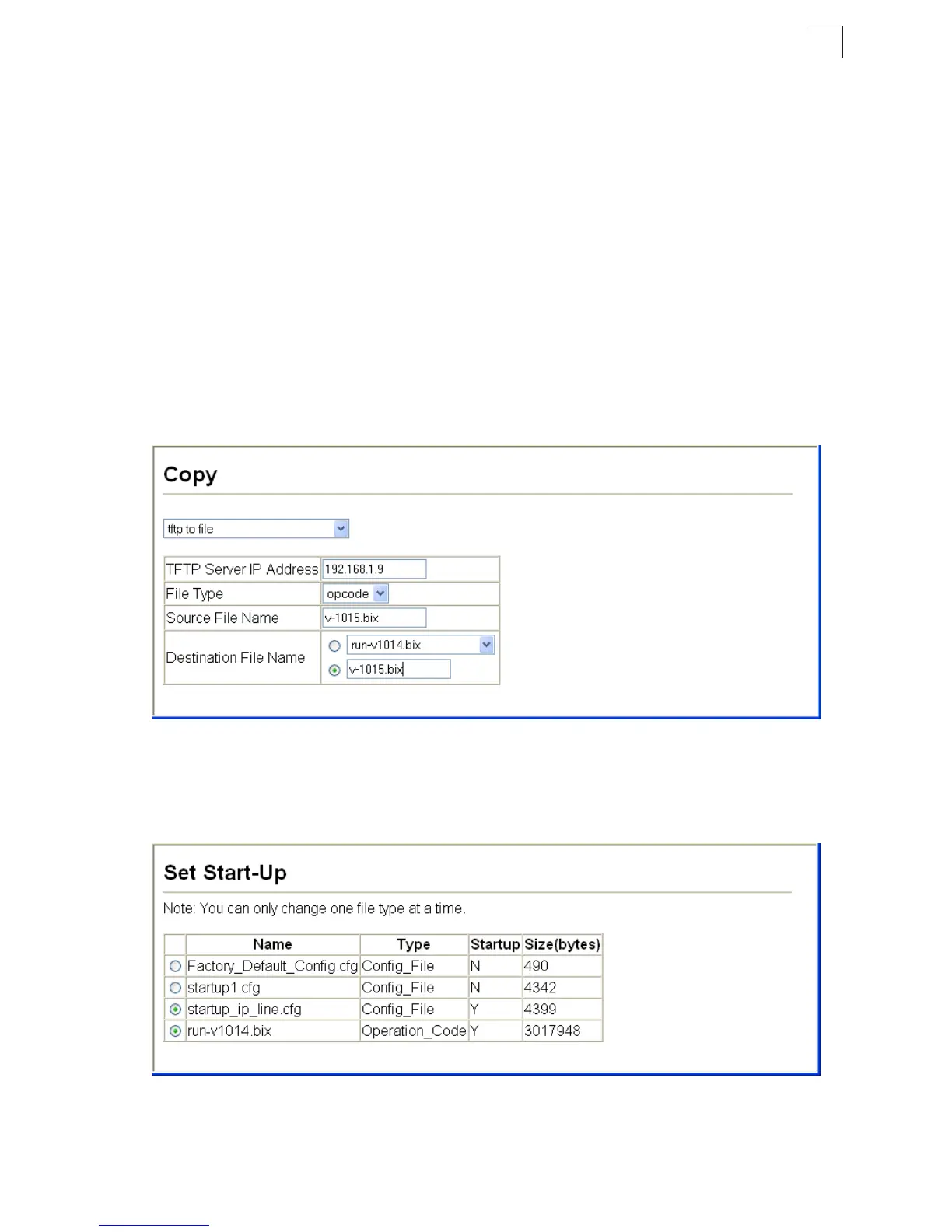
Web –Click System, File Management, Copy Operation. Select “tftp to file” as the file
transfer method, enter the IP address of the TFTP server, set the file type to
“opcode,” enter the file name of the software to download, select a file on the switch
to overwrite or specify a new file name, then click Apply. If you replaced the current
firmware used for startup and want to start using the new operation code, reboot the
system via the System/Reset menu.
Figure 3-9 Copy Firmware
If you download to a new destination file, go to the System/File/Set Start-Up menu,
mark the operation code file used at startup, and click Apply. To start the new
firmware, reboot the system via the System/Reset menu.
Figure 3-10 Setting the Startup Code













 To Next Page