Configuring the Switch
3-164
3
www.digisol.com
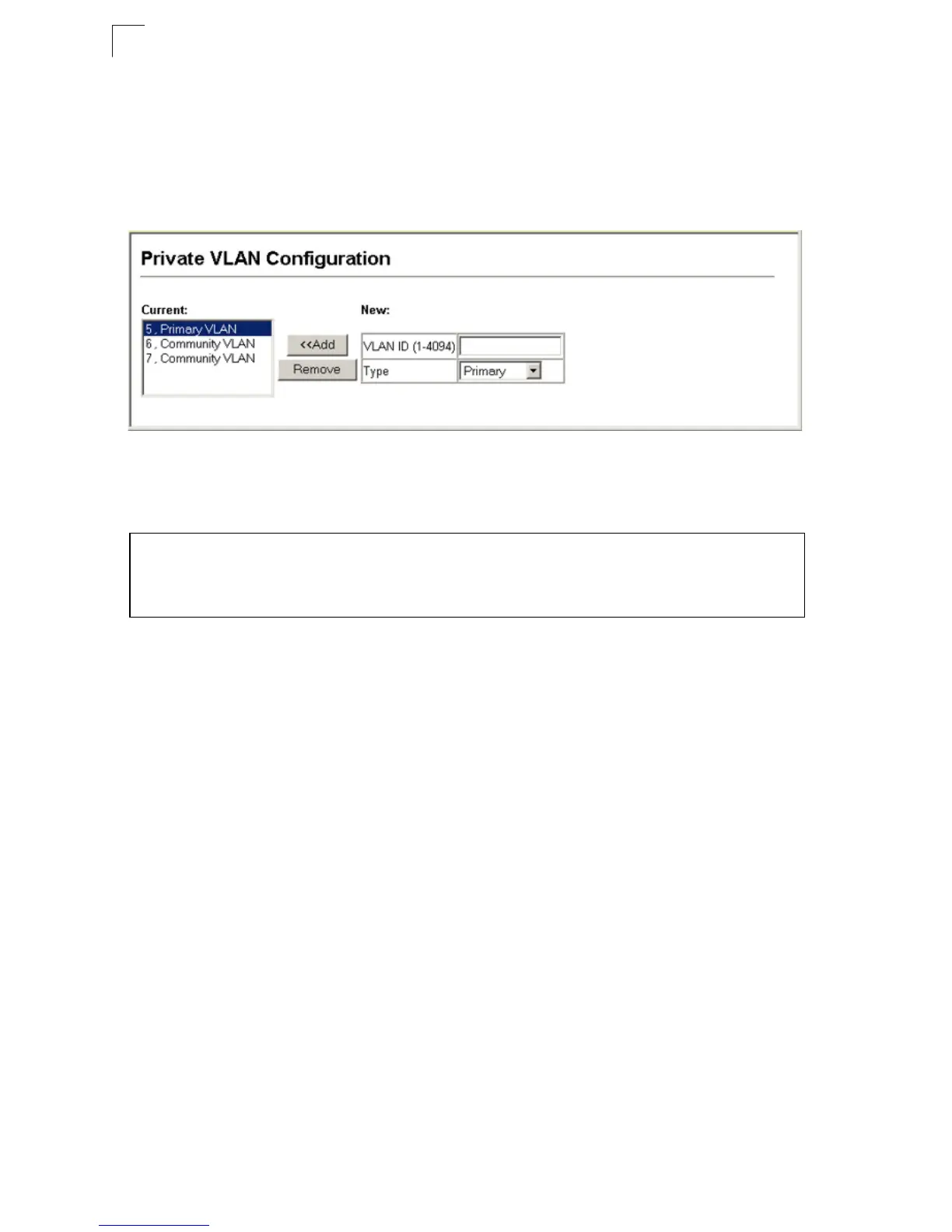
• Current – Displays a list of the currently configured VLANs.
Web – Click VLAN, Private VLAN, Configuration. Enter the VLAN ID number, select
Primary, Isolated or Community type, then click Add. To remove a private VLAN from
the switch, highlight an entry in the Current list box and then click Remove. Note that
all member ports must be removed from the VLAN before it can be deleted.
Figure 3-99 Private VLAN Configuration
CLI – This example configures VLAN 5 as a primary VLAN, and VLAN 6 as a
community VLAN.
Associating VLANs
Each community VLAN must be associated with a primary VLAN.
Command Attributes
• Primary VLAN ID – ID of primary VLAN (2-4094).
• Association – Community VLANs associated with the selected primary VLAN.
• Non-Association – Community VLANs not associated with the selected VLAN.
Console(config)#vlan database 4-224
Console(config-vlan)#private-vlan 5 primary 4-238
Console(config-vlan)#private-vlan 6 community
Console(config-vlan)#













 To Next Page