DG-FS4526 User Manual
3-99
3
www.digisol.com
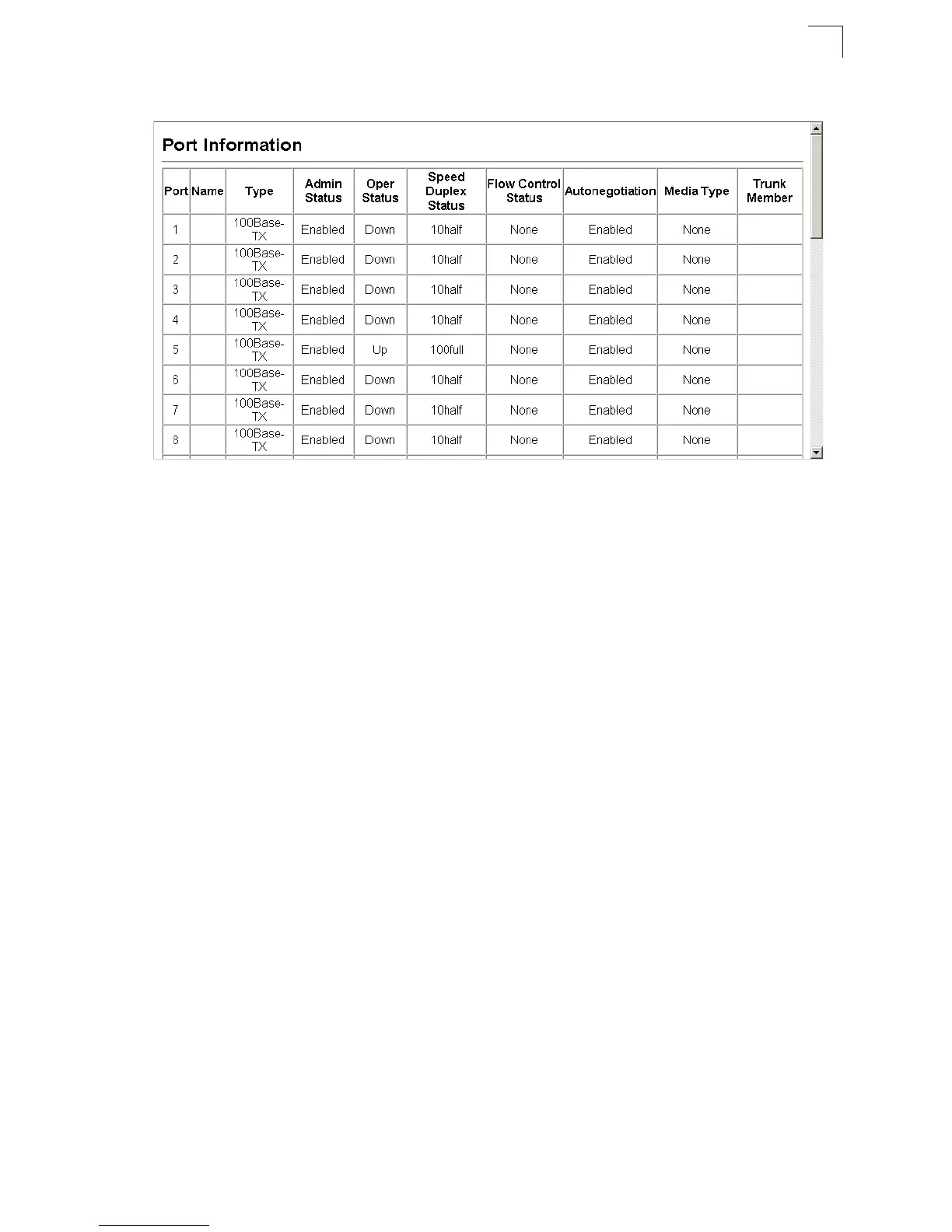
Web – Click Port, Port Information or Trunk Information.
Figure 3-67 Displaying Port/Trunk Information
Field Attributes (CLI)
Basic Information:
• Port type – Indicates the port type. (100BASE-TX, 1000BASE-T, or SFP)
• MAC address – The physical layer address for this port. (To access this item on
the web, see “Setting the Switch’s IP Address” on page 3-15.)
Configuration:
• Name – Interface label.
• Port admin – Shows if the interface is enabled or disabled (i.e., up or down).
•
Speed-duplex
– Shows the current speed and duplex mode. (Auto, or fixed choice)
• Capabilities – Specifies the capabilities to be advertised for a port during
auto-negotiation. (To access this item on the web, see “Configuring Interface
Connections” on page 3-48.) The following capabilities are supported.
- 10half - Supports 10 Mbps half-duplex operation
- 10full - Supports 10 Mbps full-duplex operation
- 100half - Supports 100 Mbps half-duplex operation
- 100full - Supports 100 Mbps full-duplex operation
- 1000full - Supports 1000 Mbps full-duplex operation
- Sym - Transmits and receives pause frames for flow control
- FC - Supports flow control
• Broadcast storm – Shows if broadcast storm control is enabled or disabled.
• Broadcast storm limit – Shows the broadcast storm threshold. (240-1488100
packets per second)
• Flow control – Shows if flow control is enabled or disabled.
• LACP – Shows if LACP is enabled or disabled.













 To Next Page