DG-FS4526 User Manual
3-161
3
www.digisol.com
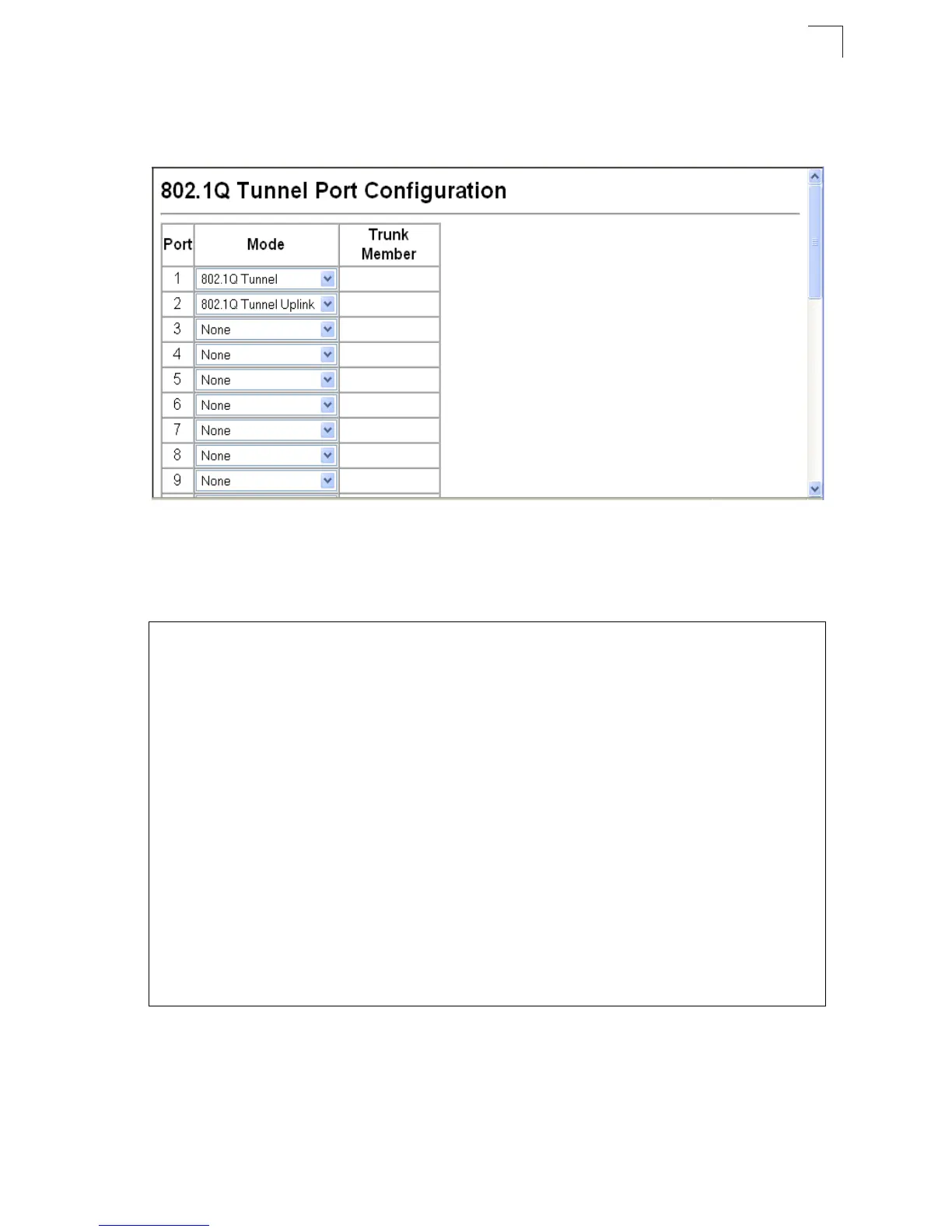
Web – Click VLAN, 802.1Q VLAN, 802.1Q Tunnel Configuration or Tunnel Trunk
Configuration. Set the mode for a tunnel access port to 802.1Q Tunnel and a tunnel
uplink port to 802.1Q Tunnel Uplink. Click Apply.
Figure 3-97 Tunnel Port Configuration
CLI – This example sets port 1 to tunnel access mode, indicates that the TPID used
for 802.1Q tagged frames is 9100 hexadecimal, and sets port 2 to tunnel uplink
mode.
Console(config)#interface ethernet 1/1
4-150
Console(config-if)#switchport dot1q-tunnel mode access
4-234
Console(config-if)#switchport dot1q-tunnel tpid 9100
4-235
Console(config-if)#interface ethernet 1/2
Console(config-if)#switchport dot1q-tunnel mode uplink
4-234
Console(config-if)#end
Console#show dot1q-tunnel
4-235
Current double-tagged status of the system is Enabled
The dot1q-tunnel mode of the set interface 1/1 is Access mode, TPID is 0x9100.
The dot1q-tunnel mode of the set interface 1/2 is Uplink mode, TPID is 0x8100.
The dot1q-tunnel mode of the set interface 1/3 is Normal mode, TPID is 0x8100.
The dot1q-tunnel mode of the set interface 1/4 is Normal mode, TPID is 0x8100.
The dot1q-tunnel mode of the set interface 1/5 is Normal mode, TPID is 0x8100.
The dot1q-tunnel mode of the set interface 1/6 is Normal mode, TPID is 0x8100.
The dot1q-tunnel mode of the set interface 1/7 is Normal mode, TPID is 0x8100.
.
.
.
.
The dot1q-tunnel mode of the set interface 1/24 is Normal mode, TPID is 0x8100.
Console#













 To Next Page