DG-FS4526 User Manual
3-223
3
www.digisol.com
• MVR Status – Shows the MVR status. MVR status for source ports is “ACTIVE” if
MVR is globally enabled on the switch. MVR status for receiver ports is “ACTIVE”
only if there are subscribers receiving multicast traffic from one of the MVR groups,
or a multicast group has been statically assigned to an interface.
• Immediate Leave – Shows if immediate leave is enabled or disabled.
• Trunk Member
13
– Shows if port is a trunk member.
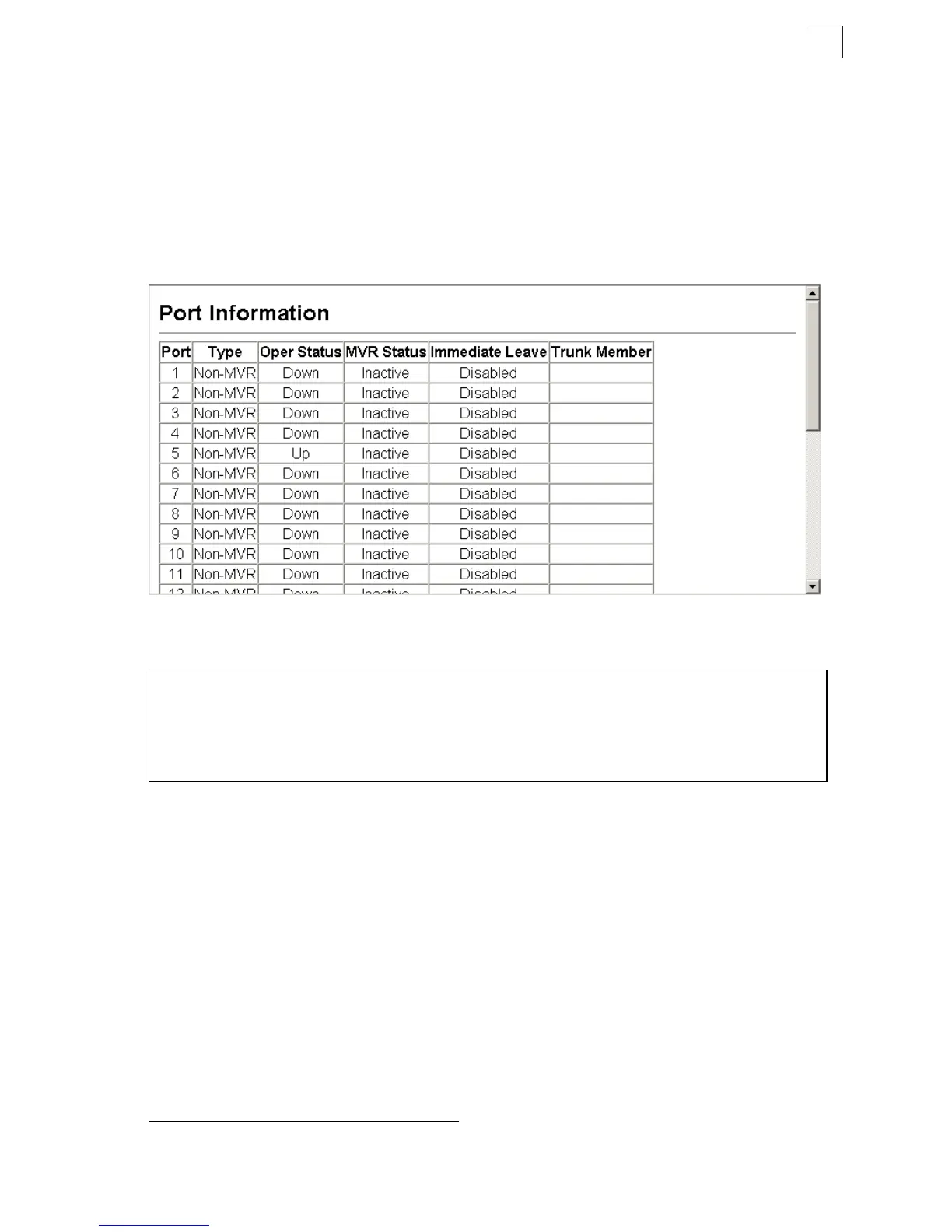
Web – Click MVR, Port or Trunk Information.
Figure 3-141 MVR Port Information
CLI – This example shows information about interfaces attached to the MVR VLAN.
Displaying Port Members of Multicast Groups
You can display the multicast groups assigned to the MVR VLAN either through
IGMP snooping or static configuration.
Field Attributes
• Group IP – Multicast groups assigned to the MVR VLAN.
• Group Port List – Shows the interfaces with subscribers for multicast services
provided through the MVR VLAN.
13. Port Information only.
Console#show mvr interface 4-296
Port Type Status Immediate Leave
------- -------- ------------- ---------------
eth1/1 SOURCE ACTIVE/UP Disable
eth1/2 RECEIVER ACTIVE/UP Disable
Console#













 To Next Page