Configuring the Switch
3-34
3
www.digisol.com
Setting the Time Zone
SNTP uses Coordinated Universal Time (or UTC, formerly Greenwich Mean Time,
or GMT) based on the time at the Earth’s prime meridian, zero degrees longitude. To
display a time corresponding to your local time, you must indicate the number of
hours and minutes your time zone is east (before) or west (after) of UTC.
Command Attributes
• Current Time – Displays the current time.
• Name – Assigns a name to the time zone. (Range: 1-29 characters)
• Hours (0-12) – The number of hours before/after UTC.
• Minutes (0-59) – The number of minutes before/after UTC.
• Direction – Configures the time zone to be before (east) or after (west) UTC.
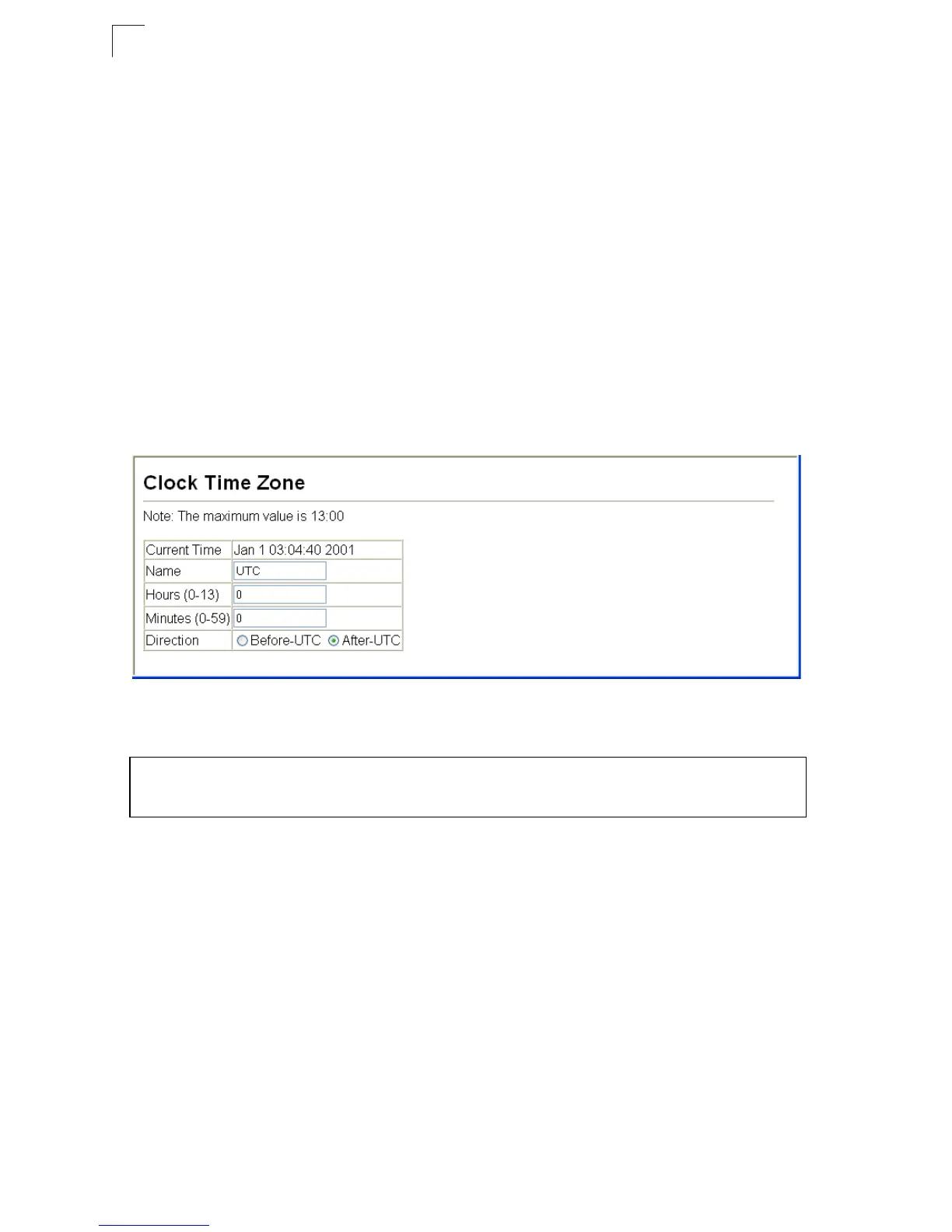
Web – Select SNTP, Clock Time Zone. Set the offset for your time zone relative to
the UTC, and click Apply.
Figure 3-22 Setting the System Clock
CLI - This example shows how to set the time zone for the system clock.
Setting the Time Manually
You can set the system time on the switch manually without using SNTP.
Web – Select System, Calendar. Set the current date and time using the fields
provided. Click the Apply to start using the configured time.
Console(config)#clock timezone Atlantic hours 4 minute 0
before-UTC 4-65
Console(config)#













 To Next Page