Configuring the Switch
3-22
3
www.digisol.com
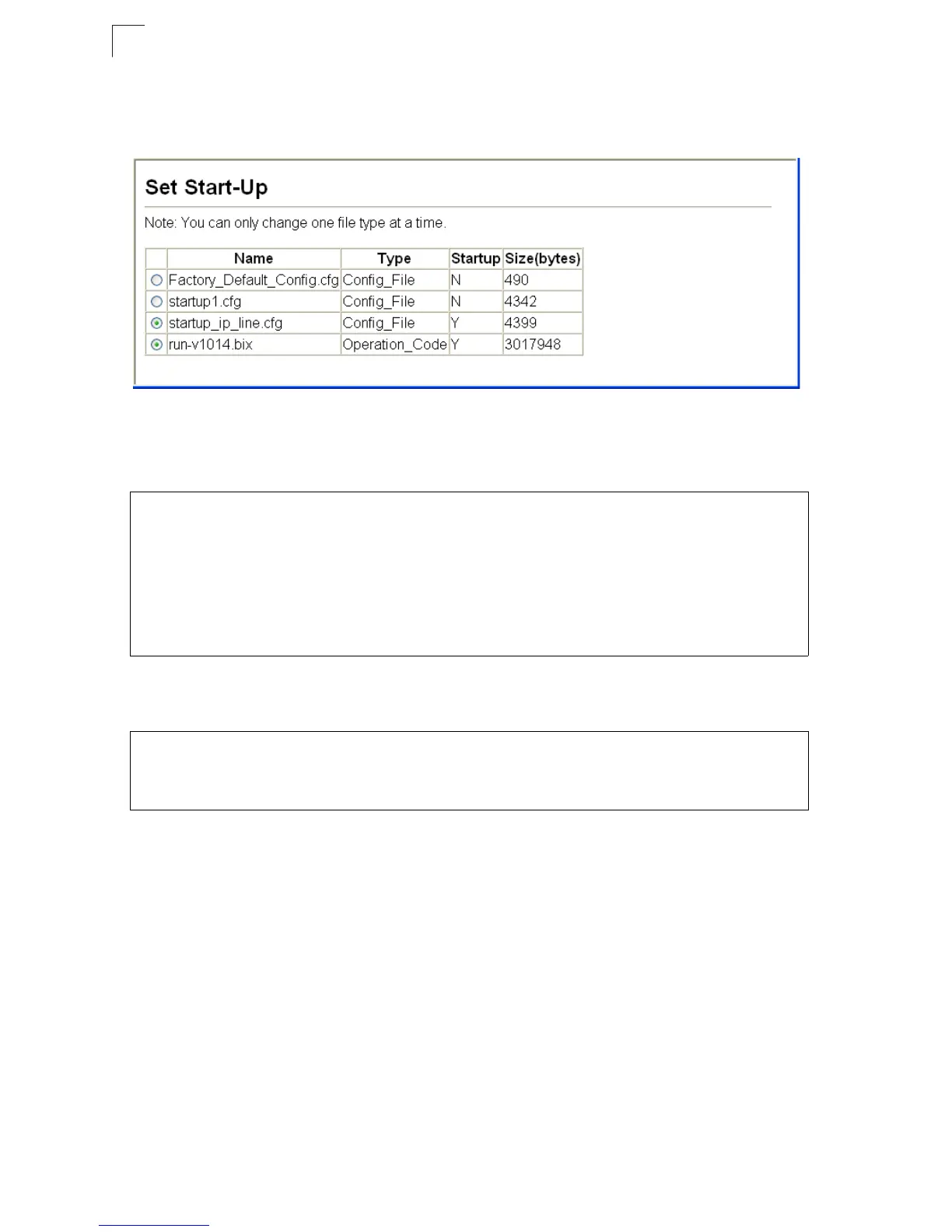
Note:
You can also select any configuration file as the start-up configuration by using the
System/File/Set Start-Up page.
Figure 3-13 Setting the Startup Configuration Settings
CLI – Enter the IP address of the TFTP server, specify the source file on the server,
set the startup file name on the switch, and then restart the switch.
To select another configuration file as the start-up configuration, use the boot
system command and then restart the switch.
Console Port Settings
You can access the onboard configuration program by attaching a VT100
compatible device to the switch’s serial console port. Management access through
the console port is controlled by various parameters, including a password, timeouts,
and basic communication settings. These parameters can be configured via the web
or CLI interface.
Command Attributes
• Login Timeout – Sets the interval that the system waits for a user to log into the
CLI. If a login attempt is not detected within the timeout interval, the connection is
terminated for the session. (Range: 0-300 seconds; Default: 0 seconds)
Console#copy tftp startup-config 4-73
TFTP server ip address: 192.168.1.19
Source configuration file name: config-1
Startup configuration file name [] : startup
\Write to FLASH Programming.
-Write to FLASH finish.
Success.
Console#reload
Console#config
Console(config)#boot system config: startup-new 4-77
Console(config)#exit
Console#reload 4-22













 To Next Page