Configuring the Switch
3-114
3
www.digisol.com
Command Usage
• Broadcast Storm Control is enabled by default.
• Broadcast control does not effect IP multicast traffic.
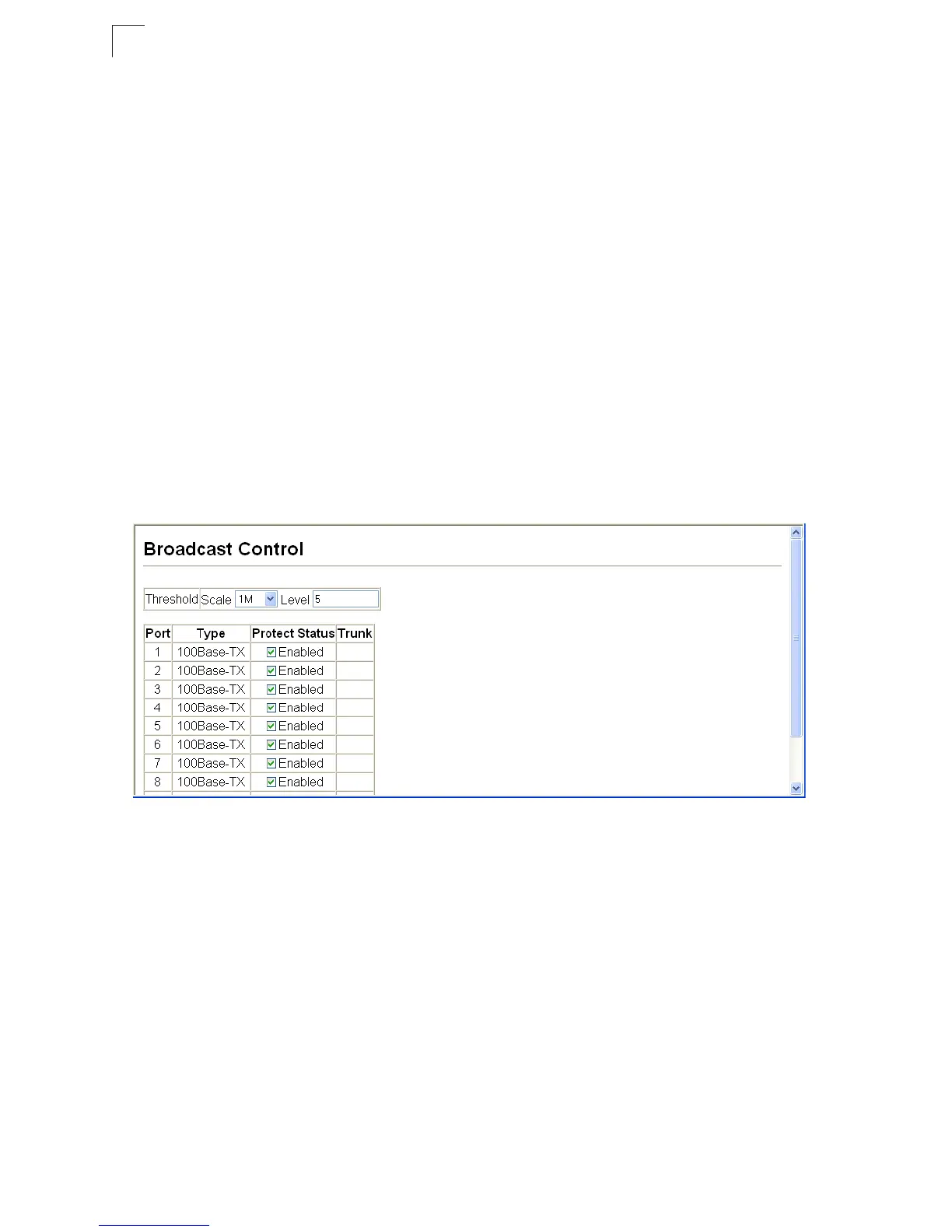
Command Attributes
• Port - Port number.
•Type – Indicates the port type. (100BASE-TX, 1000BASE-T, or SFP)
•Protect Status – Shows whether or not broadcast storm control has been enabled.
(Default: Enabled)
• Threshold (Scale/Level) – Multiplied by one another, the scale and level set the
broadcast threshold. For example, to set a threshold of 500 Kbytes per second,
choose 100K under Scale and 5 under Level. (Scale Range: 1, 10, 100, 1000
Kbytes per second; Default:1000 Kbytes per second.
Level Range: 1-127; Default: 5)
• Trunk – Shows if a port is a trunk member.
Web – Click Port, Port/Trunk Broadcast Control. Set the threshold, mark the
Enabled field for the desired interface and click Apply.
Figure 3-75 Port Broadcast Control













 To Next Page