DG-FS4526 User Manual
3-117
3
www.digisol.com
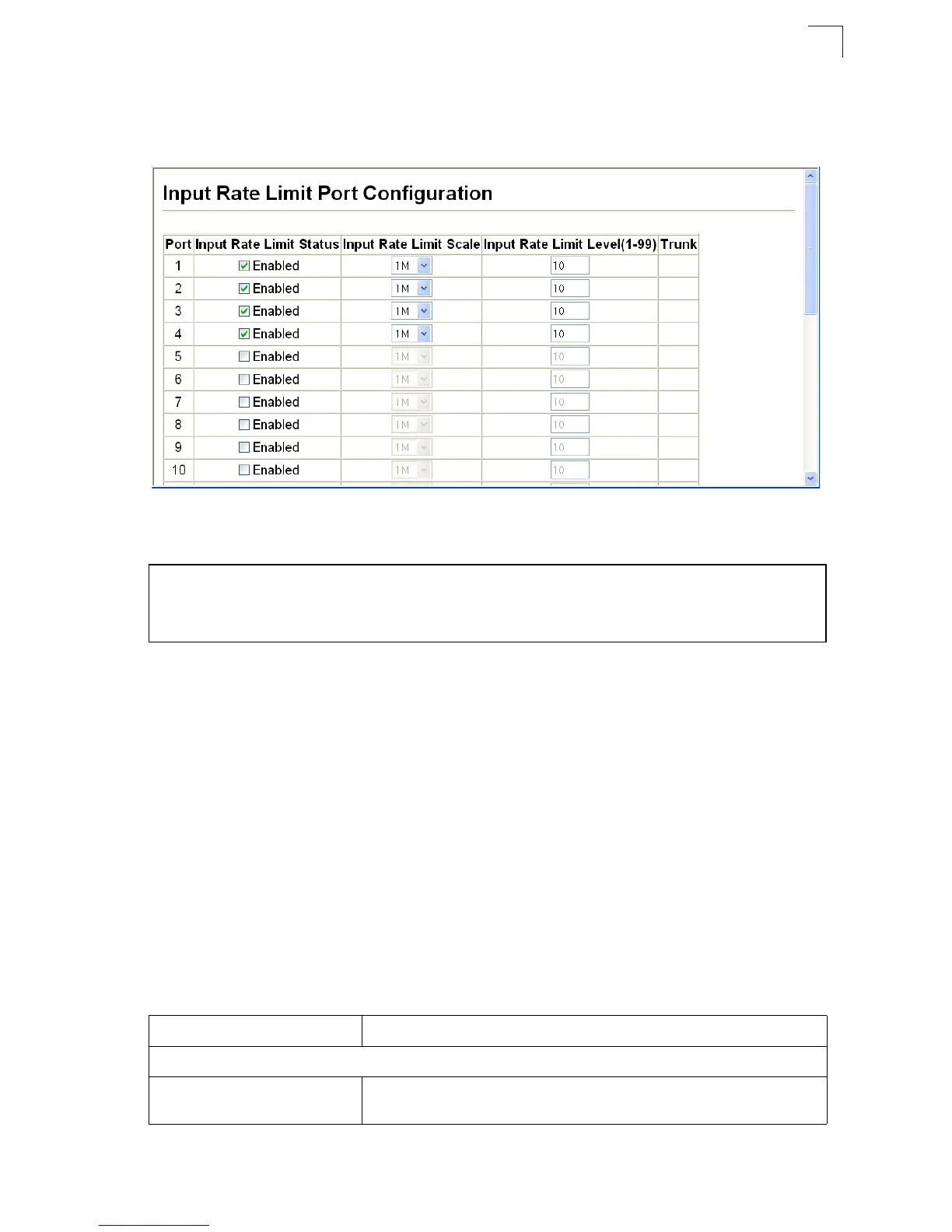
Web – Click Port, Rate Limit, Input/Output Port Configuration. Enable the Rate Limit
Status for the required interfaces, set the Rate Limit Scale and Rate Limit Level, and
click Apply.
Figure 3-77 Input Rate Limit Port Configuration
CLI - This example sets the rate limit level for input traffic passing through port 3.
Showing Port Statistics
You can display standard statistics on network traffic from the Interfaces Group and
Ethernet-like MIBs, as well as a detailed breakdown of traffic based on the RMON
MIB. Interfaces and Ethernet-like statistics display errors on the traffic passing
through each port. This information can be used to identify potential problems with
the switch (such as a faulty port or unusually heavy loading). RMON statistics
provide access to a broad range of statistics, including a total count of different
frame types and sizes passing through each port. All values displayed have been
accumulated since the last system reboot, and are shown as counts per second.
Statistics are refreshed every 60 seconds by default.
Note:
RMON groups 2, 3 and 9 can only be accessed using SNMP management
software such as HP OpenView.
Console#config
Console(config)#interface ethernet 1/3 4-150
Console(config-if)#rate-limit input scale 80k level 5 4-164
Console(config-if)#
Table 3-11 Port Statistics
Parameter Description
Interface Statistics
Received Octets The total number of octetts received on the interface, including framing
characters.













 To Next Page