Configuring the Switch
3-38
3
www.digisol.com
• Trap Version – Specifies whether to send notifications as SNMP v1, v2c, or v3
traps. (The default is version 1.)
• Trap Security Level – Specifies the security level.
• Enable Authentication Traps – Issues a trap message whenever an invalid
community string is submitted during the SNMP access authentication process.
(Default: Enabled)
• Enable Link-up and Link-down Traps – Issues a trap message whenever a port
link is established or broken. (Default: Enabled)
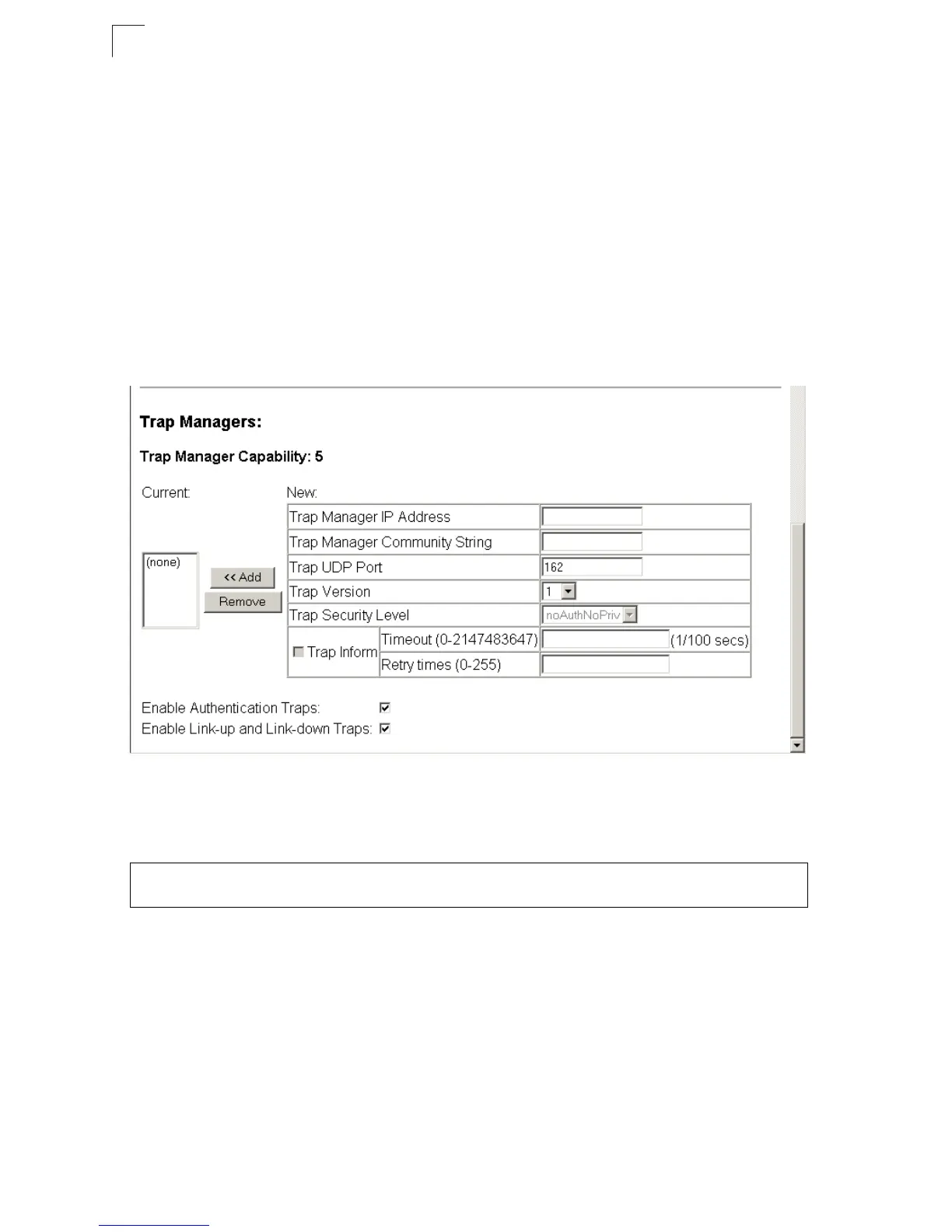
Web – Click SNMP, Configuration. Fill in the IP address and community string for
each trap manager that will receive trap messages, and then click Add. Select the
trap types required using the check boxes for Authentication and Link-up/down
traps, and then click Apply.
Figure 3-25 Configuring IP Trap Managers
CLI – This example adds a trap manager and enables both authentication and
link-up, link-down traps.
Enabling SNMP Agent Status
Enables SNMPv3 service for all management clients (i.e., versions 1, 2c, 3).
Command Attributes
• SNMP Agent Status – Check the box to enable or disable the SNMP Agent.
Console(config)#snmp-server host 192.168.1.19 private version 2c 4-137
Console(config)#snmp-server enable traps 4-139













 To Next Page