Configuring the Switch
3-106
3
www.digisol.com
Command Attributes
• Member List (Current) – Shows configured trunks (Port).
• New – Includes entry fields for creating new trunks.
- Port – Port identifier. (Range: 1-26)
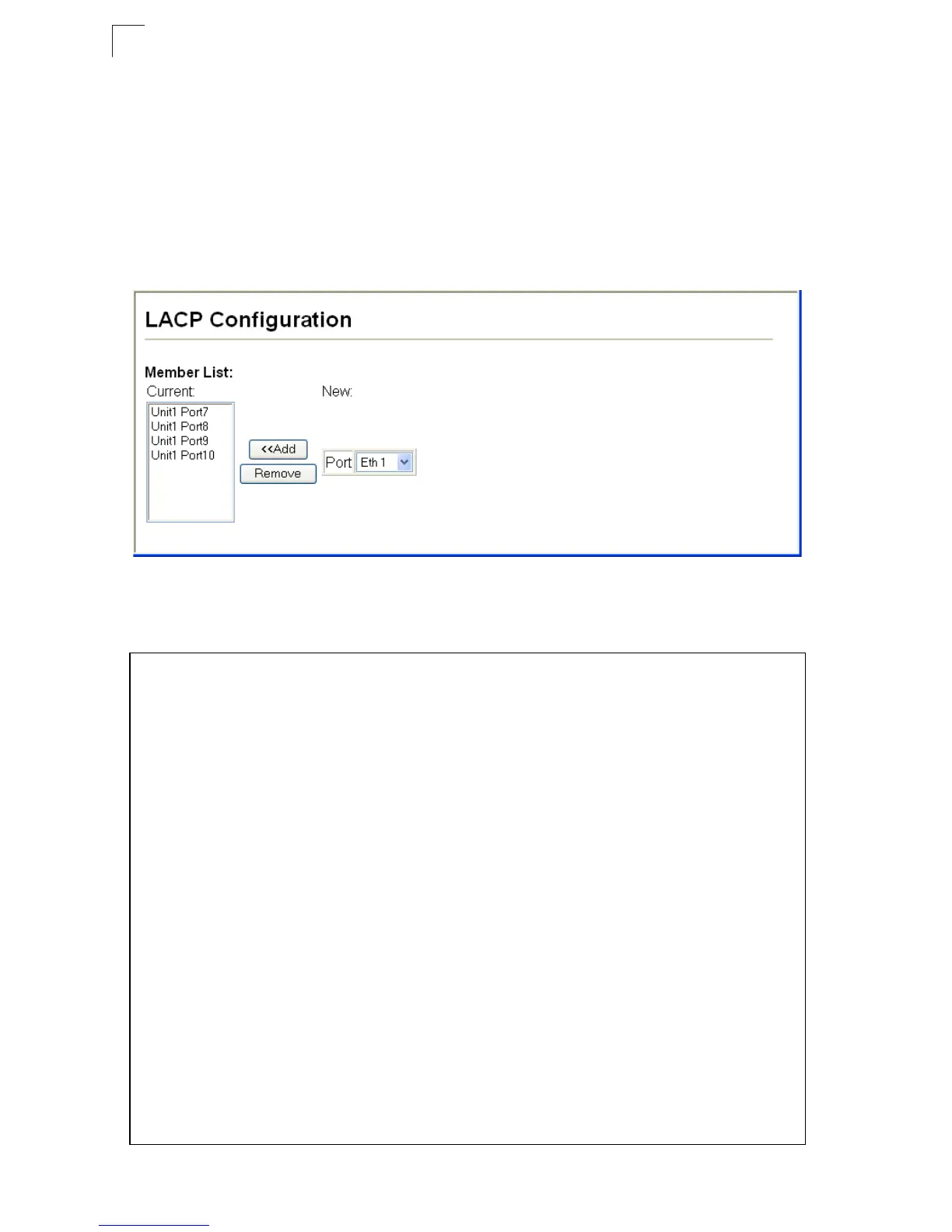
Web – Click Port, LACP, Configuration. Select any of the switch ports from the
scroll-down port list and click Add. After you have completed adding ports to the
member list, click Apply.
Figure 3-70 LACP Trunk Configuration
CLI – The following example enables LACP for ports 1 to 6. Just connect these ports
to LACP-enabled trunk ports on another switch to form a trunk.
Console(config)#interface ethernet 1/1 4-150
Console(config-if)#lacp 4-167
Console(config-if)#exit
.
.
.
Console(config)#interface ethernet 1/6
Console(config-if)#lacp
Console(config-if)#end
Console#show interfaces status port-channel 1 4-157
Information of Trunk 1
Basic information:
Port type: 100TX
Mac address: 00-17-7C-0A-C9-F2
Configuration:
Name:
Port admin: Up
Speed-duplex: Auto
Capabilities: 10half, 10full, 100half, 100full
Flow control status: Disabled
Port security: Disabled
Max MAC count: 0
Current status:
Created by: Lacp
Link status: Up
Port operation status: Up
Operation speed-duplex: 100full
Flow control type: None
Member Ports: Eth1/1, Eth1/2, Eth1/3, Eth1/4, Eth1/5, Eth1/6,
Console#













 To Next Page