EasyManua.ls Logo

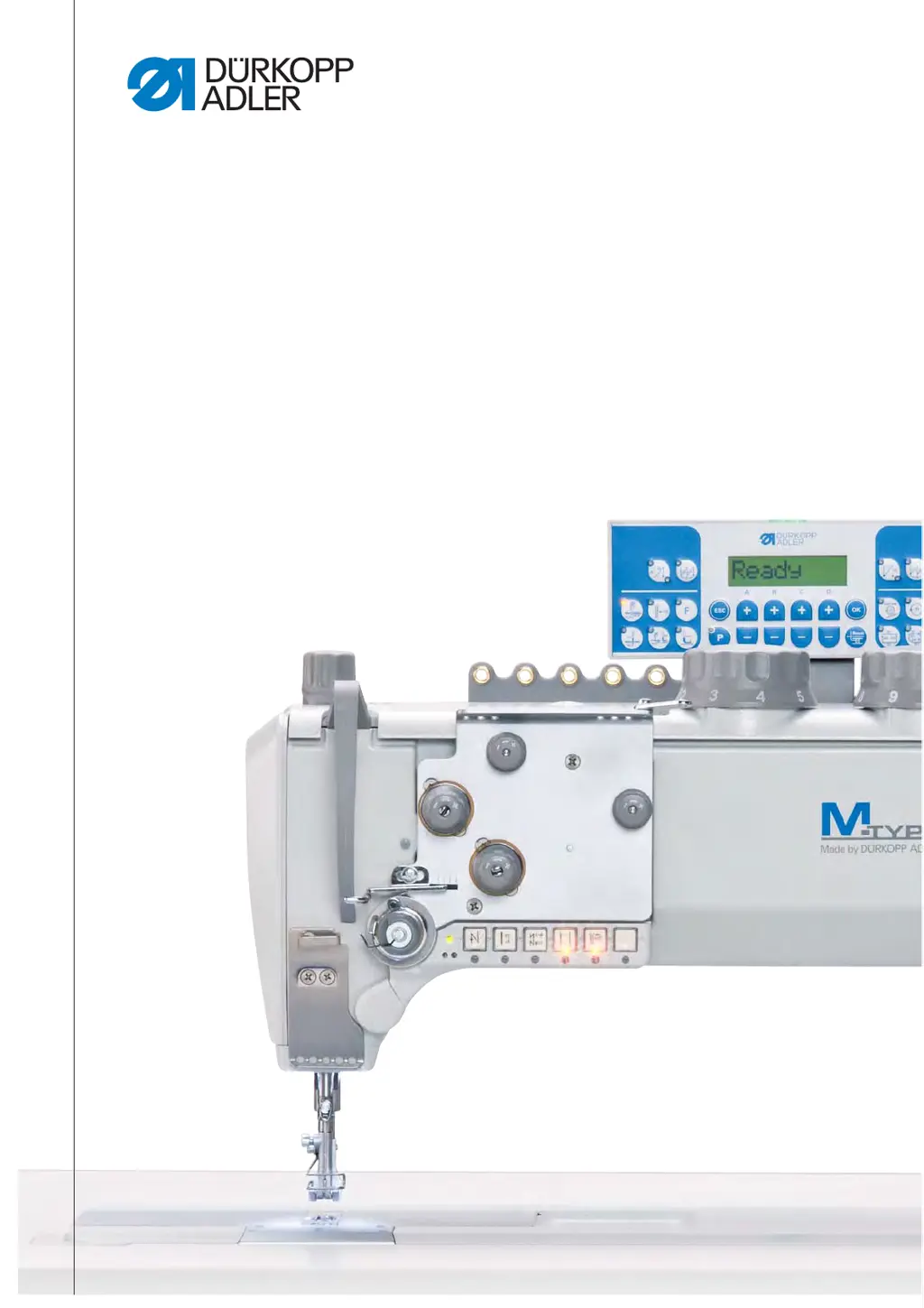
DURKOPP ADLER 867 - Service Manual

DURKOPP ADLER 867
164 pages
Print Icon
To Next Page IconTo Next Page
Loading...
867
Service Instructions

Table of Contents

Other manuals for DURKOPP ADLER 867

Questions and Answers

  • J
    Jennifer DelgadoAug 25, 2025
    What to do if DURKOPP ADLER Sewing Machine shows software update error?
    • A
      Amanda PachecoAug 25, 2025
      If you encounter a software update error on your DAC classic DURKOPP ADLER Sewing Machine, where only the functions of the DAC basic remain available, attempt another software update. If the issue persists, consider replacing the control.
  • E
    Eugene GomezAug 25, 2025
    What to do if DURKOPP ADLER Sewing Machine shows checksum error during update?
    • M
      Ms. Kim Miller DVMAug 26, 2025
      If you encounter a checksum error during an update on your DURKOPP ADLER Sewing Machine, first check the connection cables. If the problem persists, attempt a software update. If the issue still occurs, consider replacing the DACextension box.
  • C
    Christopher WangAug 26, 2025
    What to do if DURKOPP ADLER Sewing Machine shows communication error?
    • M
      maymarkAug 26, 2025
      If you're experiencing a communication error on your DAC classic DURKOPP ADLER Sewing Machine, where only the functions of the DAC basic are available, try restarting the control. If the problem continues, attempt a software update. If neither works, consider replacing the control.
  • J
    Joy RiveraAug 26, 2025
    What to do if DURKOPP ADLER Sewing Machine shows no valid data on internal and external EEprom?
    • T
      tcarterAug 26, 2025
      If your DURKOPP ADLER Sewing Machine shows no valid data on the internal and external EEPROM, indicating a software version incompatibility, check the machine ID connection. Then, switch off the control, wait until the LEDs are off, and switch the control on again. If the issue remains, perform a software update.
  • A
    Adam WallsAug 27, 2025
    What to do if DURKOPP ADLER Sewing Machine shows no valid data on internal EEprom and no external EEprom connected?
    • V
      Vanessa MitchellAug 27, 2025
      If your DURKOPP ADLER Sewing Machine displays no valid data on the internal EEPROM and no external EEPROM is connected, indicating that the internal data structures are not compatible, check the machine ID connection. Then, switch off the control, wait until the LEDs are off, and switch the control on again. If the problem persists, perform a software update.
  • D
    Dr. Kimberly HardyAug 27, 2025
    What to do if DURKOPP ADLER Sewing Machine shows no valid data on internal EEprom?
    • D
      Dorothy NguyenAug 27, 2025
      If your DURKOPP ADLER Sewing Machine shows no valid data on the internal EEPROM, indicating that internal data structures are not compatible, check the machine ID connection. Then, switch off the control, wait until the LEDs are off, and switch the control on again. If the issue persists, perform a software update.
  • A
    alvarezkatieAug 27, 2025
    What to do if DURKOPP ADLER Sewing Machine shows software version error?
    • T
      Teresa JuarezAug 27, 2025
      If you encounter a software version error on your DAC classic DURKOPP ADLER Sewing Machine, where only the functions of the DAC basic remain available, try a software update. If the issue persists, consider replacing the control.
  • S
    Shelley HuntAug 28, 2025
    What to do if DURKOPP ADLER Sewing Machine shows no external EEprom connected?
    • S
      Scott GibsonAug 28, 2025
      If your DURKOPP ADLER Sewing Machine indicates that no external EEPROM is connected, connect the machine ID.
  • M
    Mary WalkerAug 28, 2025
    What to do if DURKOPP ADLER Sewing Machine shows no valid data on external EEprom?
    • C
      Christopher RomeroAug 28, 2025
      If your DURKOPP ADLER Sewing Machine indicates no valid data on the external EEPROM because the internal data structures are incompatible, perform a software update.
  • M
    Michael TaylorAug 29, 2025
    What to do if DURKOPP ADLER Sewing Machine shows DACextension box boot error?
    • A
      Anthony JamesAug 29, 2025
      If you encounter a boot error with the DACextension box on your DURKOPP ADLER Sewing Machine, check the connection cables. If the issue persists, try a software update. If neither works, replace the DACextension box.

Summary

About these Instructions

Intended Audience

Identifies the target audience for the service instructions.

Representation Conventions

Explains symbols and formatting used for clarity in the manual.

Other Documents

Lists related documentation for further reference.

Liability

Outlines the manufacturer's liability limitations.

Safety

Basic Safety Instructions

Provides fundamental safety guidelines for machine operation and maintenance.

Warning Signals and Symbols

Details hazard levels and associated symbols for safety alerts.

Working Basis

Adjustment Principles and Cable Management

Emphasizes adjustment sequence and proper cable routing.

Cover Removal and Component Access

Explains procedures for accessing machine components by removing covers.

Shaft Flats and Machine Locking

Describes shaft features and methods to secure the machine for adjustments.

Handwheel Position Adjustment

Instructions for positioning the handwheel to specific marks for adjustments.

Handwheel Scale Adjustment

Adjusting the Handwheel Scale

Step-by-step guide for recalibrating the handwheel's graduated scale.

Arm Shaft Positioning

Positioning the Arm Shaft

Procedure to correctly position the arm shaft for proper machine function.

Toothed Belt Wheels

Toothed Belt Wheel Positioning

Instructions for aligning both upper and lower toothed belt wheels.

Stitch Length Adjustments

Upper and Lower Stitch Length Controls

Detailed steps for adjusting the primary and secondary stitch length controls.

Stitch Length Limits and Eccentric Settings

Setting stitch length limits and adjusting for forward/backward stitch consistency.

Feed Dog Adjustments

Feed Dog Position and Movement Control

How to set feed dog position and adjust its movement cycle for accurate feeding.

Feed Dog Lift Height Adjustment

Setting and adjusting the feed dog's lift height using different methods.

Needle Bar Linkage Alignment

Needle Bar Linkage Alignment Procedures

Procedures for aligning the needle bar linkage sideways and in the sewing direction.

Hook and Needle Interaction

Hook Side Clearance and Looping Stroke

Setting hook-needle clearance and synchronizing loop formation.

Needle Guard and Bar Height Adjustments

Adjusting the needle guard and needle bar height for correct needle-hook interaction.

Bobbin Case Lifter Adjustments

Lifting Gap and Timing Setup

Setting the lifting gap and synchronizing the bobbin case lifter's operation.

Sewing Feet Adjustments

Sewing Foot Stroke, Pressure, and Lifting

Adjusting sewing foot lift height, stroke, and pressure for material.

Walking Foot Stroke Movement Fine-Tuning

Fine-tuning the walking foot's movement relative to the feed dog.

Needle Thread Tension Control

Needle Thread Regulator and Tension Spring Adjustment

Adjusting needle thread tension using the regulator and spring.

Winder Operation and Adjustment

Winder Wheel, Driver Wheel, and Thread Guide Setup

Aligning winder components and adjusting the hook thread guide.

Winder Functionality and Bobbin Fill Adjustment

Adjusting the winder's operation and determining bobbin fill quantity.

Thread Trimmer Operations

Thread-Pulling Knife Height and Cutoff Curve Tuning

Adjusting knife height and the path of the thread-cutting action.

Cutting Pressure and Timing Synchronization

Setting cutting pressure and synchronizing the thread cutting operation.

Short Thread Cutter (KFA) Adjustments

KFA Setup and Component Adjustments

Overview, locking latch, thread-pulling knife, counter blade, and timing adjustments for KFA.

Potentiometer Adjustment

Potentiometer Setting via Control Panel

Procedure for setting the potentiometer via the control panel.

Safety Coupling Adjustments

Safety Clutch Attachment and Torque Setting

Attaching the safety clutch and setting its torque for proper disengagement.

Integrated Motor System Maintenance

Drive Component Overview and Disassembly;Assembly

Identifies drive components and explains disassembly/assembly procedures.

Fuse and PCB Replacement Procedures

Procedures for replacing the sewing light fuse and the main printed circuit board.

Special Machine Configurations

Switchable Needle Bars: Height and Slide Adjustment

Details needle bar height and slide adjustments for these machines.

Moving Binder Synchronization and Adjustment

Setup and fine adjustment for machines with a moving binder.

Edge Trimmer Functions and Adjustments

Adjustments for knife movement time, stroke, blade overlap, and cutting edge settings.

Programming and Control Panel Functions

Tensioner Lift and NSB Activation

How to activate the tensioner lift and Needle Stop Brake (NSB) functions.

Machine Maintenance

Routine Cleaning and Lubrication Procedures

Procedures for cleaning the machine and lubricating its components.

Pneumatic System Servicing and Filter Cleaning

Maintenance for operating pressure, water-oil draining, and filter cleaning.

Specific Component Checks and Cleaning

Cleaning the motor fan mesh and checking the toothed belt.

Parts List Information

Information on how to obtain a parts list for the machine.

Decommissioning the Machine

Procedure for Machine Decommissioning

Steps to safely take the machine out of service.

Machine Disposal Guidelines

Proper Machine Disposal Procedures

Guidelines for environmentally responsible disposal of the machine.

Troubleshooting Common Issues

Customer Support and Software Message Interpretation

Contact info for support and interpretation of software messages.

Sewing Process Error Diagnosis and Resolution

Common sewing issues, causes, and solutions.

Technical Data and Specifications

Noise Emission and Subclass Data Overview

Machine's noise levels and technical specifications by subclass.

Permissible Speeds and Operational Requirements

Maximum operating speeds and requirements for reliable performance.

Appendix and Wiring Diagrams

Wiring Diagrams and Schematics

Electrical schematics and wiring layouts for the machine.

DURKOPP ADLER 867 Specifications

General IconGeneral
Stitch TypeLockstitch
Max Stitch Length12 mm
Needle System134-35
Needle Thread TensionAdjustable
LubricationAutomatic
TypeIndustrial Sewing Machine
Max Sewing Speed3000 stitches per minute
Presser Foot Lift20 mm
Power Requirements230V/50Hz

Related product manuals