User’s Manual
61
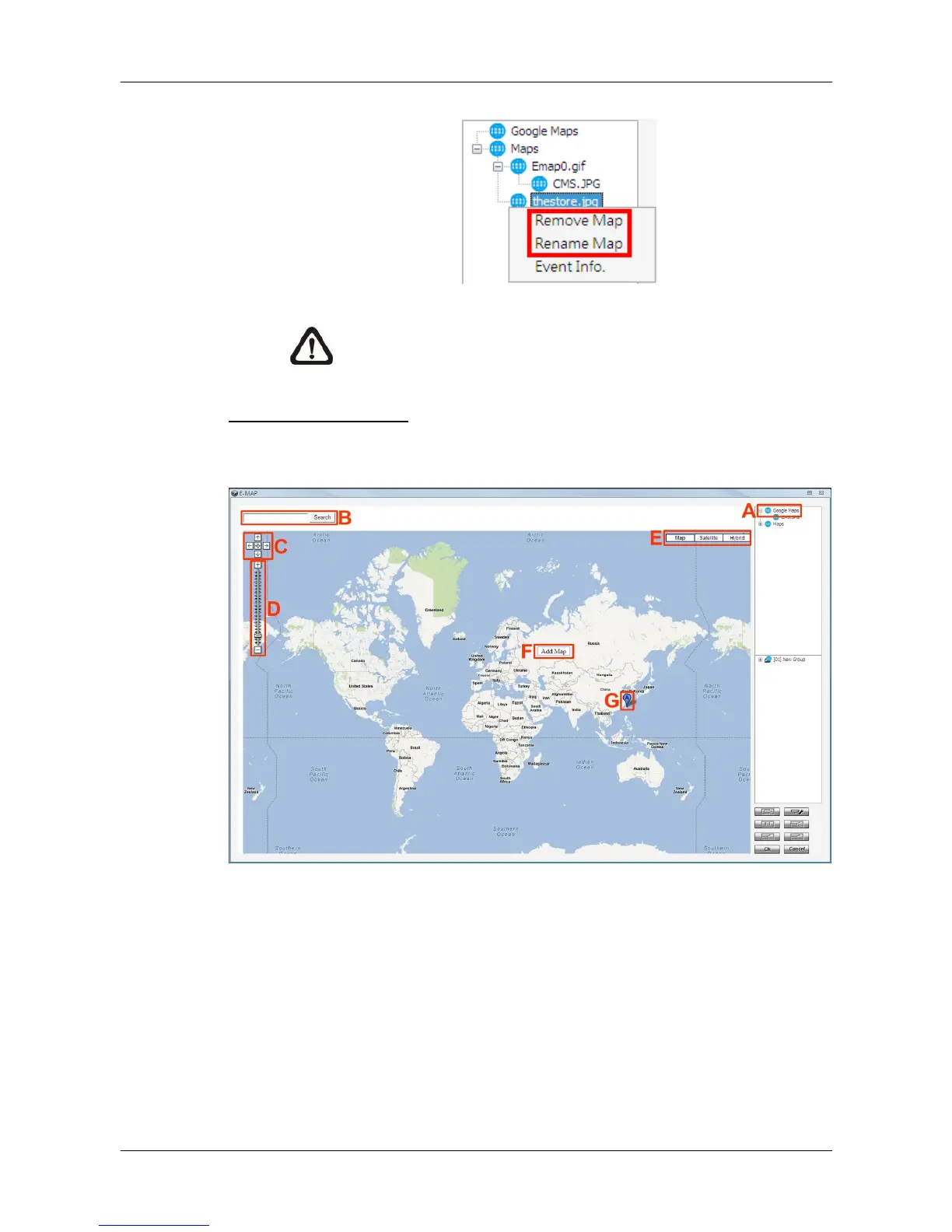
Step 3. Right click on a map in the map list to rename or remove it.
NOTE: <Event Info.> will pop-up an event list including events
from the cameras linked in the map.
Google Map Function
For users who wish to add maps with geographic location in Google Map,
refer to the following steps.
Step A. Double click on the <Google Maps> icon and Google Map will be
displayed.
Step B. Type the name of the location and click on <Search>. If Google Map
is able to find the target location, it will be shown at the center of
Google Map. The display size of Google Map will not be changed.
Step C. Click on the directional icons to move Google Map to any preferred
directions. Click on the center icon to return to the last view.



 To Next Page