User’s Manual
76
Step G. Click on the <Open Video File> button to search for videos via file list.
Users can also convert DRV files to AVI files here. Refer to the next
page for instruction of conversion.
NOTE: The recorded video of IP Camera can only be played back by
CMS player. Some errors might occur if playing back with DVRPlayer.
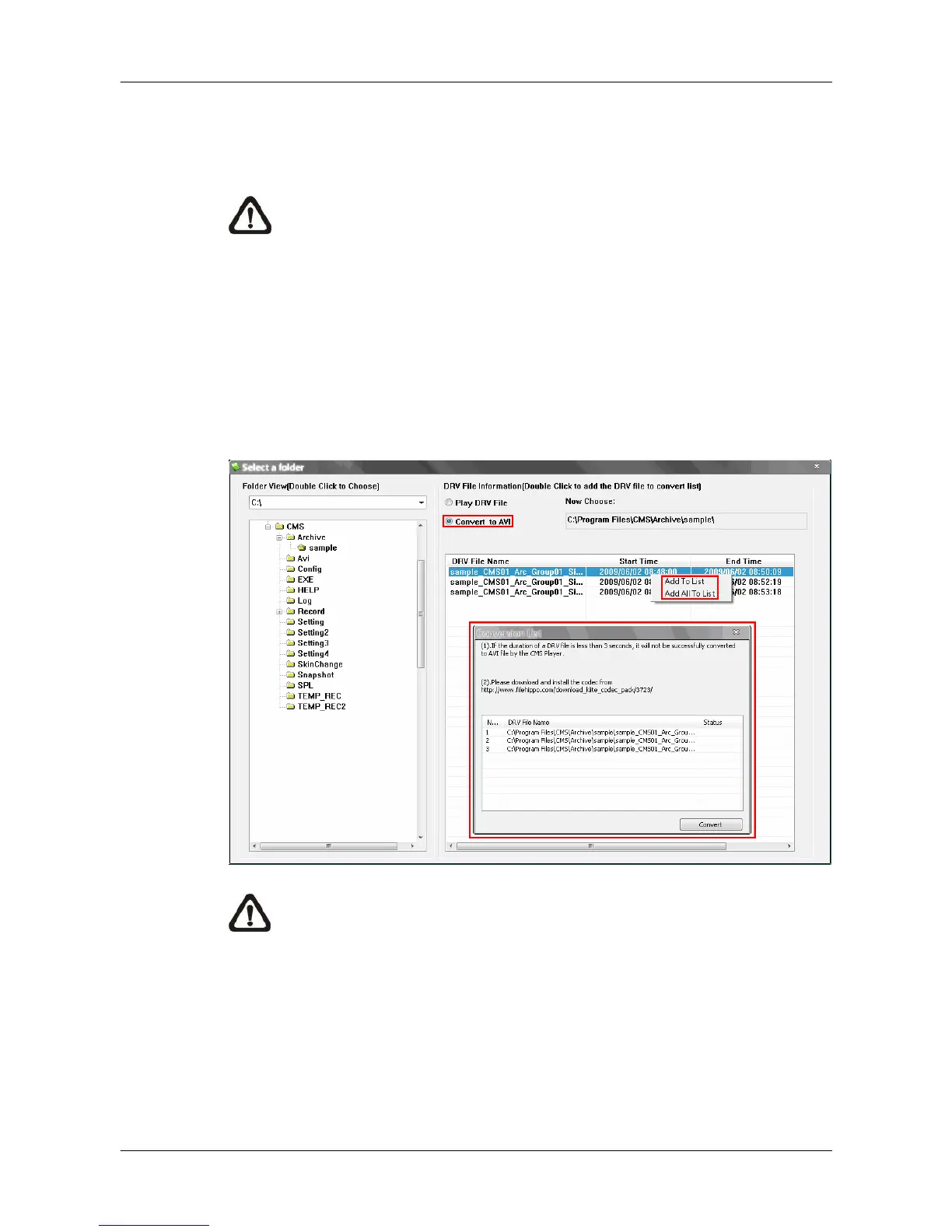
Convert *.drv files to *.avi files:
Click on the <Open Video File> button in the “Playback Search” window, then
the “Select a folder” window will be displayed. On the top center of this
window, select <Convert To AVI> and double click on the file which users wish
to convert. A “Conversion List” window will pop up and the file will be added to
the list. The other way to add files to the list is to right click on the file and
select <Add To List> or <Add All To List>.
NOTE: The list can contain files from different folders.



 To Next Page