User’s Manual
90
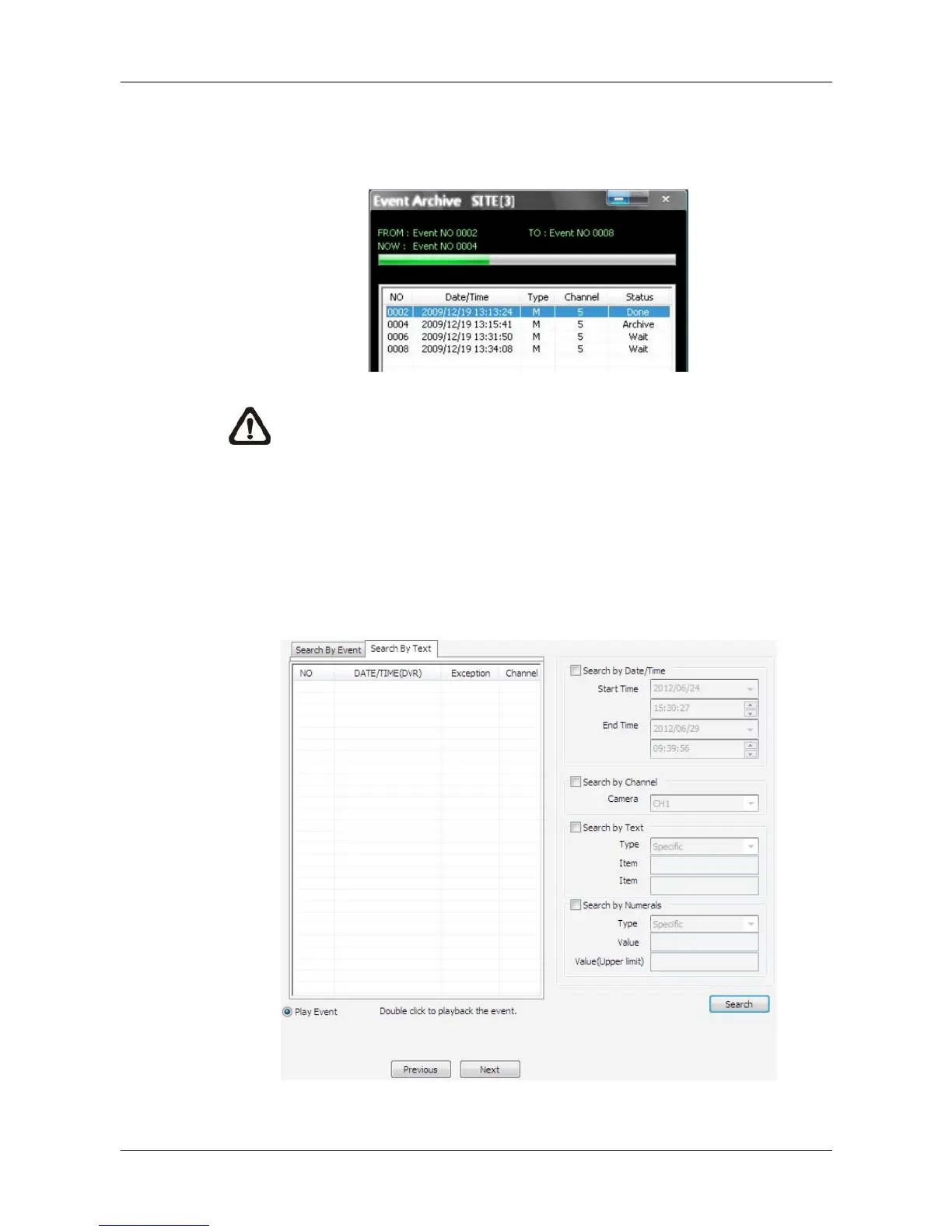
If users need AVI files as well, check the box in front of <Export AVI>. Then
click on <Start Archive> and an <Event Archive> window will pop up. The
progress bar shows current downloading position. The status column shows
the event is under “Archive”, “Wait”, or “Done” condition.
NOTE: The event archive or normal video archive for different sites
can be performed simultaneously.
Search by Text:
If the selected site is a DVR with a POS module installed, users can search
recorded videos with text inputs. The <Search By Text> tab will be displayed
as shown below. Users can specify searching criteria listed on the right and
click on <Search> at the bottom to begin video search. Note that the videos in
the list cannot be archived.



 To Next Page