User’s Manual
109
Cross Line Alert (PRO Version Only)
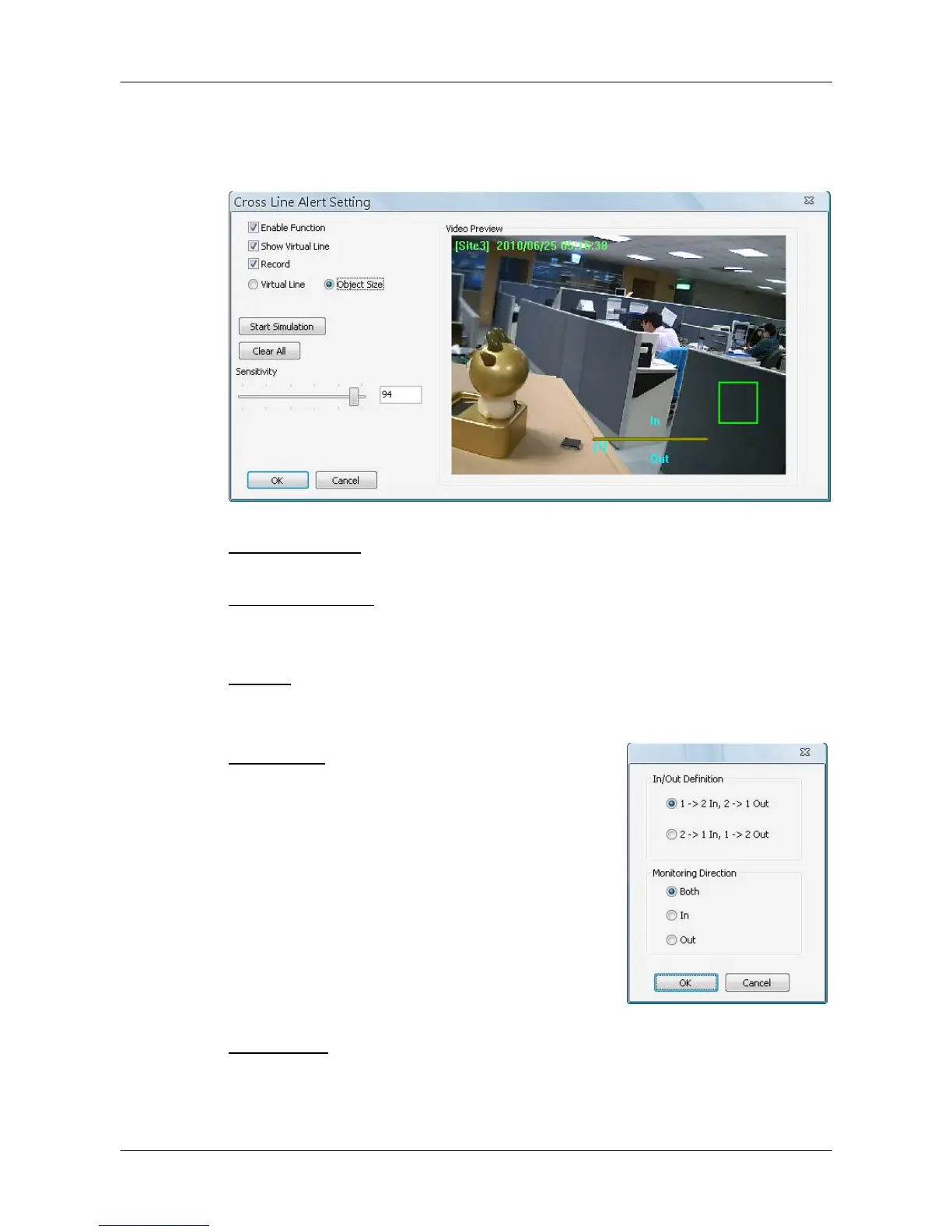
Users can use Cross Line Alert function to monitor prohibited entrance/exit at
designated boundary line. Click on the <Intelligent Surveillance> button and
the cross line alert setting window will be shown as below.
Enable Function: Check on it to enable cross line alert function.
Show Virtual Line: Check on it to display the virtual line on Live monitoring
display.
Record: Check on it to trigger event recording whenever cross line alert is
detected.
Virtual Line: Click to select this and users can
draw virtual lines at preferred positions. After a
virtual line is drawn, a window will pop up as
shown on the right. Users have to define In/Out
direction and monitoring type. A maximum of 10
virtual lines can be defined for each camera.
Object Size: After the virtual line is drawn, users need to define size of
detecting object. Click and drag the mouse to define a preferred object size.



 To Next Page