OSD Setup Manual
69
Playback the videos on the Data List
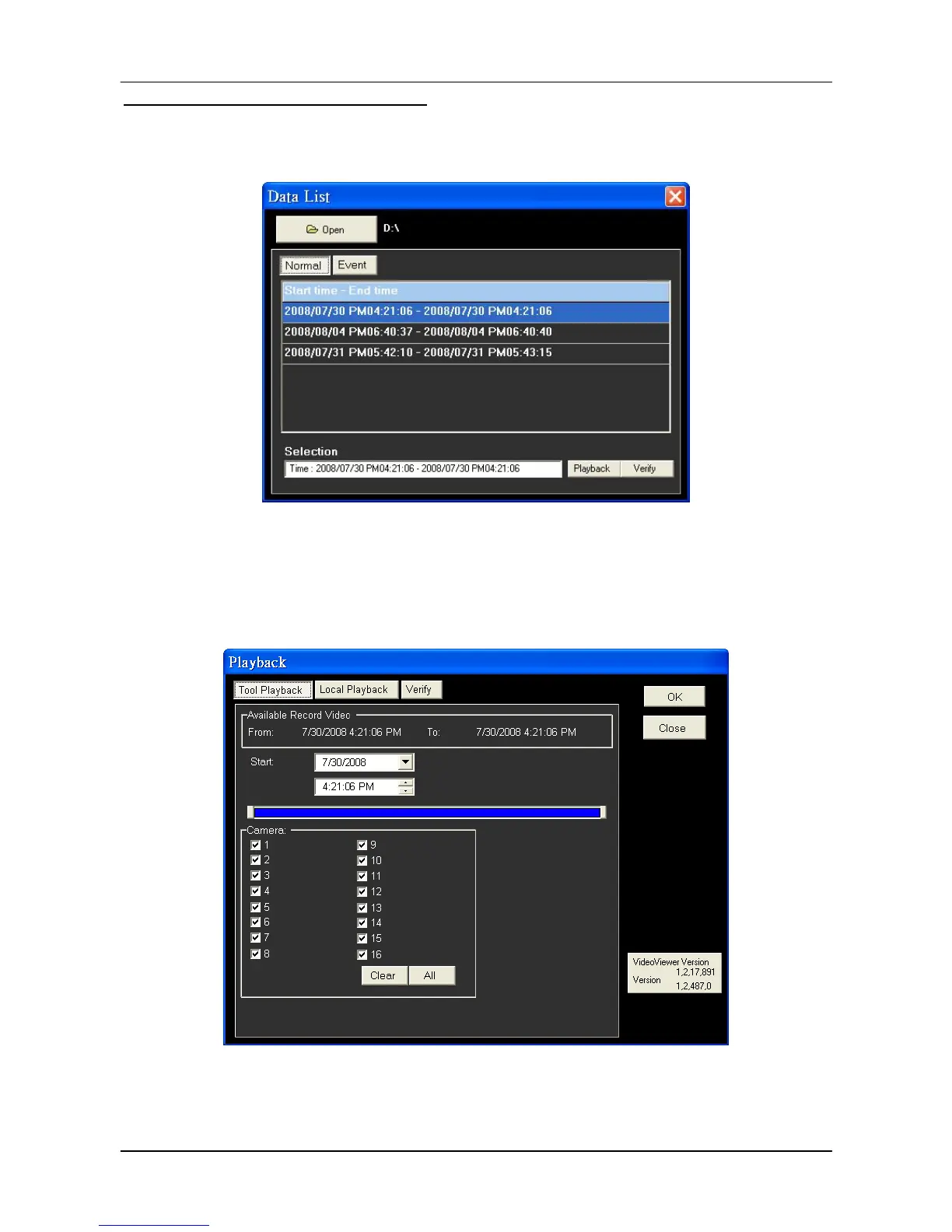
Click <PLAY> on the toolbar at the top of the main window. The “Data List” window displays,
shown as the figure below:
The “Data List” will show all recorded videos, “Normal” and “Event” separately, that are
stored in the destination folder appeared at the top. Note that users can also click <Open>
on the top to select a different folder which contains recorded videos. Select one from the
list and click <Playback> at the bottom, then the “Playback” window will be shown as below:
In the <Tool Playback> tab, users can set starting time and displaying cameras of the
selected video. Then click <OK> on the upper right-hand corner of the window to start
playback the video with selected starting time and displaying camera on the main window.



 To Next Page