OSD Setup Manual
71
Verify digital signature of exported videos
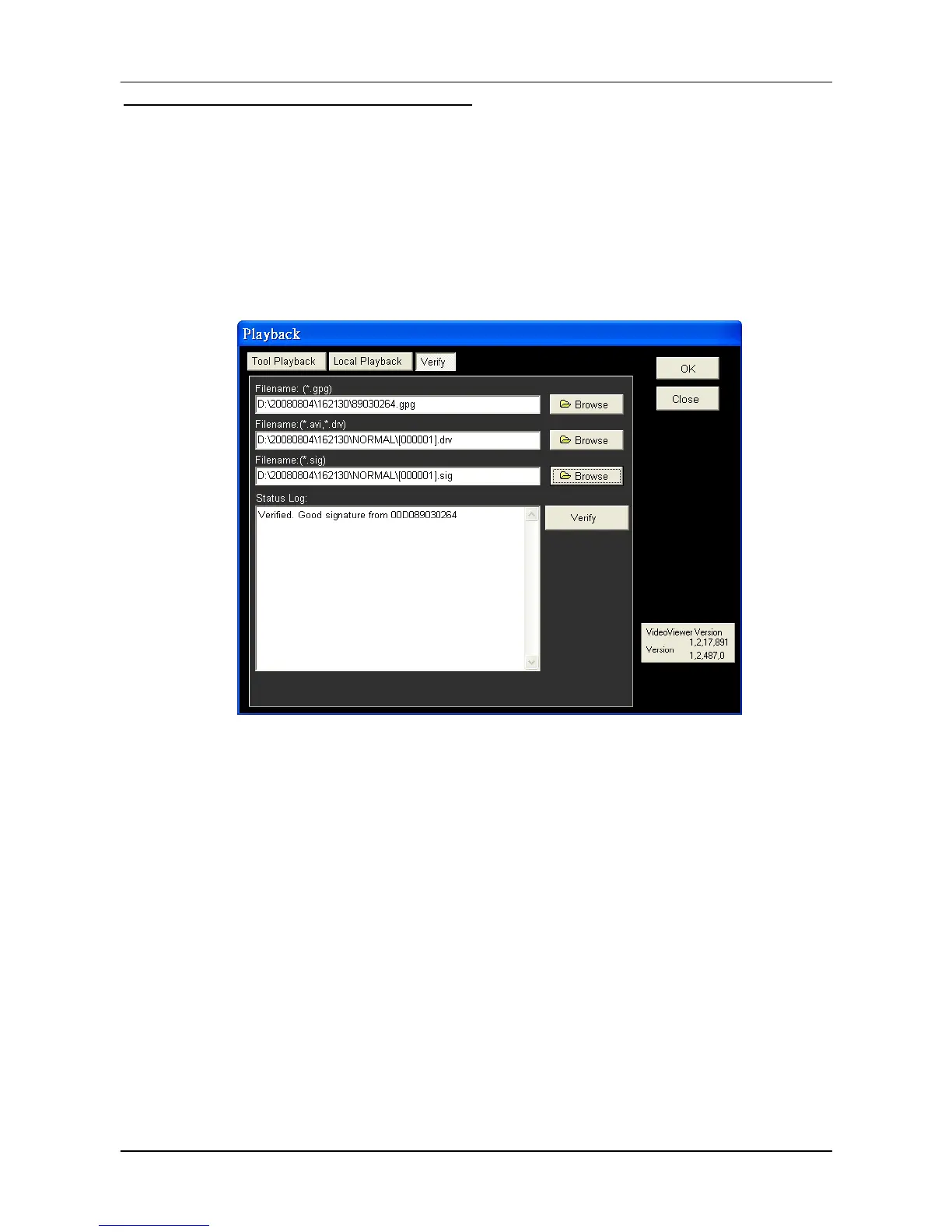
In the <Verify> tab, as shown below, users can authenticate videos with digital signatures.
Follow the steps below to complete the verification.
Select any video from the Data List and click <Verify> at the bottom, then the “Playback”
window will be displayed returning a GOOD or BAD signature result in the <Status Log>
field. A GOOD signature indicates the exported clip has not been altered, whereas a
BAD signature means the video might be changed at some point.
Alternatively, click <Browse> to select the *.gpg, *.drv (or *.avi), *.sig files, which belong
to the video to be authenticated, respectively. After all files are selected, click <Verify>
button to start verifying digital signature.



 To Next Page