OSD Setup Manual
76
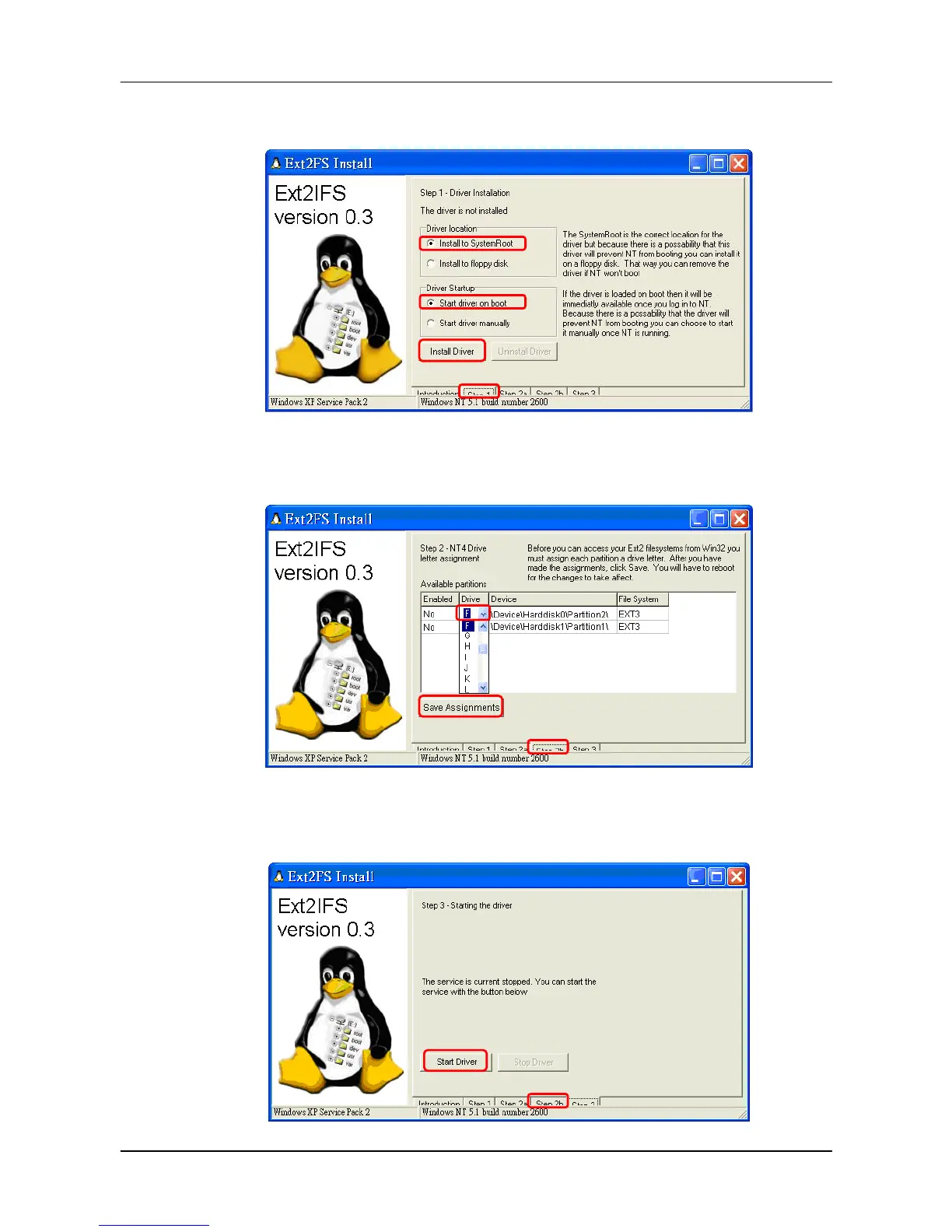
Step 3. Click <Step 1>, then choose <Install to SystemRoot> and <Start driver on boot>
options, as shown below. Then, click <Install Driver> button.
Step 4. Click <Step2b>. Assign each partition to a drive letter. After the assignment of
HDDs are made, click <Save Assignments> button.
Step 5. Click <Step3>. Then, click <Start Driver> button. Now, reboot the PC for the
changes to take effect. The HDD installation is now completed.
1



 To Next Page