OSD Setup Manual
77
After the DVR’s HDD is correctly installed, videos in the DVR’s HDD can be played back by
using the DVRPlayer. Refer to Appendix B: DVRPlayer for detail instruction about the
operation of the DVRPlayer.
Removal of the DVR’s HDD
To remove the HDD from the PC, follow the instruction below.
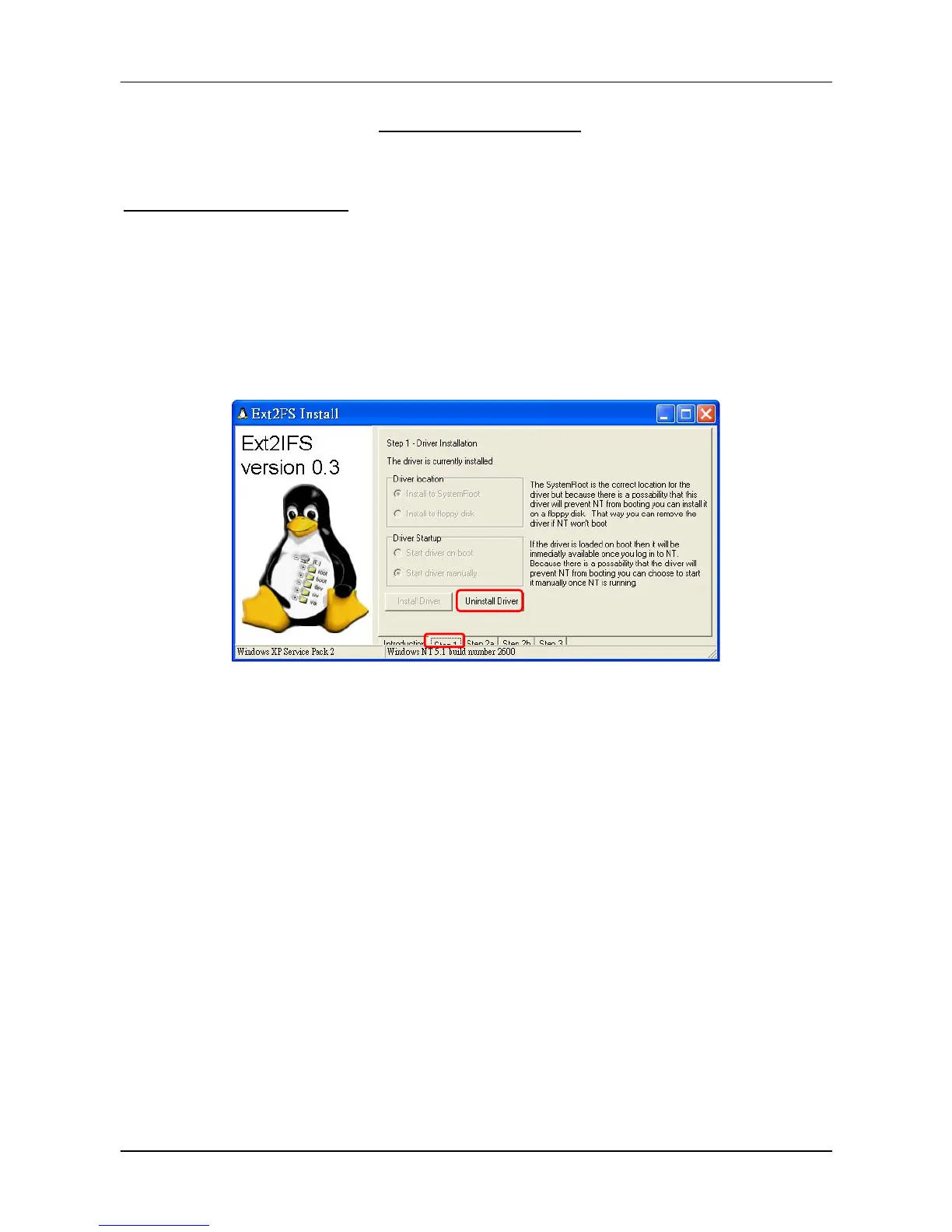
Re-open the EXT2IFS, and go to <Step 1> menu. Click “Uninstall Driver”, and a message
will be shown as: “The service is currently started. You will have to reboot before the service
is completely uninstalled.” Click on “OK” and turn off the PC. Remove the HDD from the PC,
and reboot the PC. The removal of HDD is now completed.
1



 To Next Page