CHAPTER 34
Video terminal accessories
405.1200.037.2 - Rel.: 2.21 of 25/02/2008
34-14
The types of information that can be stored on the Memory Card are:
• Firmware
• Project
• Recipes
• Alarm history buffer
• Start-up language
• Password
The following table lists the principal technical characteristics of the prod-
uct in question.
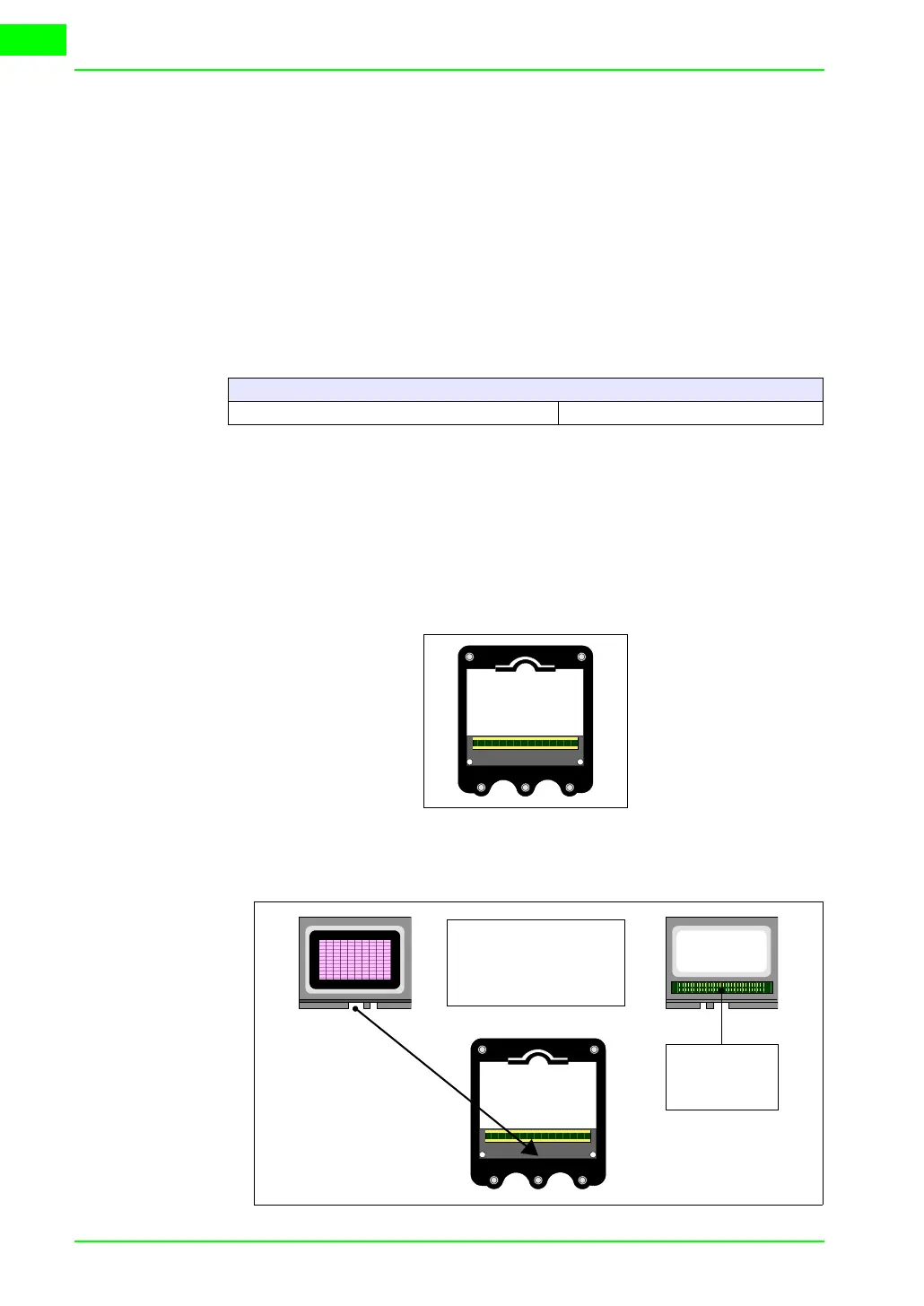
Inserting the memory card into the VT:
Procedure for inserting the card:
• Check that the VT is not connected to the power supply.
• Remove the back cover.
• Locate the following element.
• Insert the memory card in its housing, checking that it is the right way
round.
Technical data
Memory 4Mb or 8Mb
Contacts for
electrical con-
nection
Rear View
Front view
To insert, following the
direction of the arrow till
the card fits securely into
its slot.



 To Next Page