Foundry Configuration Guide for the FESX, FSX, and FWSX
11 - 22 © Foundry Networks, Inc. December 2005
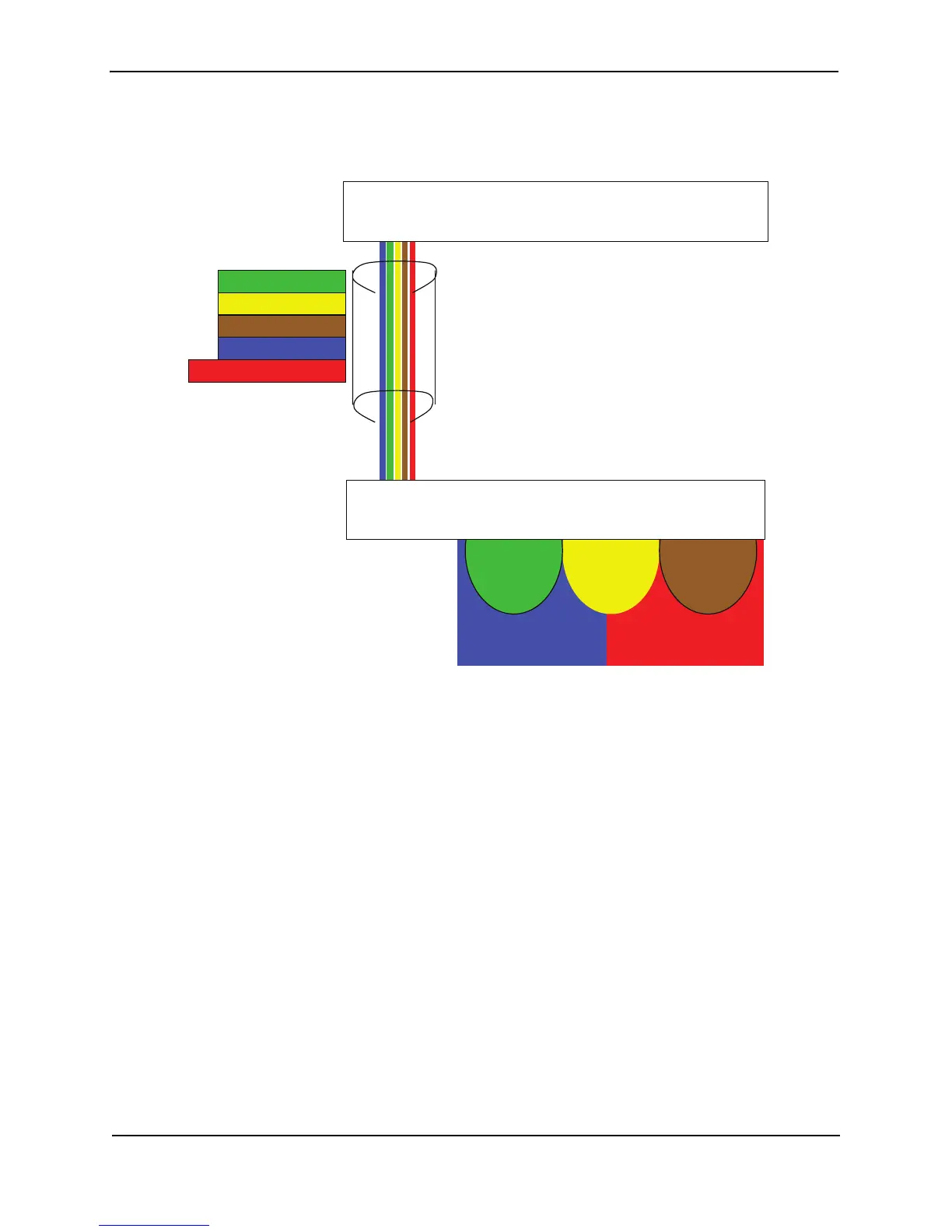
Figure 11.11 shows this configuration.
Figure 11.11 Protocol-based (Layer 3) VLANs
To configure the VLANs shown in Figure 11.11, use the following procedure.
1. To permanently assign ports 1 – 8 and port 25 to IP sub-net VLAN 1.1.1.0, enter the following commands:
FESX424 Switch> en
No password has been assigned yet...
FESX424 Switch# config t
FESX424 Switch(config)#
FESX424 Switch(config)# ip-subnet 1.1.1.0/24 name Green
FESX424 Switch(config-ip-subnet)# no dynamic
FESX424 Switch(config-ip-subnet)# static ethernet 1 to 8 ethernet 25
2. To permanently assign ports 9 – 16 and port 25 to IP sub-net VLAN 1.1.2.0, enter the following commands:
FESX424 Switch(config-ip-subnet)# ip-subnet 1.1.2.0/24 name Yellow
FESX424 Switch(config-ip-subnet)# no dynamic
FESX424 Switch(config-ip-subnet)# static ethernet 9 to 16 ethernet 25
3. To permanently assign ports 17 – 25 to IP sub-net VLAN 1.1.3.0, enter the following commands:
FESX424 Switch(config-ip-subnet)# ip-subnet 1.1.3.0/24 name Brown
FESX424 Switch(config-ip-subnet)# no dynamic
FESX424 Switch(config-ip-subnet)# static ethernet 17 to 25
4. To permanently assign ports 1 – 12 and port 25 to IPX network 1 VLAN, enter the following commands:
FESX424 Switch(config-ip-subnet)# ipx-network 1 ethernet_802.3 name Blue
FESX424 Switch(config-ipx-network)# no dynamic
FESX
Port 25
IP-Subnet 1
IP-Subnet 2
IP Subnet 3
IPX Net 1
Appletalk Cable 100
Port 25
IP-Subnet 1 IP-Subnet 2 IP-Subnet 3
Ports 1-16, 25
IPX Net 1
Ports 17-25
Appletalk Cable 100
FSX Router



 To Next Page