5-9
Chapter 5 Initial Settings Alarm Related Setup
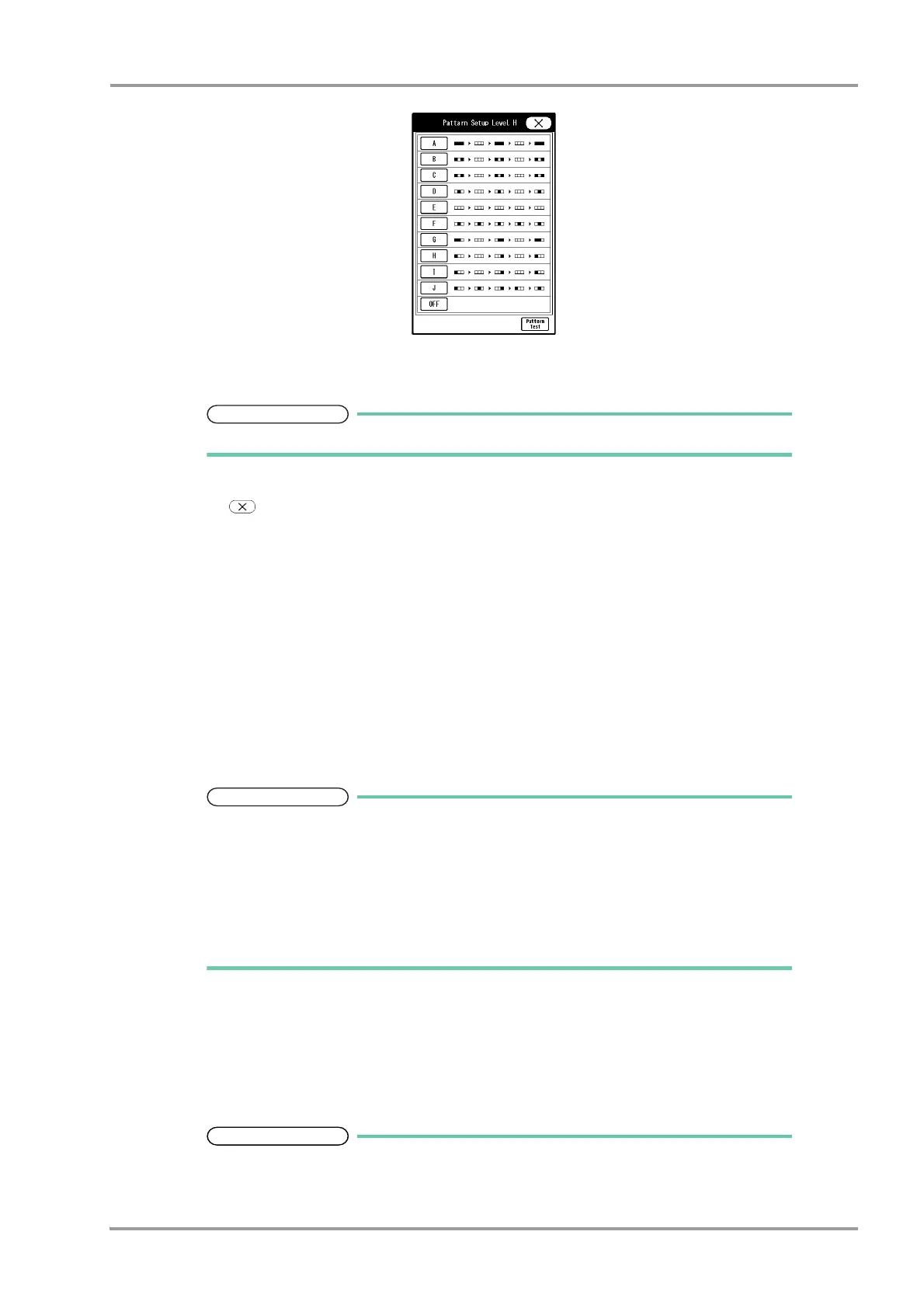
Display Example for Level H
2 Select from [A] to [J].
When not using the alarm indicator function, select [OFF].
3 Press the [Pattern Test] key to test the flash pattern.
4 Press .
5 Select from [All ON] or [All OFF].
[All OFF]: Alarm indicator function will be turned OFF for all levels.
[All ON]: Alarm indicator function will be turned ON for all levels with the current settings.
6 Press the key for "Synchronize with HR/RR".
The dropdown list will be displayed.
7 Select from [Sync. to HR]/[Sync. to RR]/[OFF].
[Sync. to HR]: The alarm indicator will flash in green synchronizing to HR.
[Sync. to RR]: The green LED at the center of alarm indicator will flash synchronizing to RR.
[OFF]: The alarm indicator will not light.
If asystole alarm generates while [Sync. to HR] is selected, the green LED at the center
of alarm indicator will remain lit. When PR synchronized mark is displayed, the LED
on the alarm indicator will not flash.
When [Sync. to RR] is selected and RR synchronized mark other than impedance is
displayed, the alarm indicator will not flash.
To turn OFF the alarm indicator operation all at once, press the [All OFF] key.
11Set the "Alarm Level".
Select the alarm level from [DS-LAN Standard Setup] or [User Setup].
(
Operation Manual "Vital Alarm Message" P11-1)
(
Operation Manual "Vital Alarm Message (DS-LAN Standard Setup)" P11-4)
Press the [Setup] key to display the alarm level setup window.
The alarm level for numeric data alarm, arrhythmia alarm, technical alarm can be set.
The alarm level can be selected from S, H, M, L, OFF according to the priority. ("S" is the


 To Next Page
 Loading...

