EasyManua.ls Logo

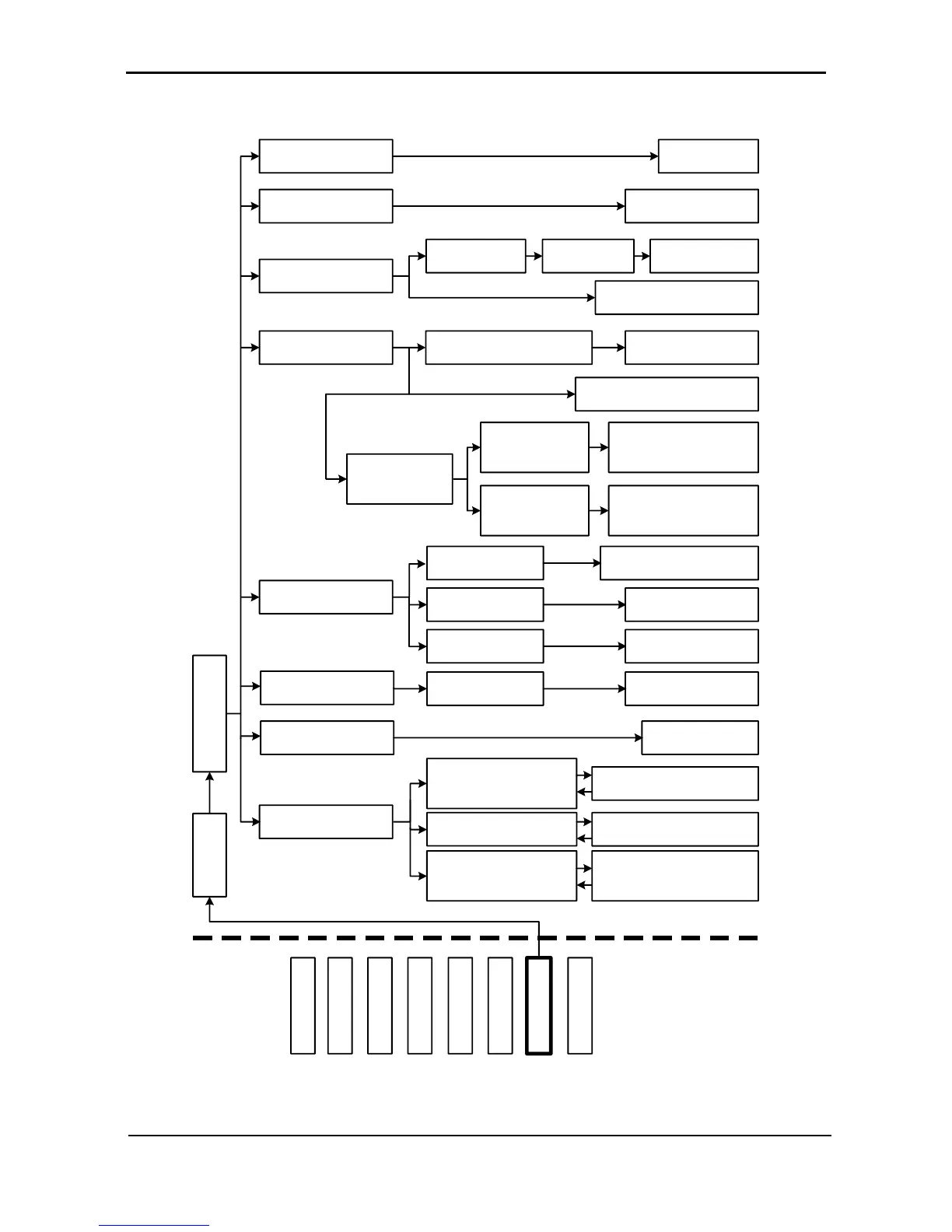
Gamatronic Power+ - Figure 160: Main Menu Option 7 (Setup - Battery); Setup - Battery Option

Gamatronic Power+
176 pages
Print Icon
To Next Page IconTo Next Page
To Previous Page IconTo Previous Page
Loading...
GAMATRONIC ELECTRONIC INDUSTRIES LTD.
POWER
+
PARALLEL
UPS,
USER GUIDE
,
REL
.
2.0
91
7.10 “Setup Battery” Option
- - - Battery SUBMENU OPTIONS - - -
1) Test-Voltage
2) Test Alarm
3) Current-Limit..
4) Temp Compensat.
5) Battery test...
6) Capacity 0020 AH)
7) ‘Auto’ Test
8) Enable/Dis Options
Set battery test voltage
alarm ▲▼◄►
1) Temperature
Compensation Value Setup
1) Activate Battery
Test...
1) Current Limit
Value Setup
2) Current Limit – Press
<Ent> to ENABLE/DISABLE
Battery current
limits
Set battery test
voltage ▲▼◄►
Set charge current
limit ▲▼◄►
2) Disable Temp.
Compensation (2.0mV) <Ent>
3) Set
ABSOLUTE Max
& Min Voltages
Set temperature
compensation ▲▼◄►
1) Set ABSOLUTE
MINimum Output
Voltage
2) Set ABSOLUTE
MAXimum Output
Voltage
Set ABSOLUTE
MINimum Voltage while
Cmpensat. ▲▼◄►
Set ABSOLUTE
MAXimum Voltage while
Cmpensat. ▲▼◄►
2) Set Auto Battery
Test Period
3) Set Auto Battery
Test Top Time
Activate battery test <Ent>
Set Batt Test Period
▲▼◄►
Set Top Time for
Battery Test ▲▼◄►
1) Set Capacity of
Battery # 1
Set Battery # N
Capacity ▲▼◄►
Battery test results
1) ENABLE SHUTDOWN
by long AC FAIL (Off)
<Ent>
2) ENABLE Current
Sensors (Off) <Ent>
3) ENABLE BATT
Temperature sensor (Off)
<Ent>
1) DISABLE SHUTDOWN by
long AC FAIL (On) <Ent>
2) DISABLE Current
Sensors (On) <Ent>
3) DISABLE BATT
Temperature sensor (On)
<Ent>
MAIN
MENU
OPTIONS
SYSTEM
UPS MODULE
SELFTEST
HISTORY
BATTERY
ALARM
SETUP
STATIC SW.
3) Battery
Password:
<<<<<<<<
Figure 160: Main Menu option 7 (“Setup Battery”)

Table of Contents

Related product manuals