133
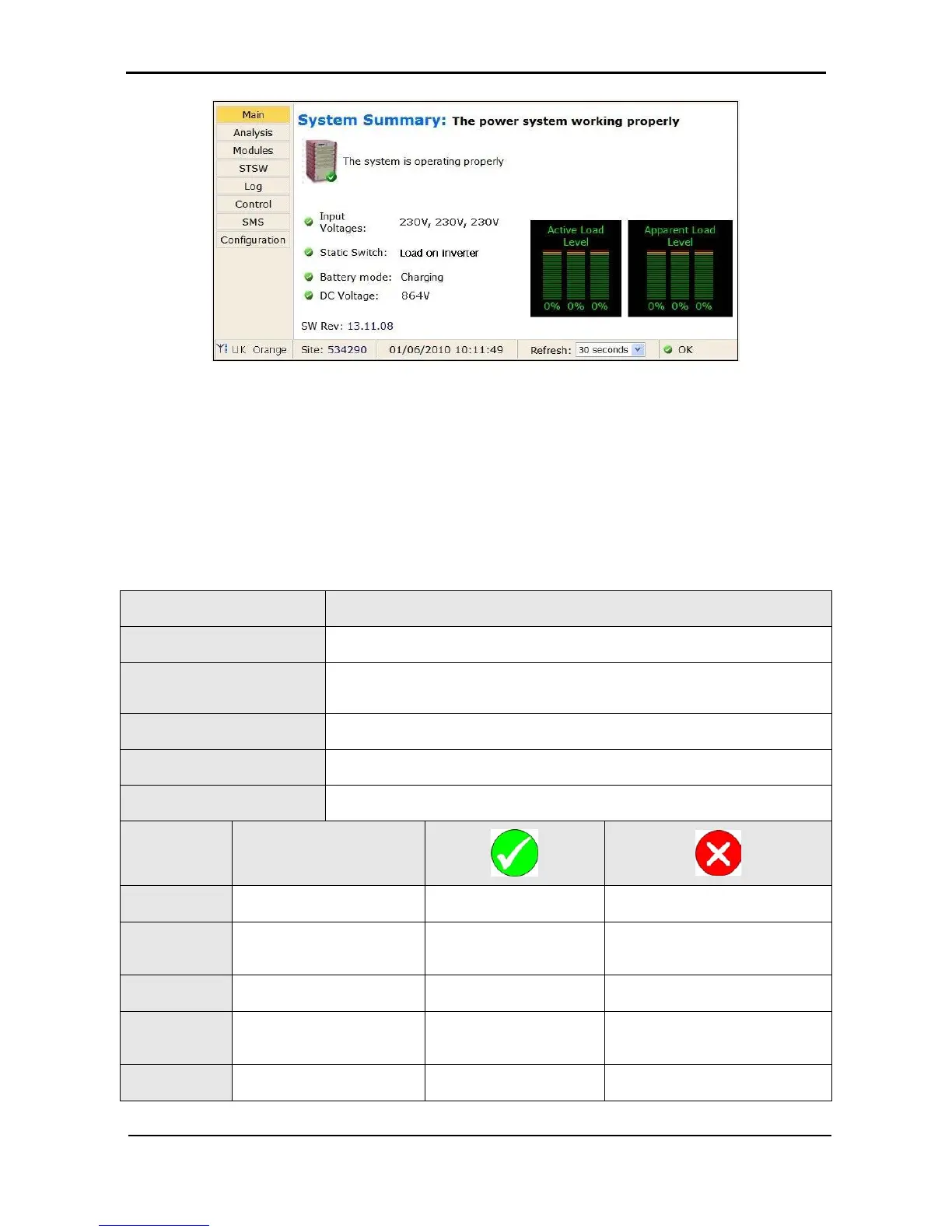
Figure 289: Main Screen of the Power+ Web interface
8.2 Main Screen
The Main Screen (see Figure 289 above) is the first screen you see when connecting to the GMaCi
software.
The column on the left side of the screen is the Main Menu. The first option in the Main Menu brings you to
the Main Screen when you are not already there. The items in the rest of the Main Screen are described in
Table 11.
Table 11: Main Screen features
ITEM DESCRIPTION
System Summary:
Informs you if attention is required or not.
GSM module status
Cellular (GSM) communication is Available / Not available.
A signal-strength indicator is displayed along with the service provider name.
Cellular communication requires the Wing module.
Site number:
The site number is identified.
Date and time
The current date and time are displayed.
Refresh:
The time interval at which the display is periodically updated.
ITEM DESCRIPTION
UPS image
–
No active alarms at this
time.
One or more alarms are active.
Input
voltages
The voltage of each input
phase is listed.
All input voltages are within
range.
One or more of the input phases
has a voltage outside of the
permitted range.
Static Switch
Load on: Inverter (checkmark)
/ Bypass (“x”)
Load on inverter. Load on bypass.
Battery
mode:
Charging (checkmark) /
Discharging (“x”)
Battery charged or
charging.
Battery discharging or discharged.
Dc voltage
Current battery / charging
voltage (Vdc).
Battery voltage in range. Battery voltage out of range.











 To Next Page