GAMATRONIC ELECTRONIC INDUSTRIES LTD.
147
8.3.7.7 Defining email notification targets
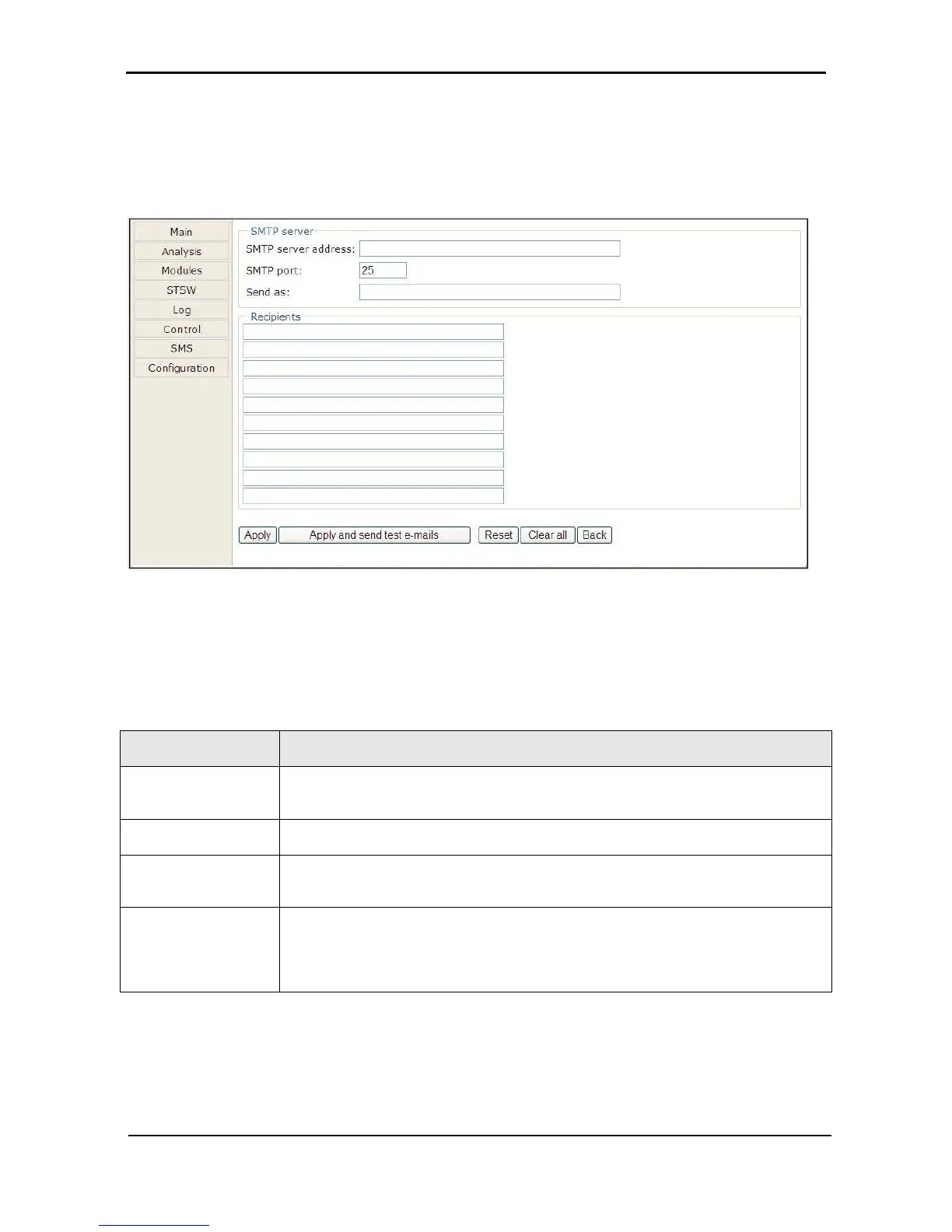
The Web interface enables you to have notifications of system alarm conditions sent by email. To use this
feature, the outgoing email server must be defined in the “E-mail notifications screen”, accessible from the
Configuration menu.
Figure 303: Defining email notification targets
Table 17: Fields in the email notifications screen
DNS name or IP address of the outgoing email server. The Power+ must be
defined to the email server as NOT requiring a login.
Predefined SMTP port for the notification messages
Send as:
The “from” address in the outgoing email. Note: some email servers have an anti-
spam feature that requires the “from” address to be a valid, existing address.
Recipients
In each line under the “Recipients” header, a single email address can be entered
in standard format. For example:
“PeterSmyth@networx.com” (without the quotes).
A single email address representing a list of addresses can also be entered.











 To Next Page